
Component
Letter Open Animation in Framer
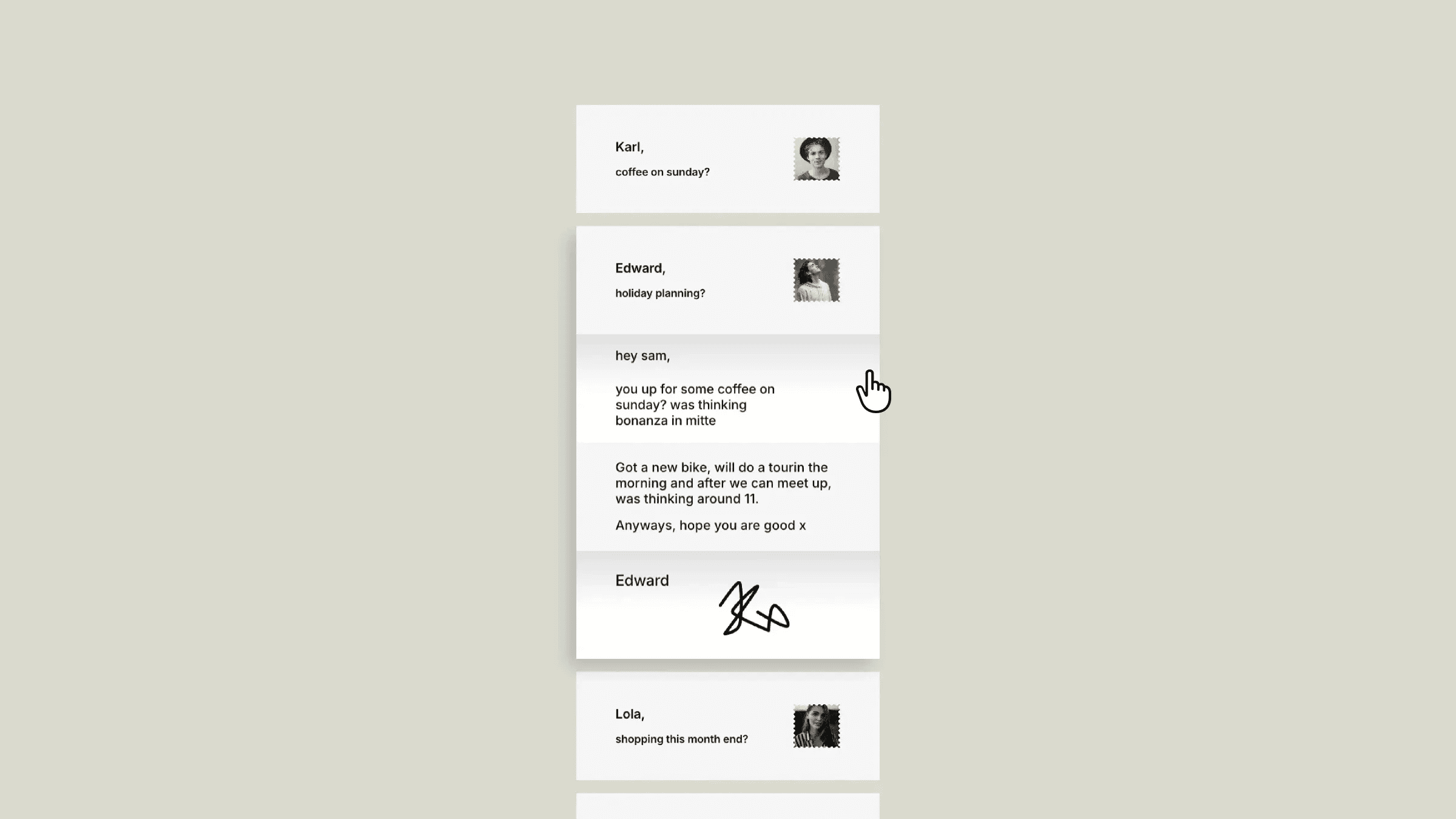
This is a letter-opening style accordion recreated in Framer, from Sam’s original work. Remix it to explore how this layered fold effect is built without any code, or simply copy the component into your own project.



About the resource
To create this letter open animation, I built each letter using four fold frames wrapped inside a single parent frame and turned into a component. Each fold is given its own 3D transform with the correct rotation and origin so the paper bends and opens in a realistic way. I created both closed and open variants for all four folds, making sure every fold rotates from the right edge and angle when switching between states.
To turn this into an accordion-style interaction, I created a second component that controls how multiple letters behave together. In the default state, all letters use their closed variants. Each open state activates one letter while automatically switching the others back to closed, so opening one pushes the rest out of view. All transitions are handled with on-click interactions and component variants, with no code involved.
If you want to learn 3D transforms in Framer, you can check out this crash course at https://framer.university/lessons/framer-3d.
About the resource
To create this letter open animation, I built each letter using four fold frames wrapped inside a single parent frame and turned into a component. Each fold is given its own 3D transform with the correct rotation and origin so the paper bends and opens in a realistic way. I created both closed and open variants for all four folds, making sure every fold rotates from the right edge and angle when switching between states.
To turn this into an accordion-style interaction, I created a second component that controls how multiple letters behave together. In the default state, all letters use their closed variants. Each open state activates one letter while automatically switching the others back to closed, so opening one pushes the rest out of view. All transitions are handled with on-click interactions and component variants, with no code involved.
If you want to learn 3D transforms in Framer, you can check out this crash course at https://framer.university/lessons/framer-3d.
About the resource
To create this letter open animation, I built each letter using four fold frames wrapped inside a single parent frame and turned into a component. Each fold is given its own 3D transform with the correct rotation and origin so the paper bends and opens in a realistic way. I created both closed and open variants for all four folds, making sure every fold rotates from the right edge and angle when switching between states.
To turn this into an accordion-style interaction, I created a second component that controls how multiple letters behave together. In the default state, all letters use their closed variants. Each open state activates one letter while automatically switching the others back to closed, so opening one pushes the rest out of view. All transitions are handled with on-click interactions and component variants, with no code involved.
If you want to learn 3D transforms in Framer, you can check out this crash course at https://framer.university/lessons/framer-3d.
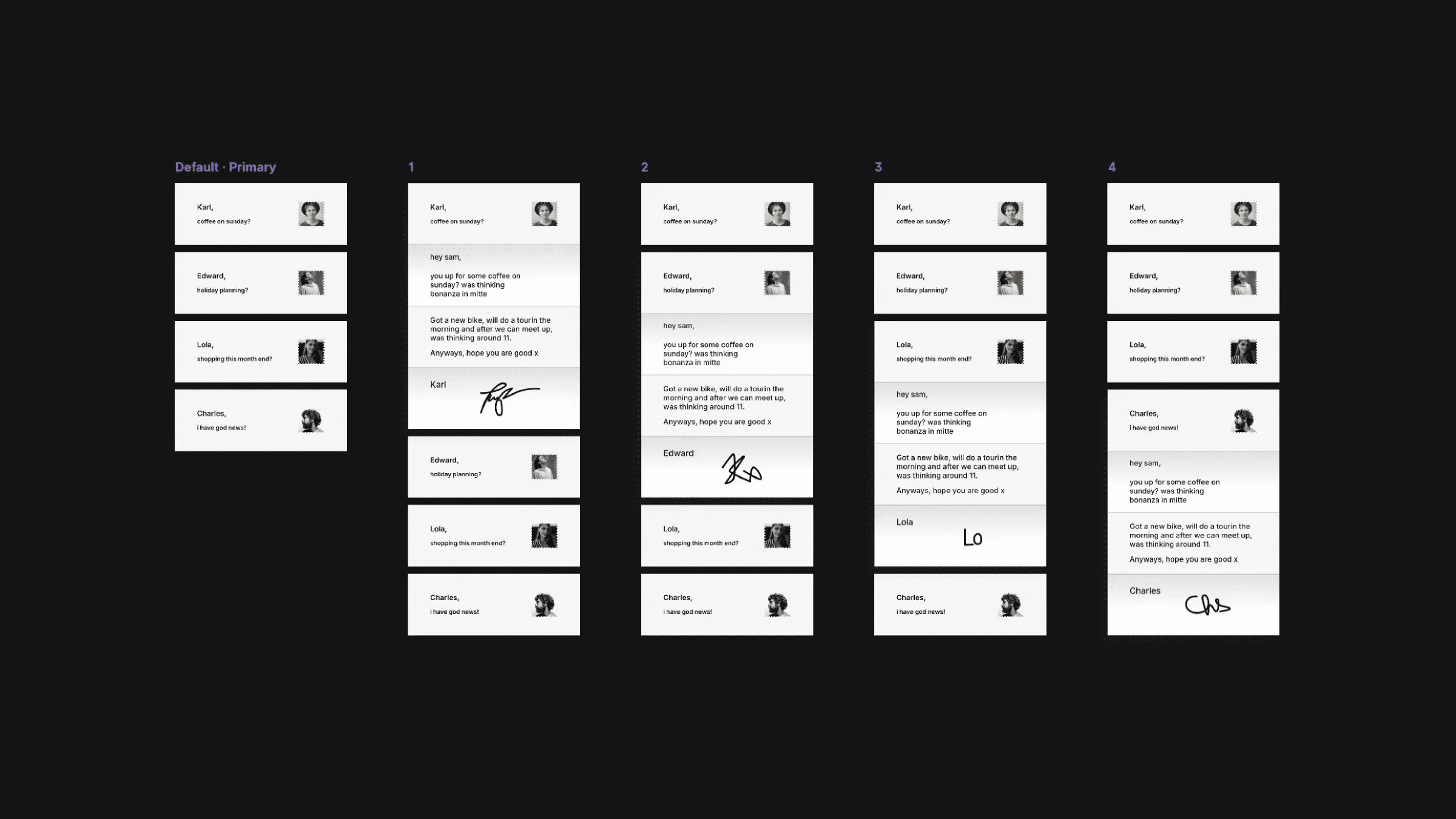
The multiple variants of the letters interaction component in Framer.
The multiple variants of the letters interaction component in Framer.
The multiple variants of the letters interaction component in Framer.


