Sparkle Effect in Framer

Copy component

Copy component

Sparkle Effect in Framer

Copy component

Nandi Muzsik

How can I improve Framer Uni?

Let me know if there’s a missing feature or something that could be improved.

Share feedback

How to Make $10K+ with Framer in 60 days

How to Make $10K+ with Framer in 60 days

Component

Sparkle Effect in Framer

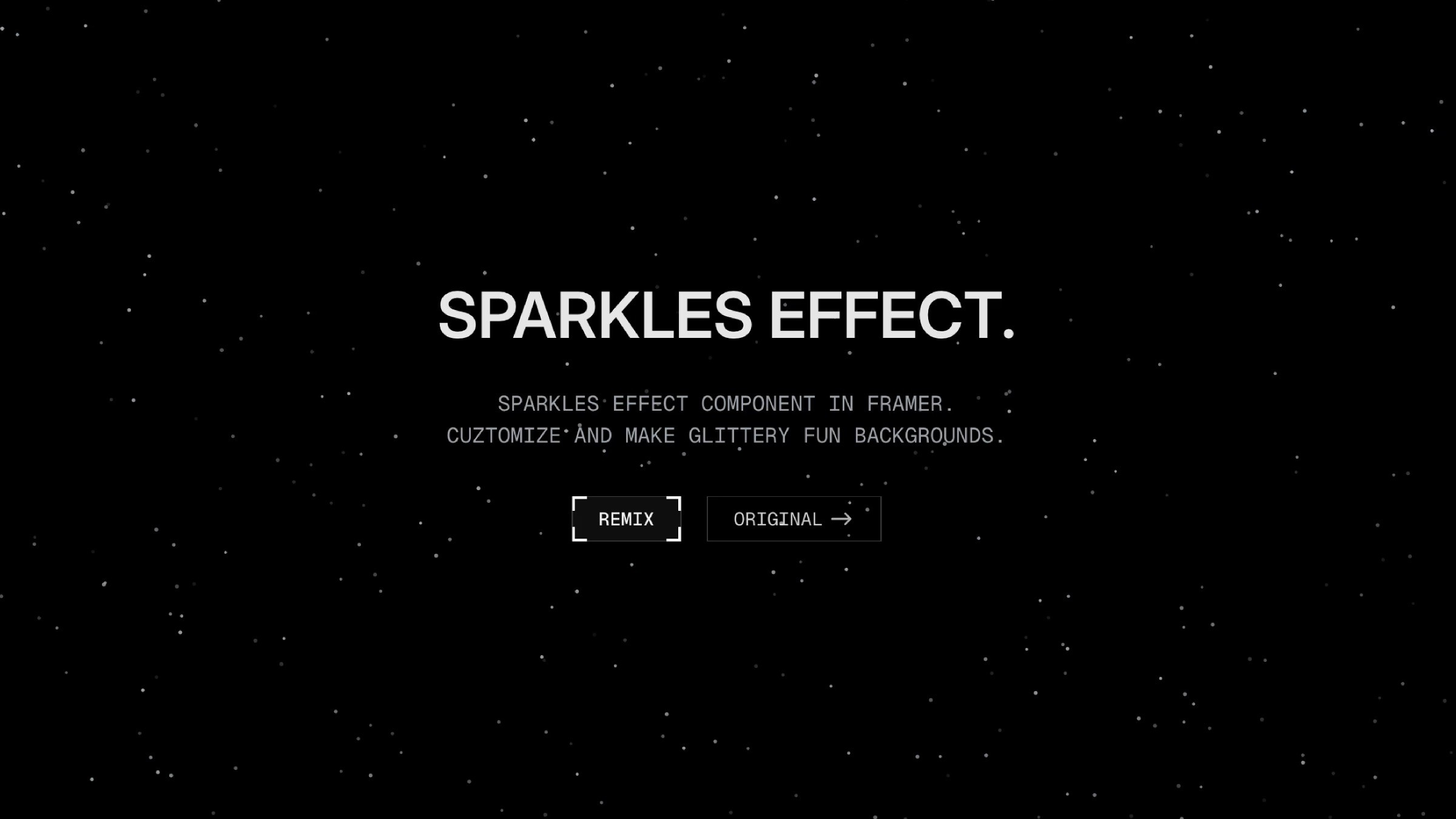
This component adds a soft, shimmering layer of sparkles to any frame. It’s a simple recreation of the original effect by Manu Arora (Aceternity UI), fully customizable. Drop it into your project, tune the settings, and give your design a subtle glow or a playful shine.

image of Nandi Muzsik
profile image of Emanuele
image of Prianca S.
Image of Manu

Created by

Black background with white scattered sparkle effect animation

About the resource

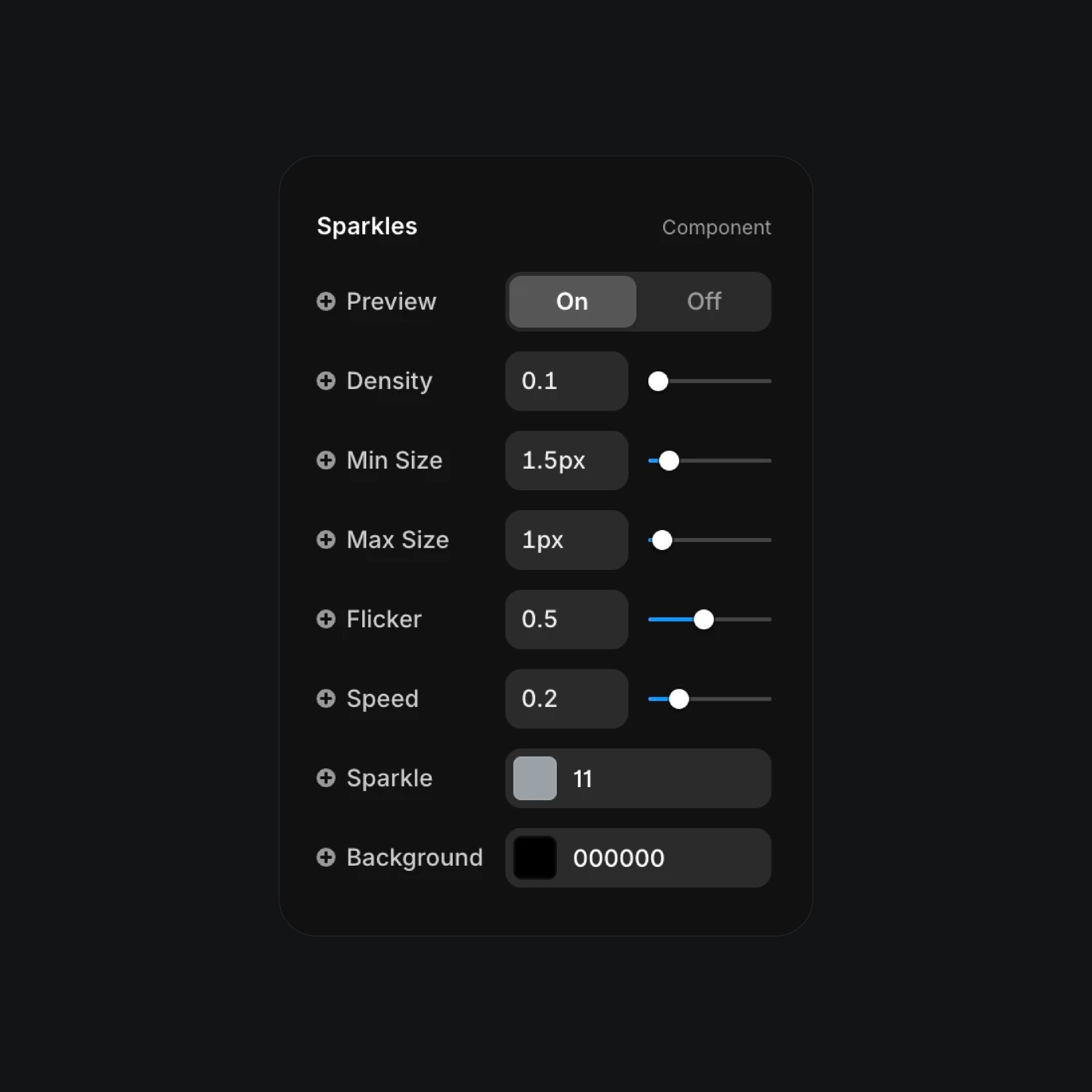
To use the Sparkle Effect component, I set up simple controls so you can fine-tune exactly how the sparkles behave on your canvas.

You can preview the animation live, adjust how dense the sparkles are, and set the minimum and maximum particle sizes to get the look you want. The flicker control lets you decide how quickly each sparkle fades in and out, while the speed setting controls how fast they drift across the screen.

You can also choose the sparkle color and the background color to match your design. It’s a small component that adds a light, playful shimmer anywhere you place it.

About the resource

To use the Sparkle Effect component, I set up simple controls so you can fine-tune exactly how the sparkles behave on your canvas.

You can preview the animation live, adjust how dense the sparkles are, and set the minimum and maximum particle sizes to get the look you want. The flicker control lets you decide how quickly each sparkle fades in and out, while the speed setting controls how fast they drift across the screen.

You can also choose the sparkle color and the background color to match your design. It’s a small component that adds a light, playful shimmer anywhere you place it.

About the resource

To use the Sparkle Effect component, I set up simple controls so you can fine-tune exactly how the sparkles behave on your canvas.

You can preview the animation live, adjust how dense the sparkles are, and set the minimum and maximum particle sizes to get the look you want. The flicker control lets you decide how quickly each sparkle fades in and out, while the speed setting controls how fast they drift across the screen.

You can also choose the sparkle color and the background color to match your design. It’s a small component that adds a light, playful shimmer anywhere you place it.

Sparkles effect settings panel with sliders on dark background

The properties of the sparkles component in Framer.

Sparkles effect settings panel with sliders on dark background

The properties of the sparkles component in Framer.

Sparkles effect settings panel with sliders on dark background

The properties of the sparkles component in Framer.

Learn how can one go from 0 to $11.5k with Framer in 60 days.

From no followers, no portfolio, no reputation, to making thousands with a profitable Framer business.

Nandi portrait's background

Learn how can one go from 0 to $11.5k with Framer in 60 days.

From no followers, no portfolio, no reputation, to making thousands with a profitable Framer business.

Nandi portrait's background

Learn how can one go from 0 to $11.5k with Framer in 60 days.

From no followers, no portfolio, no reputation, to making thousands with a profitable Framer business.

Nandi portrait's background

More resources

More resources

  • Music app playlist created screen with artist avatars

    Playlist Generation Circular Animation in Framer

    Component

    Music app playlist created screen with artist avatars

    Playlist Generation Circular Animation in Framer

    Component

  • Customer testimonials section with review letter card

    3D Letter Testimonials in Framer

    Component

    Customer testimonials section with review letter card

    3D Letter Testimonials in Framer

    Component