
Component
Soulful Form Submit States in Framer



About the resource
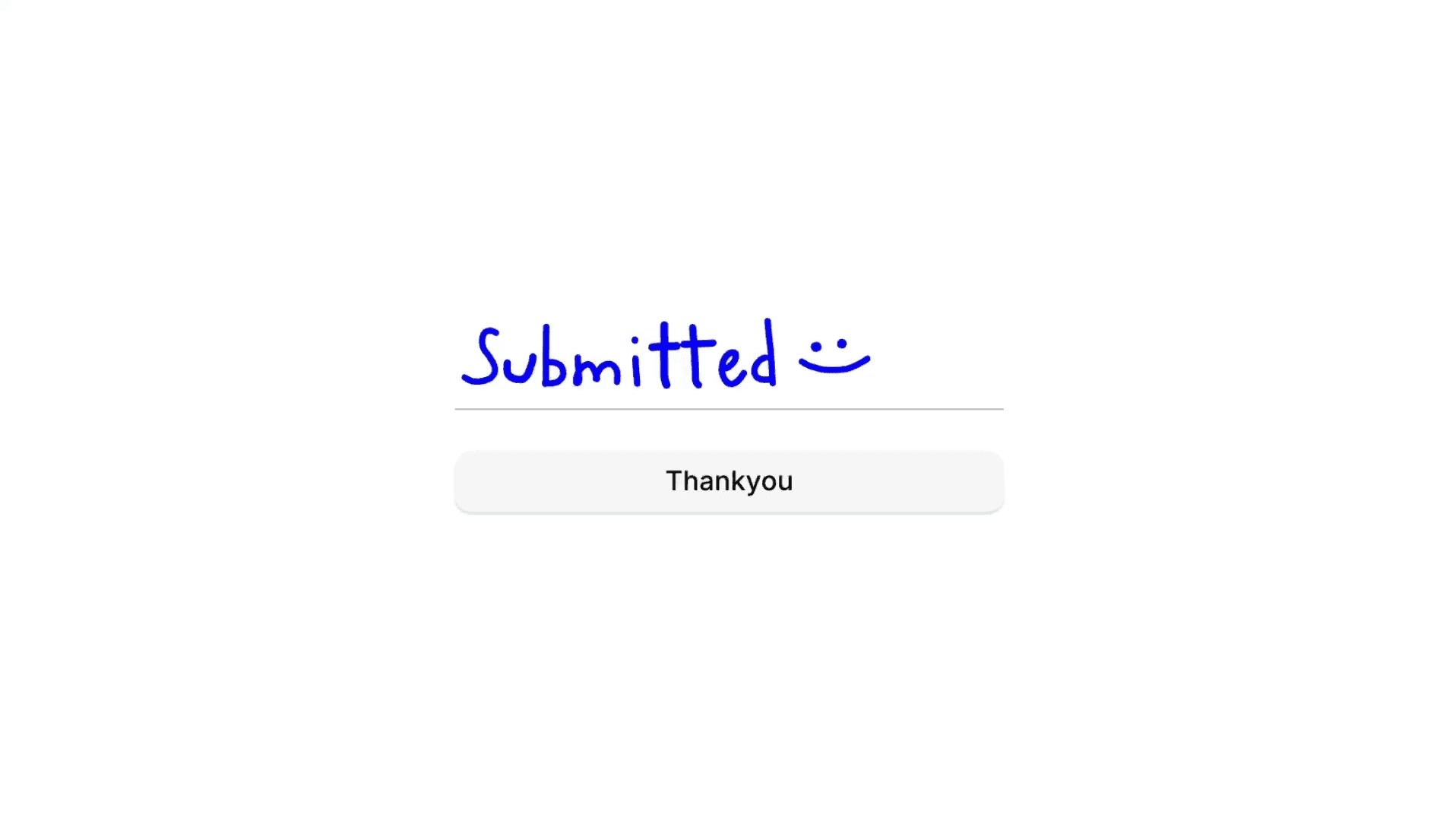
To create the soulful form submit state in Framer, I built the word submitted using separate icon sets for each letter, with a stroke effect applied for the letter animation.
About the resource
To create the soulful form submit state in Framer, I built the word submitted using separate icon sets for each letter, with a stroke effect applied for the letter animation.
About the resource
To create the soulful form submit state in Framer, I built the word submitted using separate icon sets for each letter, with a stroke effect applied for the letter animation.
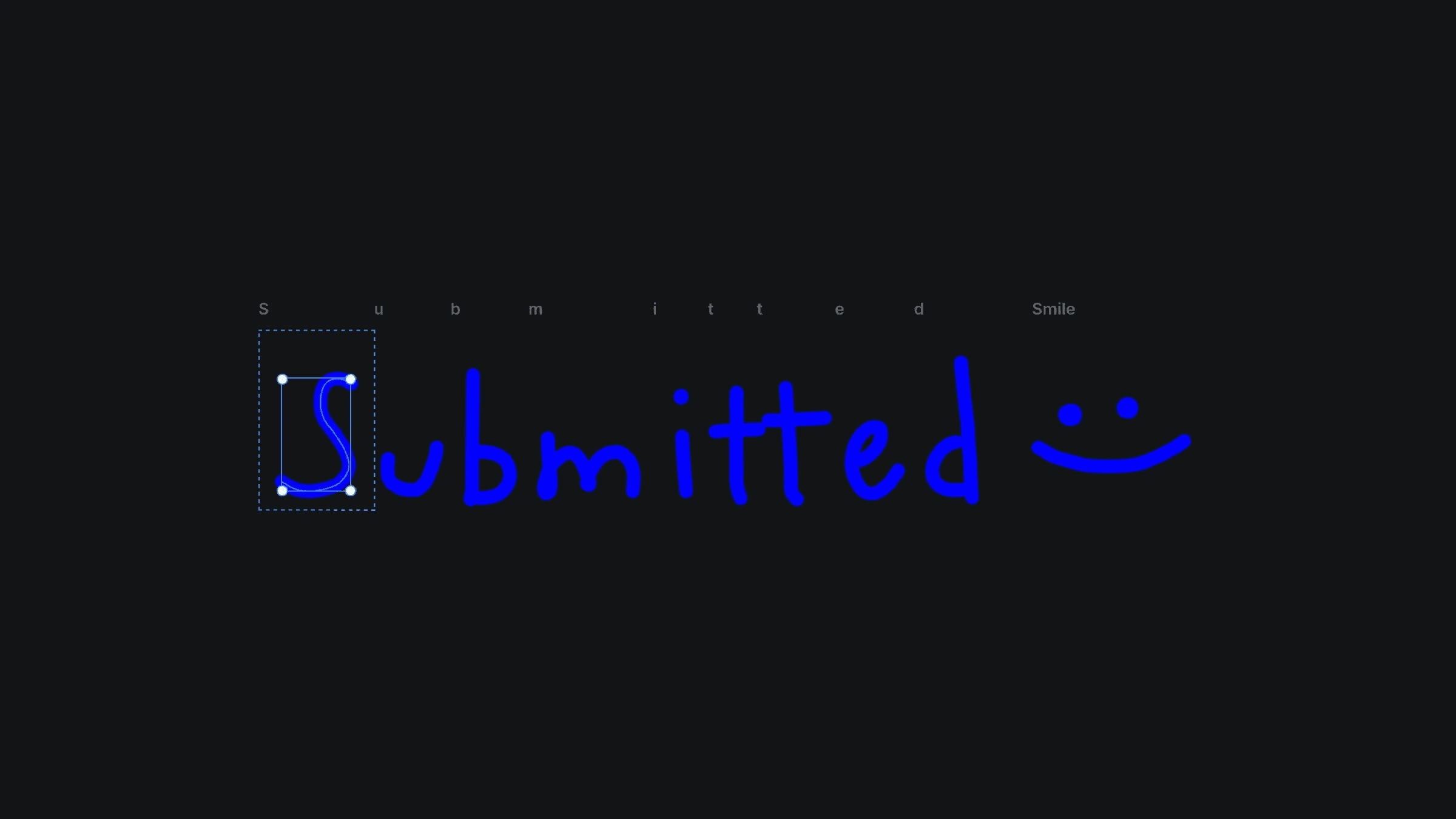
The icon sets with stroke effect in Framer.
The icon sets with stroke effect in Framer.
The icon sets with stroke effect in Framer.
I stacked all the letter icon sets together and converted them into a single component. Inside the component, each letter has its own variant, and I switch them from visible no to visible yes one by one. These variants are connected using the appear interaction so the letters reveal sequentially.
I then placed this submit animation directly where the input field sits in the form. By default, the component is set to visible no. Once the form is filled correctly, the variant switches, triggering the animation and playing the full submitted sequence smoothly within the form.
I stacked all the letter icon sets together and converted them into a single component. Inside the component, each letter has its own variant, and I switch them from visible no to visible yes one by one. These variants are connected using the appear interaction so the letters reveal sequentially.
I then placed this submit animation directly where the input field sits in the form. By default, the component is set to visible no. Once the form is filled correctly, the variant switches, triggering the animation and playing the full submitted sequence smoothly within the form.
I stacked all the letter icon sets together and converted them into a single component. Inside the component, each letter has its own variant, and I switch them from visible no to visible yes one by one. These variants are connected using the appear interaction so the letters reveal sequentially.
I then placed this submit animation directly where the input field sits in the form. By default, the component is set to visible no. Once the form is filled correctly, the variant switches, triggering the animation and playing the full submitted sequence smoothly within the form.
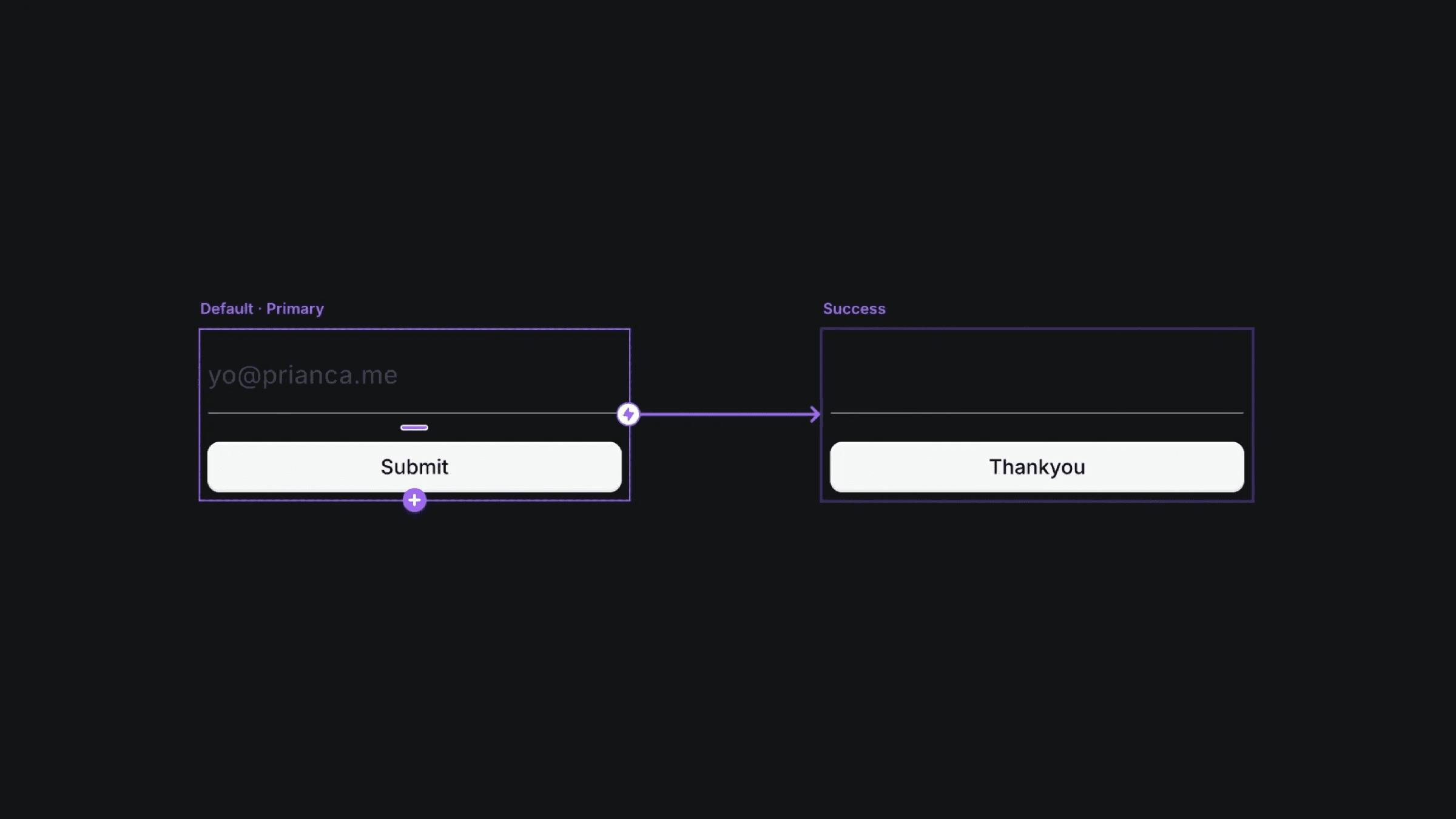
The default and success variant of the soulful form component.
The default and success variant of the soulful form component.
The default and success variant of the soulful form component.


