
Component
Snowfall Effect in Framer
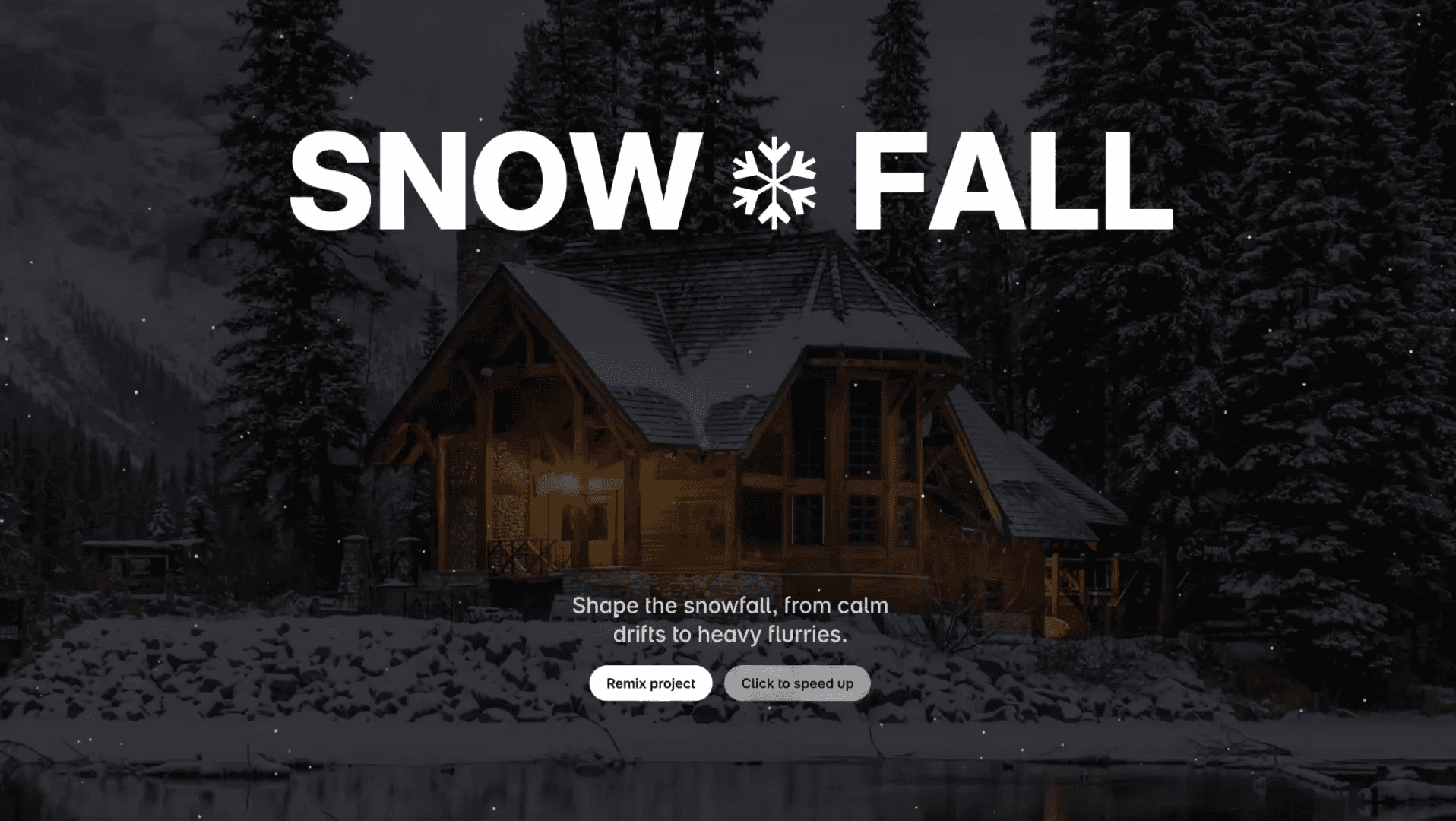
This is a snowfall effect recreated in Framer, from Cahil Foley’s original work. It’s built to simulate gentle, falling snow with adjustable density and speed. You can copy it into your projects to add atmospheric motion to sections or scenes without writing any code.




About the resource
To use the component is simple, as its customizable in a way that every part of the animation can be controlled from the right panel. You can toggle Preview to switch between a live snowfall and a static scene in the canvas.
The Count setting adjusts how dense the snowfall feels, while Speed lets each snowflake fall at a randomized pace between defined Min and Max values. Wind adds horizontal movement with individual variation per snowflake, allowing subtle drifts or strong sideways motion.
Radius controls the size range of the snowflakes, Opacity defines how visible they are, and Direction lets the snow fall down normally or move upward for a reverse effect. Transition smooths out changes when you tweak values, Color helps match the snow to your theme, and Background lets you add or remove a backdrop, keeping it transparent if needed.
About the resource
To use the component is simple, as its customizable in a way that every part of the animation can be controlled from the right panel. You can toggle Preview to switch between a live snowfall and a static scene in the canvas.
The Count setting adjusts how dense the snowfall feels, while Speed lets each snowflake fall at a randomized pace between defined Min and Max values. Wind adds horizontal movement with individual variation per snowflake, allowing subtle drifts or strong sideways motion.
Radius controls the size range of the snowflakes, Opacity defines how visible they are, and Direction lets the snow fall down normally or move upward for a reverse effect. Transition smooths out changes when you tweak values, Color helps match the snow to your theme, and Background lets you add or remove a backdrop, keeping it transparent if needed.
About the resource
To use the component is simple, as its customizable in a way that every part of the animation can be controlled from the right panel. You can toggle Preview to switch between a live snowfall and a static scene in the canvas.
The Count setting adjusts how dense the snowfall feels, while Speed lets each snowflake fall at a randomized pace between defined Min and Max values. Wind adds horizontal movement with individual variation per snowflake, allowing subtle drifts or strong sideways motion.
Radius controls the size range of the snowflakes, Opacity defines how visible they are, and Direction lets the snow fall down normally or move upward for a reverse effect. Transition smooths out changes when you tweak values, Color helps match the snow to your theme, and Background lets you add or remove a backdrop, keeping it transparent if needed.
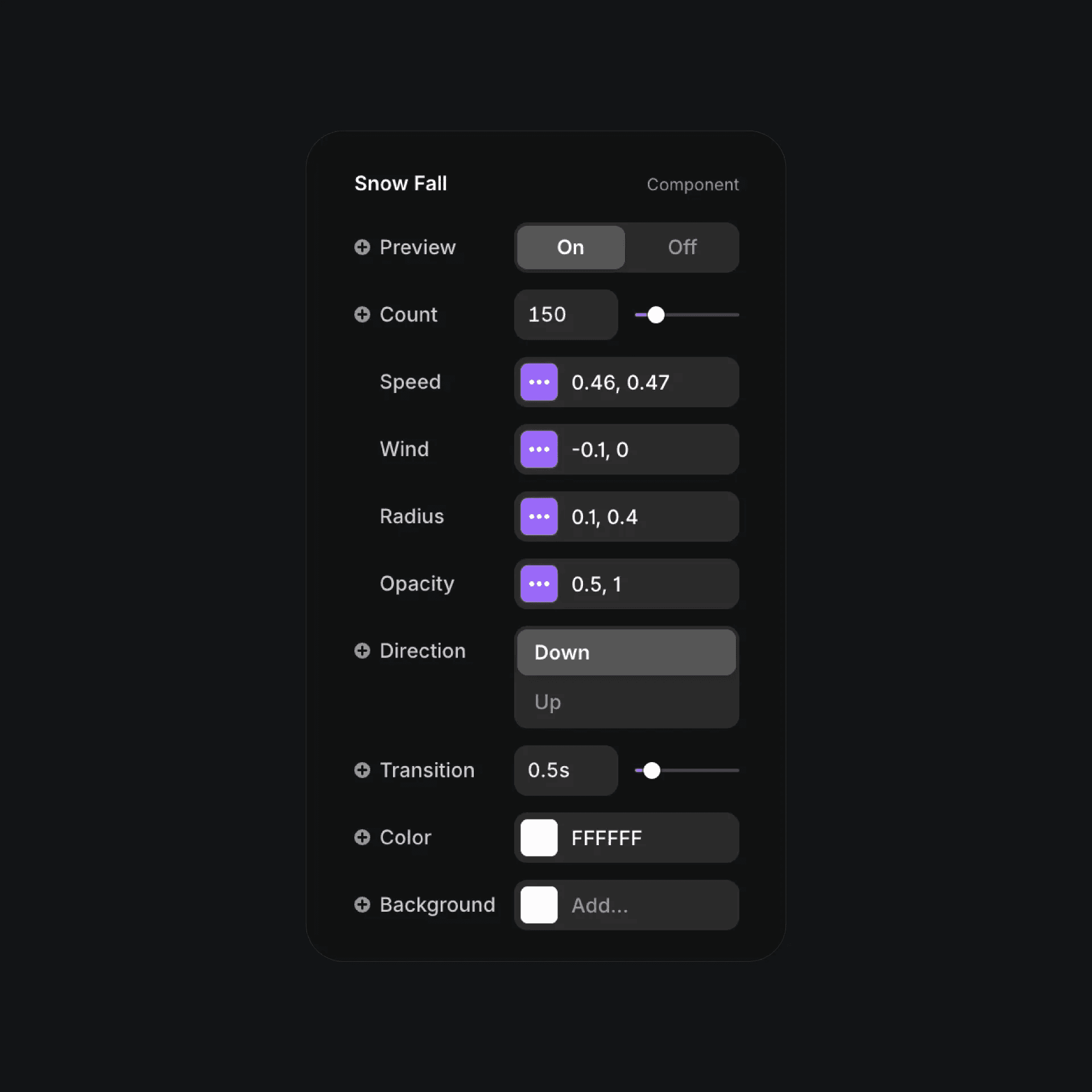
The snowfall component properties in Framer.
The snowfall component properties in Framer.
The snowfall component properties in Framer.


