
Component
Apple Tooltip Interaction in Framer



About the resource
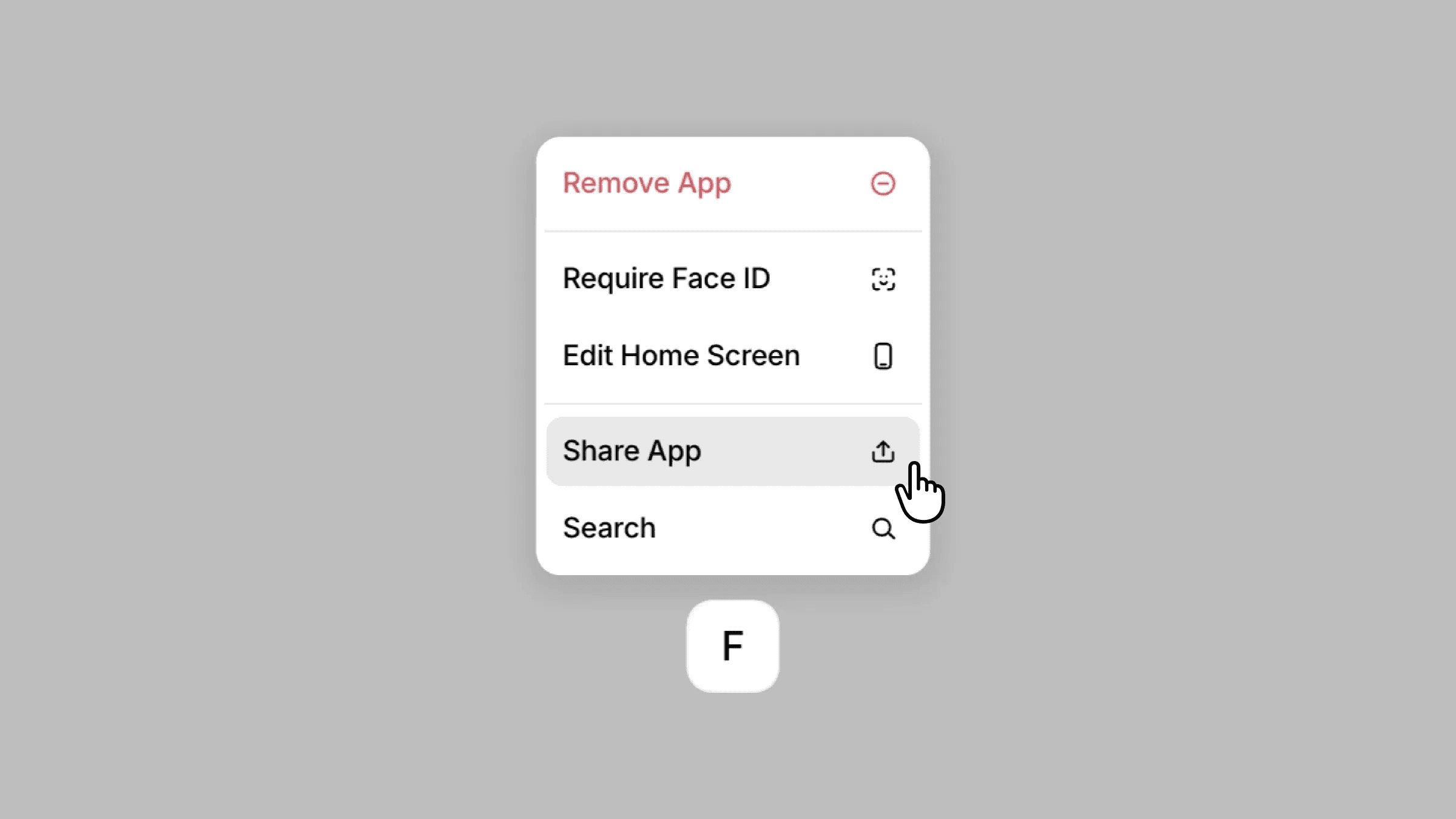
To recreate this Apple-style tooltip interaction, I set up a tooltip modal that brings together three parts: the menu items tooltip, the F button, and the magnetic hover effect. The tooltip itself contains stacked menu item components, since each item needs its own hover variant for the interaction inside the menu.
The F button is built as a separate component with its own hover state, which triggers the tooltip. To match the original interaction feel, I added a magnetic hover component so the element subtly responds to the cursor movement.
I then created another variant where the tooltip slides upward while the opacity transitions from 0 to 1. Once the tooltip is visible, the menu items respond on mouse enter with their hover states.
The component frame is sized in a way that clicking anywhere outside the tooltip returns the interaction to the default state, making it easy to close the tooltip and reset the interaction smoothly.
About the resource
To recreate this Apple-style tooltip interaction, I set up a tooltip modal that brings together three parts: the menu items tooltip, the F button, and the magnetic hover effect. The tooltip itself contains stacked menu item components, since each item needs its own hover variant for the interaction inside the menu.
The F button is built as a separate component with its own hover state, which triggers the tooltip. To match the original interaction feel, I added a magnetic hover component so the element subtly responds to the cursor movement.
I then created another variant where the tooltip slides upward while the opacity transitions from 0 to 1. Once the tooltip is visible, the menu items respond on mouse enter with their hover states.
The component frame is sized in a way that clicking anywhere outside the tooltip returns the interaction to the default state, making it easy to close the tooltip and reset the interaction smoothly.
About the resource
To recreate this Apple-style tooltip interaction, I set up a tooltip modal that brings together three parts: the menu items tooltip, the F button, and the magnetic hover effect. The tooltip itself contains stacked menu item components, since each item needs its own hover variant for the interaction inside the menu.
The F button is built as a separate component with its own hover state, which triggers the tooltip. To match the original interaction feel, I added a magnetic hover component so the element subtly responds to the cursor movement.
I then created another variant where the tooltip slides upward while the opacity transitions from 0 to 1. Once the tooltip is visible, the menu items respond on mouse enter with their hover states.
The component frame is sized in a way that clicking anywhere outside the tooltip returns the interaction to the default state, making it easy to close the tooltip and reset the interaction smoothly.
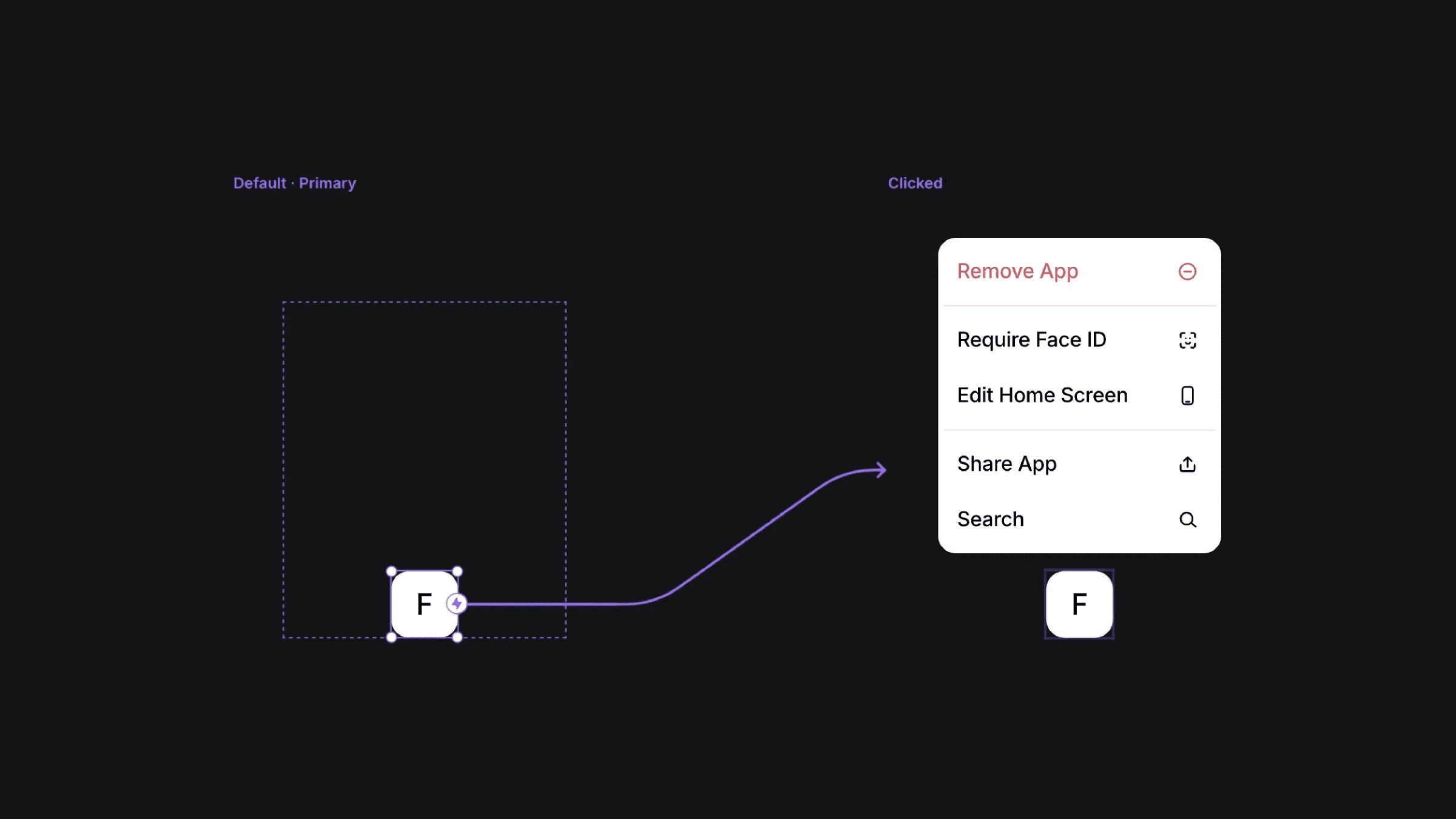
The default and clicked variants of the apple tooltip int component.
The default and clicked variants of the apple tooltip int component.
The default and clicked variants of the apple tooltip int component.


