
Component
Scribble Pad Component in Framer
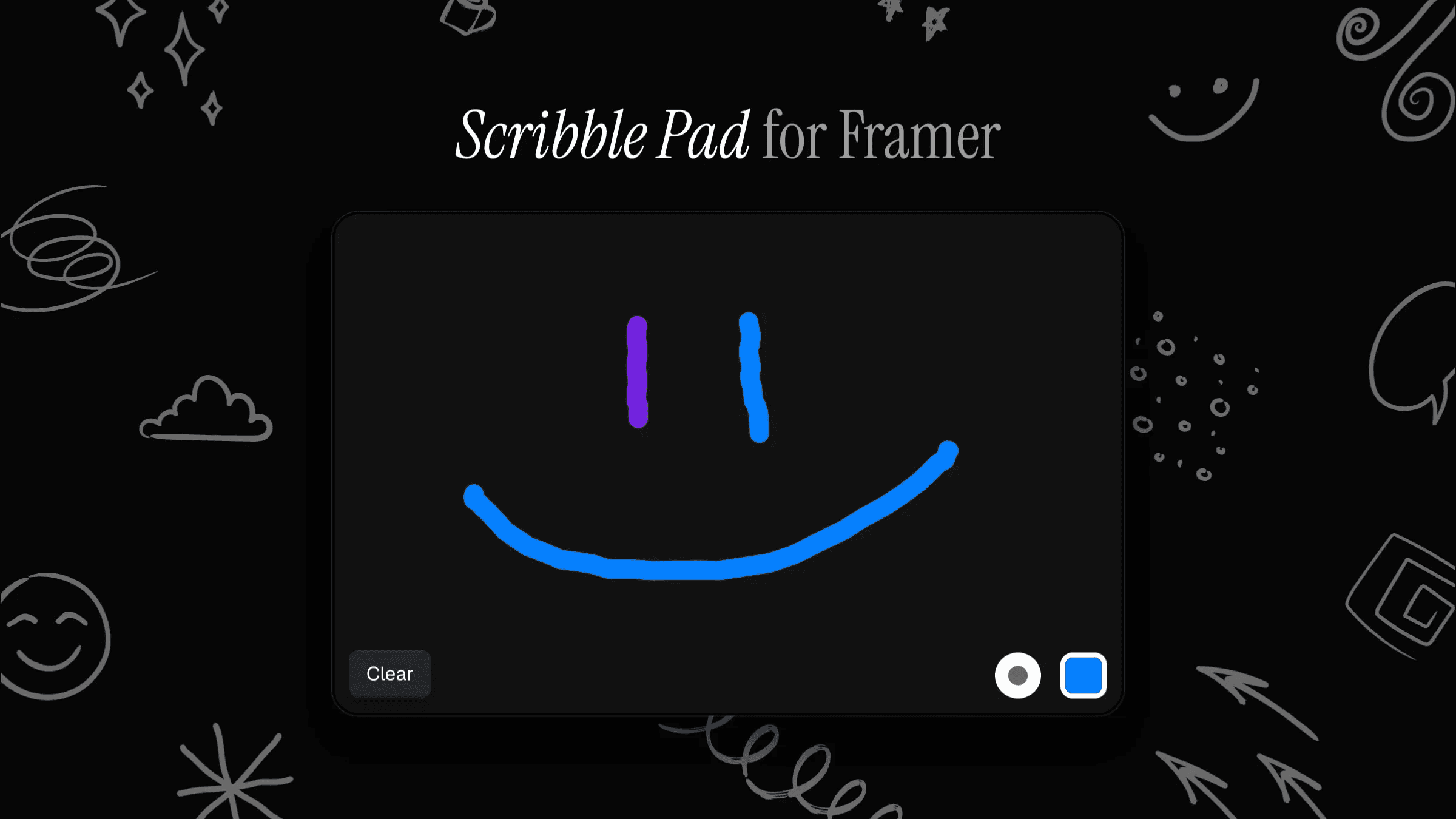
This is a customizable Scribble Pad component recreated in Framer from Variant AI, where users can draw directly on the canvas with configurable colors, stroke widths, wiggle effects, and flexible clear button options, ready to copy into your projects without any code.



About the resource
To use the Scribble Pad component in Framer, drop it onto your canvas and customize it from the property panel.
When Controls is set to Show, users can pick from your defined list of Colors (up to 10) and Widths (1–25px). When set to Hide, the pad uses a single Color and Width value that you define. You can also adjust the canvas Background and Radius.
For clearing the pad, choose a Button Type. Use Default to style the built-in clear button, or Custom to connect your own component.
The Wiggle option adds a playful wobble to strokes, with Movement and Speed controls. Transition lets you define how UI elements animate using Framer’s duration and easing settings.
About the resource
To use the Scribble Pad component in Framer, drop it onto your canvas and customize it from the property panel.
When Controls is set to Show, users can pick from your defined list of Colors (up to 10) and Widths (1–25px). When set to Hide, the pad uses a single Color and Width value that you define. You can also adjust the canvas Background and Radius.
For clearing the pad, choose a Button Type. Use Default to style the built-in clear button, or Custom to connect your own component.
The Wiggle option adds a playful wobble to strokes, with Movement and Speed controls. Transition lets you define how UI elements animate using Framer’s duration and easing settings.
About the resource
To use the Scribble Pad component in Framer, drop it onto your canvas and customize it from the property panel.
When Controls is set to Show, users can pick from your defined list of Colors (up to 10) and Widths (1–25px). When set to Hide, the pad uses a single Color and Width value that you define. You can also adjust the canvas Background and Radius.
For clearing the pad, choose a Button Type. Use Default to style the built-in clear button, or Custom to connect your own component.
The Wiggle option adds a playful wobble to strokes, with Movement and Speed controls. Transition lets you define how UI elements animate using Framer’s duration and easing settings.
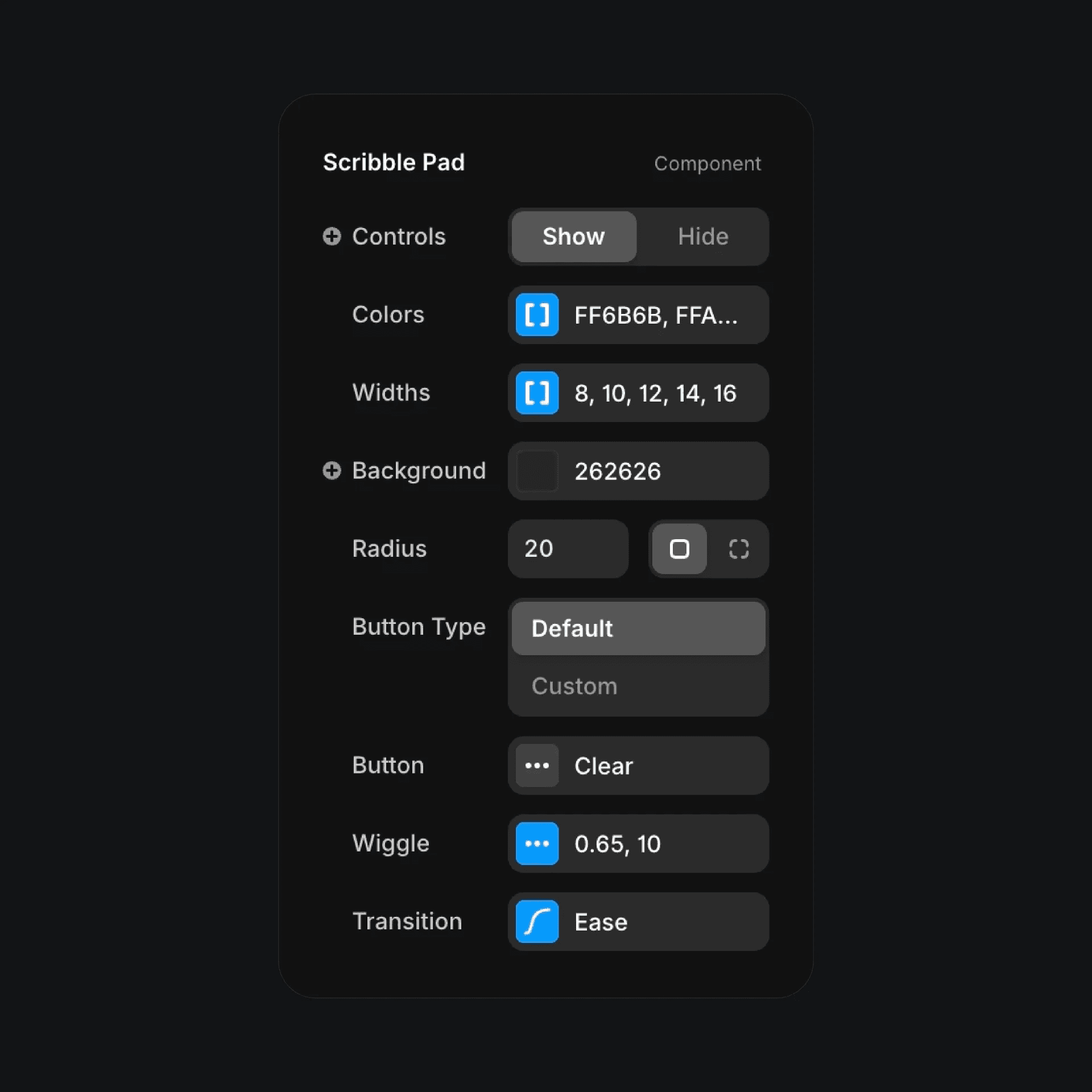
The scribble pad component properties in Framer.
The scribble pad component properties in Framer.
The scribble pad component properties in Framer.


