
Component
Scramble Glitch Hover in Framer
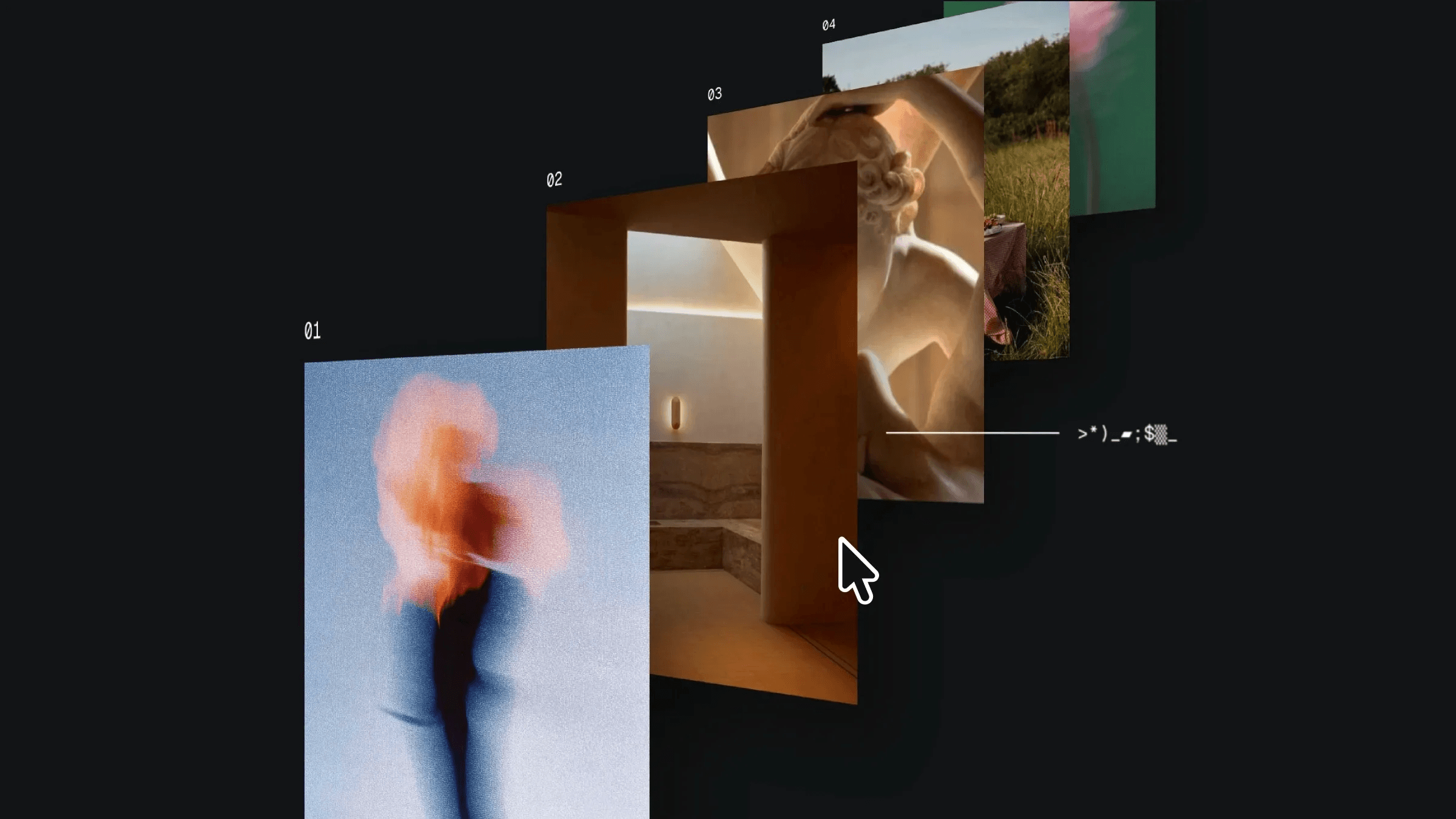
This is a scramble glitch hover component recreated in Framer, from Joel’s original work. Remix it to explore how the layered 3D setup and hover interactions are structured or copy the component directly into your own project.


About the resource
To create this Scramble Glitch Hover interaction, I built two components: Scramble Glitch and Card Hover.
Inside the Card Hover component, I added a hover variant to the image card. Within it, I placed the line and tag container. The line is wrapped inside its own frame, and for the text I used the Scramble Appear component. I set it to visible: no in the default state and visible: yes in the hover variant.
In the Scramble Glitch component, I stacked five Card Hover components, positioned them in the same visual alignment as the original, and added depth between them. The entire setup is wrapped inside a parent frame set to 3D space with perspective applied, preserve 3D enabled, and the layer rotated along the Y-axis to achieve the angled 3D effect.
About the resource
To create this Scramble Glitch Hover interaction, I built two components: Scramble Glitch and Card Hover.
Inside the Card Hover component, I added a hover variant to the image card. Within it, I placed the line and tag container. The line is wrapped inside its own frame, and for the text I used the Scramble Appear component. I set it to visible: no in the default state and visible: yes in the hover variant.
In the Scramble Glitch component, I stacked five Card Hover components, positioned them in the same visual alignment as the original, and added depth between them. The entire setup is wrapped inside a parent frame set to 3D space with perspective applied, preserve 3D enabled, and the layer rotated along the Y-axis to achieve the angled 3D effect.
About the resource
To create this Scramble Glitch Hover interaction, I built two components: Scramble Glitch and Card Hover.
Inside the Card Hover component, I added a hover variant to the image card. Within it, I placed the line and tag container. The line is wrapped inside its own frame, and for the text I used the Scramble Appear component. I set it to visible: no in the default state and visible: yes in the hover variant.
In the Scramble Glitch component, I stacked five Card Hover components, positioned them in the same visual alignment as the original, and added depth between them. The entire setup is wrapped inside a parent frame set to 3D space with perspective applied, preserve 3D enabled, and the layer rotated along the Y-axis to achieve the angled 3D effect.
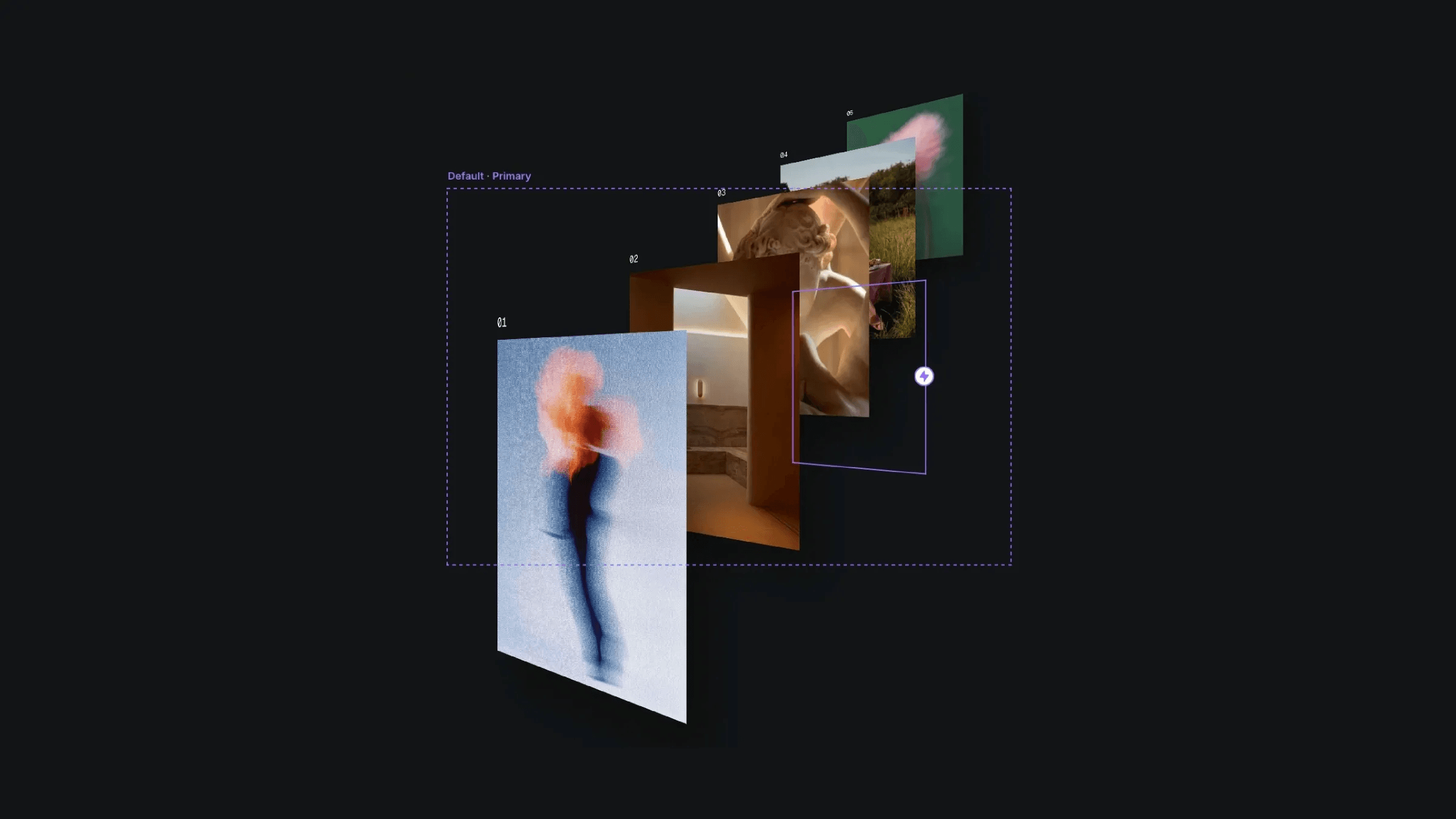
3D hover card setup inside the scramble glitch component.
3D hover card setup inside the scramble glitch component.
3D hover card setup inside the scramble glitch component.


