
Component
Rotating 3D Showcase in Framer
This is a Framer recreation of the Rotating 3D Showcase from the Size Assets’s website. Remix the project or grab the component to add this rotating 3D image showcase to your own card designs.



About the resource
To use the rotating 3D showcase, I recreated a full 3D carousel using the arms technique, where eight images are wrapped and stacked inside a single wrapper. Each image frame is rotated 45 degrees on the Y-axis, and the image wrapper that nests all of them has a loop effect applied to create the continuous rotation. All these layers sit inside a main 3D carousel frame where I added the overall 3D transform. For the blurry cards at the back, I placed the blur-gradient component between the images so only the rear frames appear softened as the carousel rotates.
About the resource
To use the rotating 3D showcase, I recreated a full 3D carousel using the arms technique, where eight images are wrapped and stacked inside a single wrapper. Each image frame is rotated 45 degrees on the Y-axis, and the image wrapper that nests all of them has a loop effect applied to create the continuous rotation. All these layers sit inside a main 3D carousel frame where I added the overall 3D transform. For the blurry cards at the back, I placed the blur-gradient component between the images so only the rear frames appear softened as the carousel rotates.
About the resource
To use the rotating 3D showcase, I recreated a full 3D carousel using the arms technique, where eight images are wrapped and stacked inside a single wrapper. Each image frame is rotated 45 degrees on the Y-axis, and the image wrapper that nests all of them has a loop effect applied to create the continuous rotation. All these layers sit inside a main 3D carousel frame where I added the overall 3D transform. For the blurry cards at the back, I placed the blur-gradient component between the images so only the rear frames appear softened as the carousel rotates.
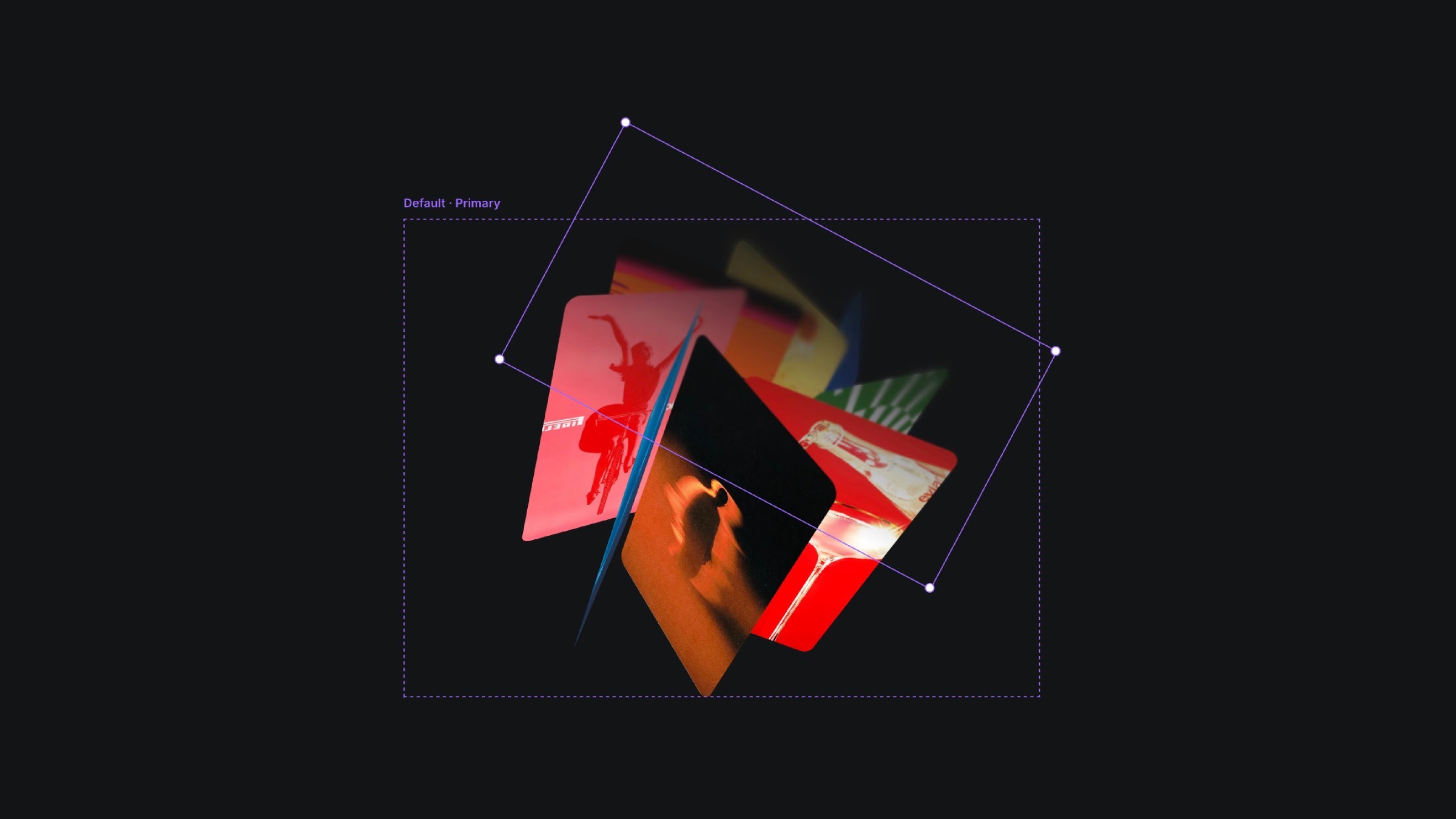
The 3D carousel component with blur gradient component in Framer.
The 3D carousel component with blur gradient component in Framer.
The 3D carousel component with blur gradient component in Framer.


