
Component
Pixel Art Reveal Component for Framer
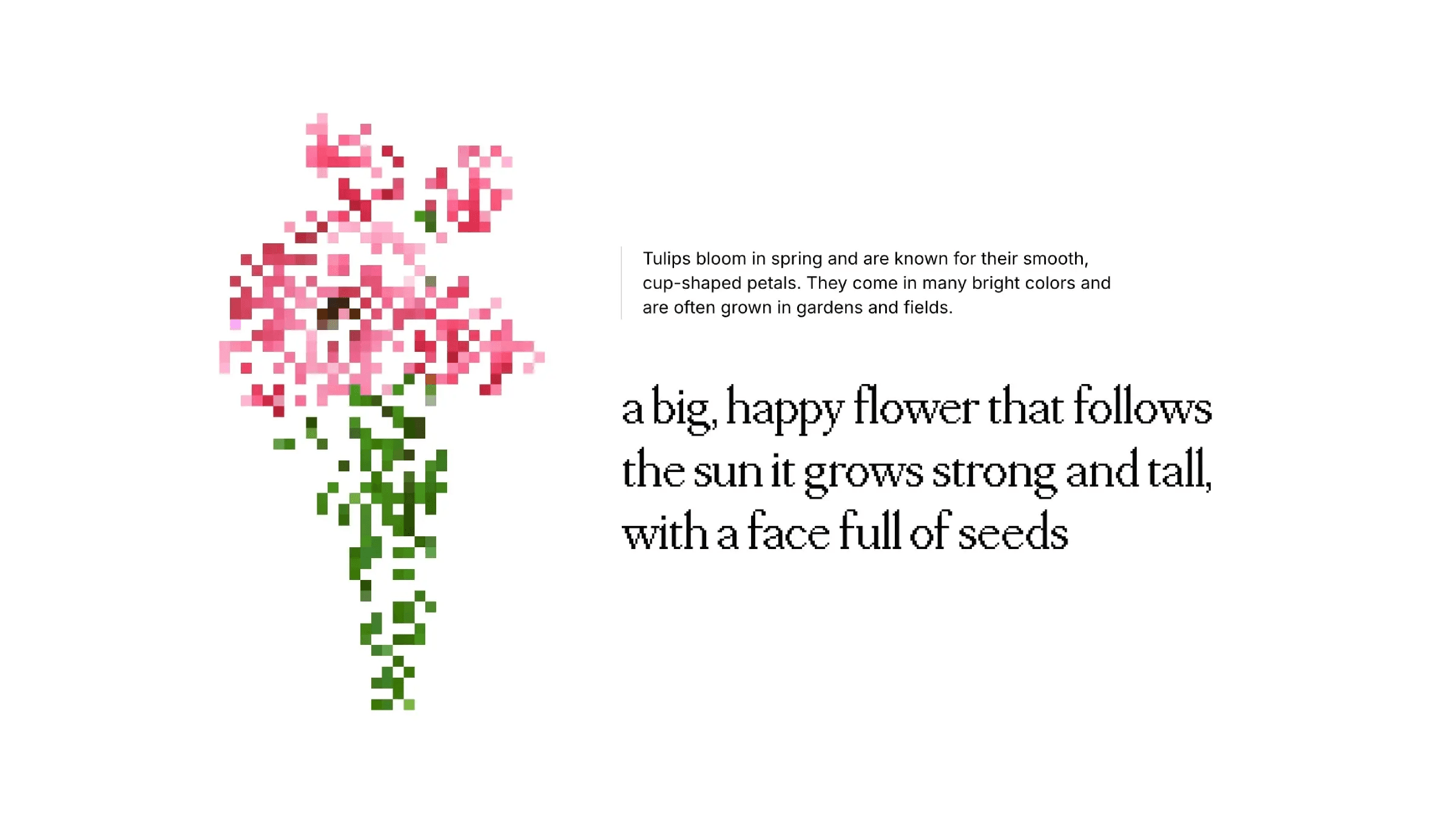
This is a Pixel Art Reveal component for Framer, inspired by the pixel‑based visual storytelling of this website. It animates any image pixel by pixel, letting you control size, order, timing, and scroll triggers to create eye-catching reveals in seconds. Copy it into your project or remix it to explore creative, scroll-aware image animations in Framer.



About the resource
To use this Pixel Art Reveal component in Framer, here’s how I usually set it up. First, toggle Preview on so you can see the animation right on your canvas. Then, drop in your Image, you can use a Framer image or just a URL.
Next, pick your Mode. Appear will play the animation as soon as the component mounts, or Layer in View will trigger it only when it scrolls into view. If you go with Layer in View, you can also set Start At to Top, Center, or Bottom depending on where you want the animation to kick in. And don’t forget Replay, turn it on if you want the animation to play again when it comes back into view.
Now for the fun part. Pixel Size lets you make the pixels big and chunky or small and detailed. Order controls how the pixels appear, random, starting from a corner, you name it. Timing is easy too, use Delay to pause before it starts, Duration to control how fast each pixel shows up, and Stagger to make the reveal feel like a wave or all at once.
Finally, tweak the Animation Config to set how each pixel starts and ends. Opacity Start/End and Scale Start/End let you make pixels fade in, grow, shrink, or pop however you like. Play around with these settings and you can turn any image into a really cool pixel reveal animation.
About the resource
To use this Pixel Art Reveal component in Framer, here’s how I usually set it up. First, toggle Preview on so you can see the animation right on your canvas. Then, drop in your Image, you can use a Framer image or just a URL.
Next, pick your Mode. Appear will play the animation as soon as the component mounts, or Layer in View will trigger it only when it scrolls into view. If you go with Layer in View, you can also set Start At to Top, Center, or Bottom depending on where you want the animation to kick in. And don’t forget Replay, turn it on if you want the animation to play again when it comes back into view.
Now for the fun part. Pixel Size lets you make the pixels big and chunky or small and detailed. Order controls how the pixels appear, random, starting from a corner, you name it. Timing is easy too, use Delay to pause before it starts, Duration to control how fast each pixel shows up, and Stagger to make the reveal feel like a wave or all at once.
Finally, tweak the Animation Config to set how each pixel starts and ends. Opacity Start/End and Scale Start/End let you make pixels fade in, grow, shrink, or pop however you like. Play around with these settings and you can turn any image into a really cool pixel reveal animation.
About the resource
To use this Pixel Art Reveal component in Framer, here’s how I usually set it up. First, toggle Preview on so you can see the animation right on your canvas. Then, drop in your Image, you can use a Framer image or just a URL.
Next, pick your Mode. Appear will play the animation as soon as the component mounts, or Layer in View will trigger it only when it scrolls into view. If you go with Layer in View, you can also set Start At to Top, Center, or Bottom depending on where you want the animation to kick in. And don’t forget Replay, turn it on if you want the animation to play again when it comes back into view.
Now for the fun part. Pixel Size lets you make the pixels big and chunky or small and detailed. Order controls how the pixels appear, random, starting from a corner, you name it. Timing is easy too, use Delay to pause before it starts, Duration to control how fast each pixel shows up, and Stagger to make the reveal feel like a wave or all at once.
Finally, tweak the Animation Config to set how each pixel starts and ends. Opacity Start/End and Scale Start/End let you make pixels fade in, grow, shrink, or pop however you like. Play around with these settings and you can turn any image into a really cool pixel reveal animation.
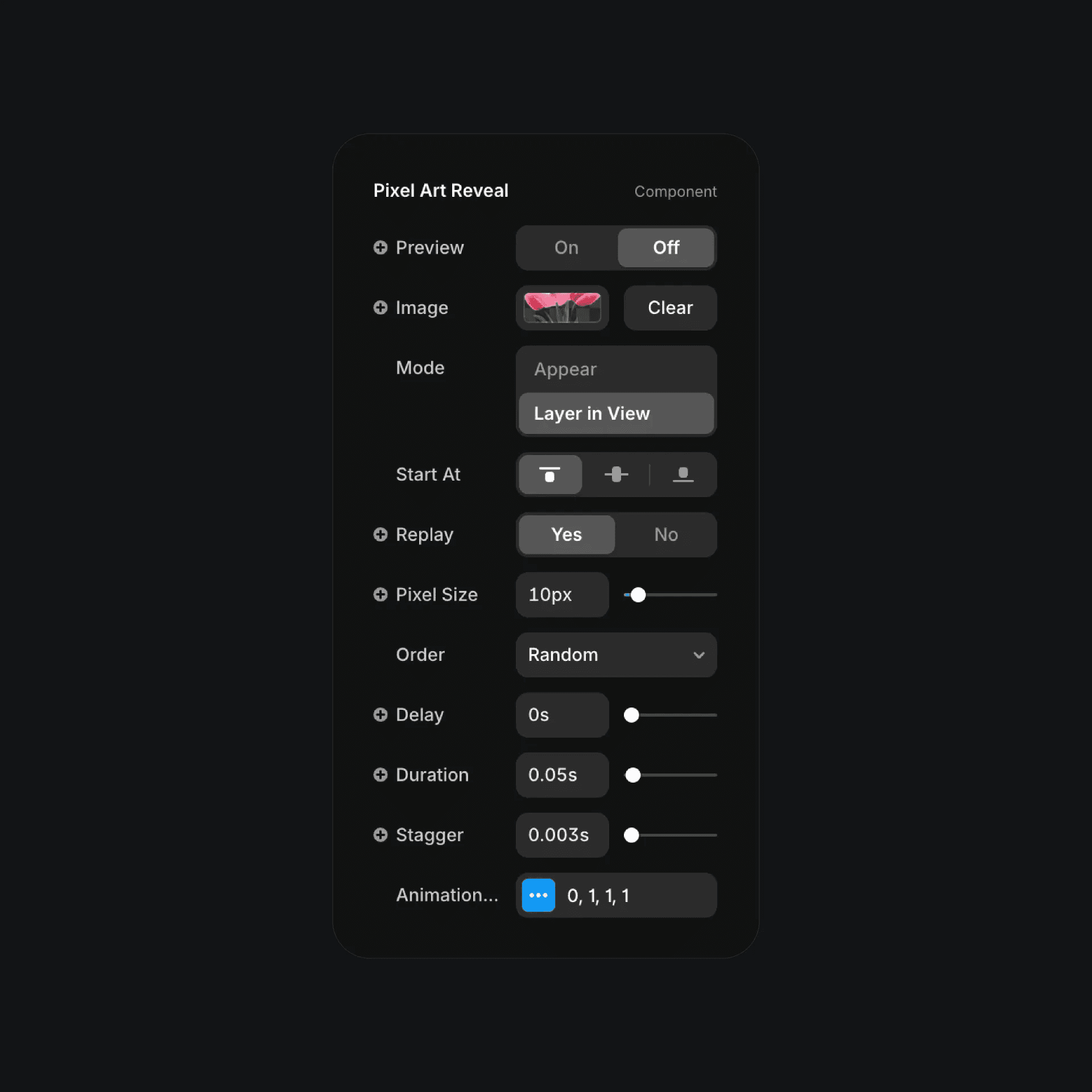
The pixel art reveal component properties in Framer.
The pixel art reveal component properties in Framer.
The pixel art reveal component properties in Framer.


