Particles Text for Framer

Copy component

Copy component

Particles Text for Framer

Copy component

Nandi Muzsik

How can I improve Framer Uni?

Let me know if there’s a missing feature or something that could be improved.

Share feedback

How I made $10K+ with Framer in 60 days

$10k Undercover Event

Component

Particles Text for Framer

This is a Framer component that turns any text into an interactive particles, inspired by the work of Louis Hoebregts. You can customize the font, colors, particle size, density, hover area, and more to create playful effects. Feel free to copy and paste it into your project and start experimenting.

image of Nandi Muzsik
image of David
image of Prianca S.
Image of Louis

Created by

Framer University text made of interactive animated particles

About the resource

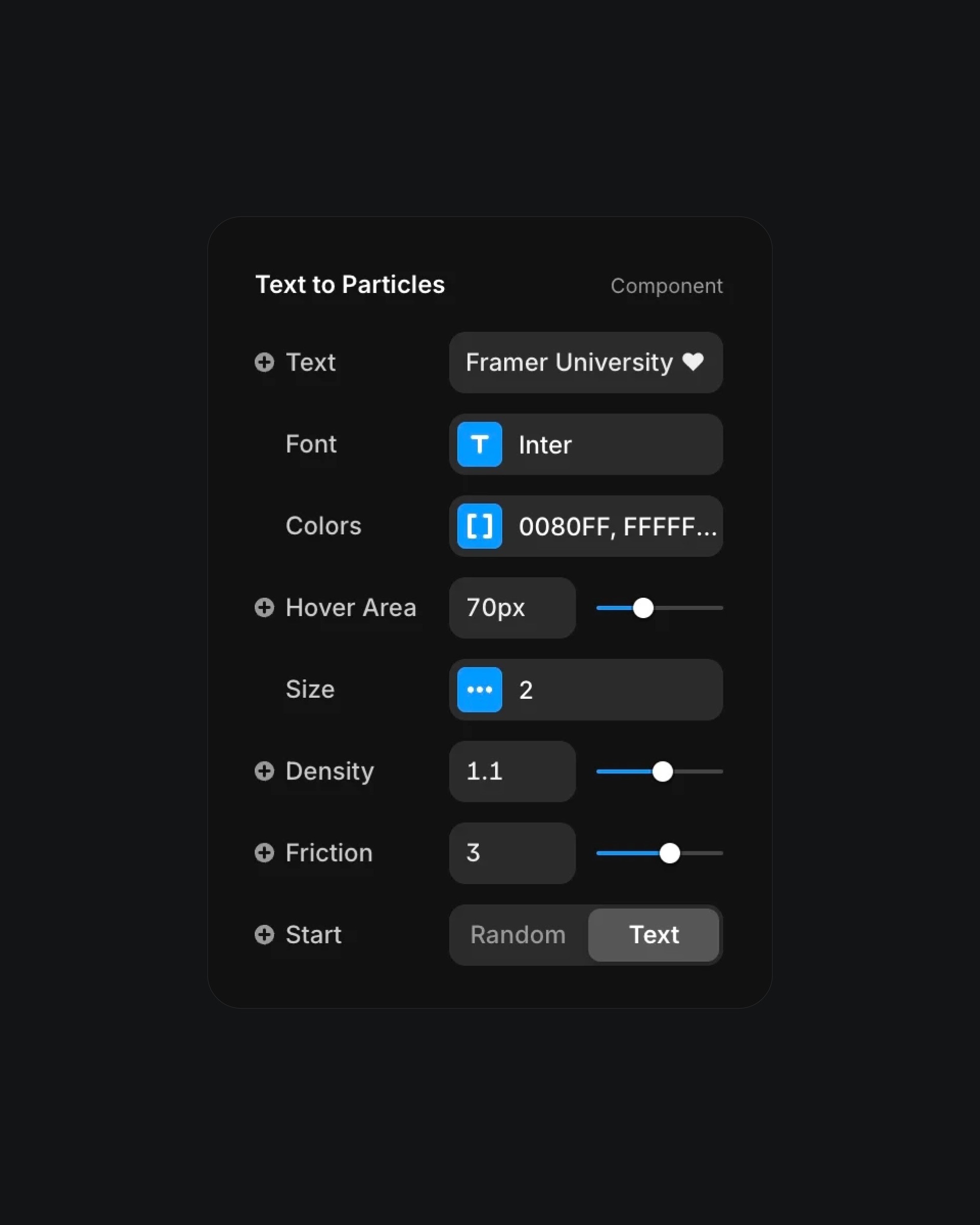
To use the Particles Text component, enter any word or phrase you'd like to animate as particles. Customize its appearance by choosing a font style, size, and letter spacing, and select one or more colors for a multi-colored particle effect. Adjust how the particles respond to interaction by changing the hover area, particle size, and movement friction. You can also control how many particles make up the text and whether they start from their final shape or form it gradually.

About the resource

To use the Particles Text component, enter any word or phrase you'd like to animate as particles. Customize its appearance by choosing a font style, size, and letter spacing, and select one or more colors for a multi-colored particle effect. Adjust how the particles respond to interaction by changing the hover area, particle size, and movement friction. You can also control how many particles make up the text and whether they start from their final shape or form it gradually.

About the resource

To use the Particles Text component, enter any word or phrase you'd like to animate as particles. Customize its appearance by choosing a font style, size, and letter spacing, and select one or more colors for a multi-colored particle effect. Adjust how the particles respond to interaction by changing the hover area, particle size, and movement friction. You can also control how many particles make up the text and whether they start from their final shape or form it gradually.

Text to particles component settings with hover and motion controls

The particles text component properties in Framer.

Text to particles component settings with hover and motion controls

The particles text component properties in Framer.

Text to particles component settings with hover and motion controls

The particles text component properties in Framer.

Learn how I went from 0 to $11.5k with Framer in 60 days.

From no followers, no portfolio, no reputation, to secretly building a profitable Framer business.

Nandi portrait's background

Learn how I went from 0 to $11.5k with Framer in 60 days.

From no followers, no portfolio, no reputation, to secretly building a profitable Framer business.

Nandi portrait's background

Learn how I went from 0 to $11.5k with Framer in 60 days.

From no followers, no portfolio, no reputation, to secretly building a profitable Framer business.

Nandi portrait's background

More resources

More resources

  • Music app playlist created screen with artist avatars

    Playlist Generation Circular Animation in Framer

    Component

    Music app playlist created screen with artist avatars

    Playlist Generation Circular Animation in Framer

    Component

  • Customer testimonials section with review letter card

    3D Letter Testimonials in Framer

    Component

    Customer testimonials section with review letter card

    3D Letter Testimonials in Framer

    Component