
Component
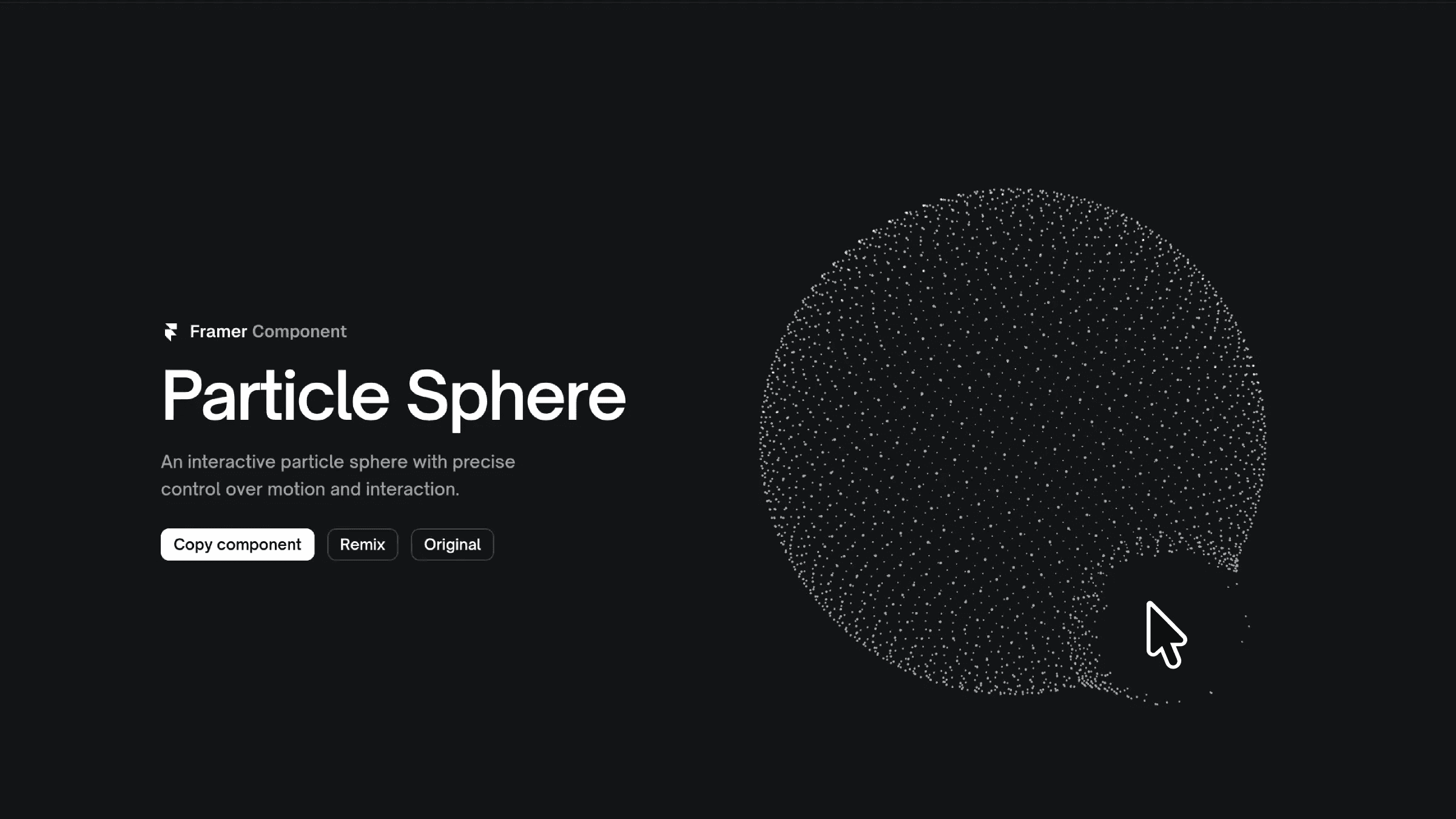
Particle Sphere Component for Framer




About the resource
To use the Particle Sphere with property controls, you can fine-tune both motion and interaction without writing any code. The preview toggle lets you decide whether the animation runs live in the Framer canvas or stays frozen, making layout and positioning easier. Particle count controls how dense or minimal the sphere feels, allowing you to balance visual detail with performance. Rotation direction and speed define how the sphere moves by default, from slow, subtle motion to faster, more eye-catching rotation.
You can enable drag to let users rotate the sphere manually, then adjust drag speed and smoothing to control how responsive or fluid that interaction feels. Hover behavior lets you decide whether rotation pauses or continues when the cursor is over the sphere, while the scale control adjusts the overall size without affecting proportions. Individual particles can be customized through shape and size, giving you flexibility to create anything from soft, glowing points to sharp, pixel-style elements.
Cursor interaction adds another layer of depth, with controls for interaction radius, strength, and click force, so particles can gently respond to movement or scatter more dramatically on click or tap. Color supports hex values, rgba, and Framer color tokens, with opacity giving you precise control over transparency, making it easy to blend the particle sphere naturally into any layout or theme.
About the resource
To use the Particle Sphere with property controls, you can fine-tune both motion and interaction without writing any code. The preview toggle lets you decide whether the animation runs live in the Framer canvas or stays frozen, making layout and positioning easier. Particle count controls how dense or minimal the sphere feels, allowing you to balance visual detail with performance. Rotation direction and speed define how the sphere moves by default, from slow, subtle motion to faster, more eye-catching rotation.
You can enable drag to let users rotate the sphere manually, then adjust drag speed and smoothing to control how responsive or fluid that interaction feels. Hover behavior lets you decide whether rotation pauses or continues when the cursor is over the sphere, while the scale control adjusts the overall size without affecting proportions. Individual particles can be customized through shape and size, giving you flexibility to create anything from soft, glowing points to sharp, pixel-style elements.
Cursor interaction adds another layer of depth, with controls for interaction radius, strength, and click force, so particles can gently respond to movement or scatter more dramatically on click or tap. Color supports hex values, rgba, and Framer color tokens, with opacity giving you precise control over transparency, making it easy to blend the particle sphere naturally into any layout or theme.
About the resource
To use the Particle Sphere with property controls, you can fine-tune both motion and interaction without writing any code. The preview toggle lets you decide whether the animation runs live in the Framer canvas or stays frozen, making layout and positioning easier. Particle count controls how dense or minimal the sphere feels, allowing you to balance visual detail with performance. Rotation direction and speed define how the sphere moves by default, from slow, subtle motion to faster, more eye-catching rotation.
You can enable drag to let users rotate the sphere manually, then adjust drag speed and smoothing to control how responsive or fluid that interaction feels. Hover behavior lets you decide whether rotation pauses or continues when the cursor is over the sphere, while the scale control adjusts the overall size without affecting proportions. Individual particles can be customized through shape and size, giving you flexibility to create anything from soft, glowing points to sharp, pixel-style elements.
Cursor interaction adds another layer of depth, with controls for interaction radius, strength, and click force, so particles can gently respond to movement or scatter more dramatically on click or tap. Color supports hex values, rgba, and Framer color tokens, with opacity giving you precise control over transparency, making it easy to blend the particle sphere naturally into any layout or theme.
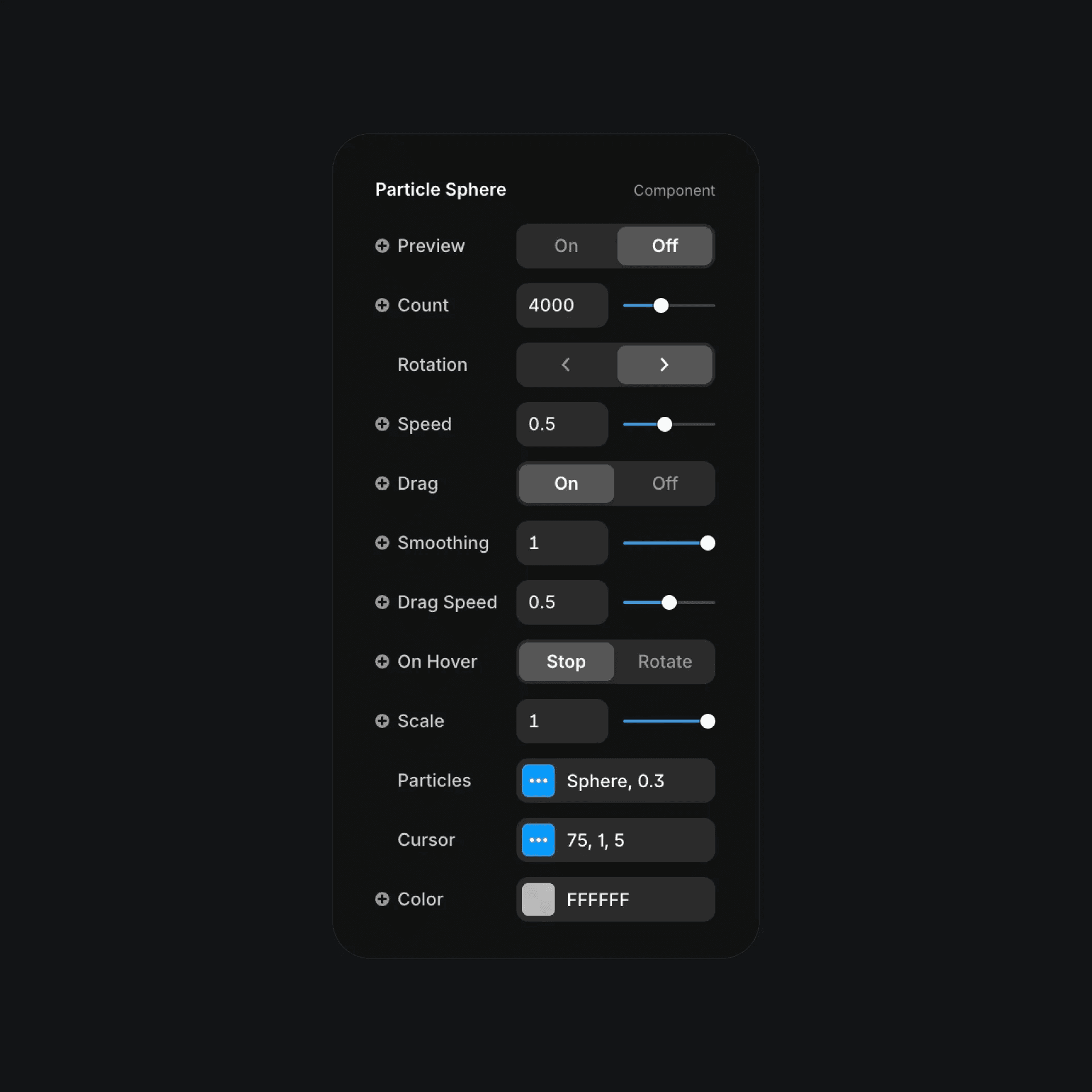
The particle sphere component properties in Framer.
The particle sphere component properties in Framer.
The particle sphere component properties in Framer.


