Parallax Image Scroll Component in Framer

Copy component

Parallax Image Scroll Component in Framer

Copy component

Nandi Muzsik

How can I improve Framer Uni?

Let me know if there’s a missing feature or something that could be improved.

Share feedback

Nandi Muzsik

How can I improve Framer Uni?

Let me know if there’s a missing feature or something that could be improved.

Share feedback

Component

Parallax Image Scroll Component in Framer

This is a parallax image scroll component for Framer. You can copy and paste it into your projects to experiment with depth, motion, and subtle parallax effects that add a strong visual punch to your Framer sites and templates.

image of Nandi Muzsik
profile image of Emanuele
image of Prianca S.

Created by

Parallax image scroll component with scroll-driven motion effect

About the resource

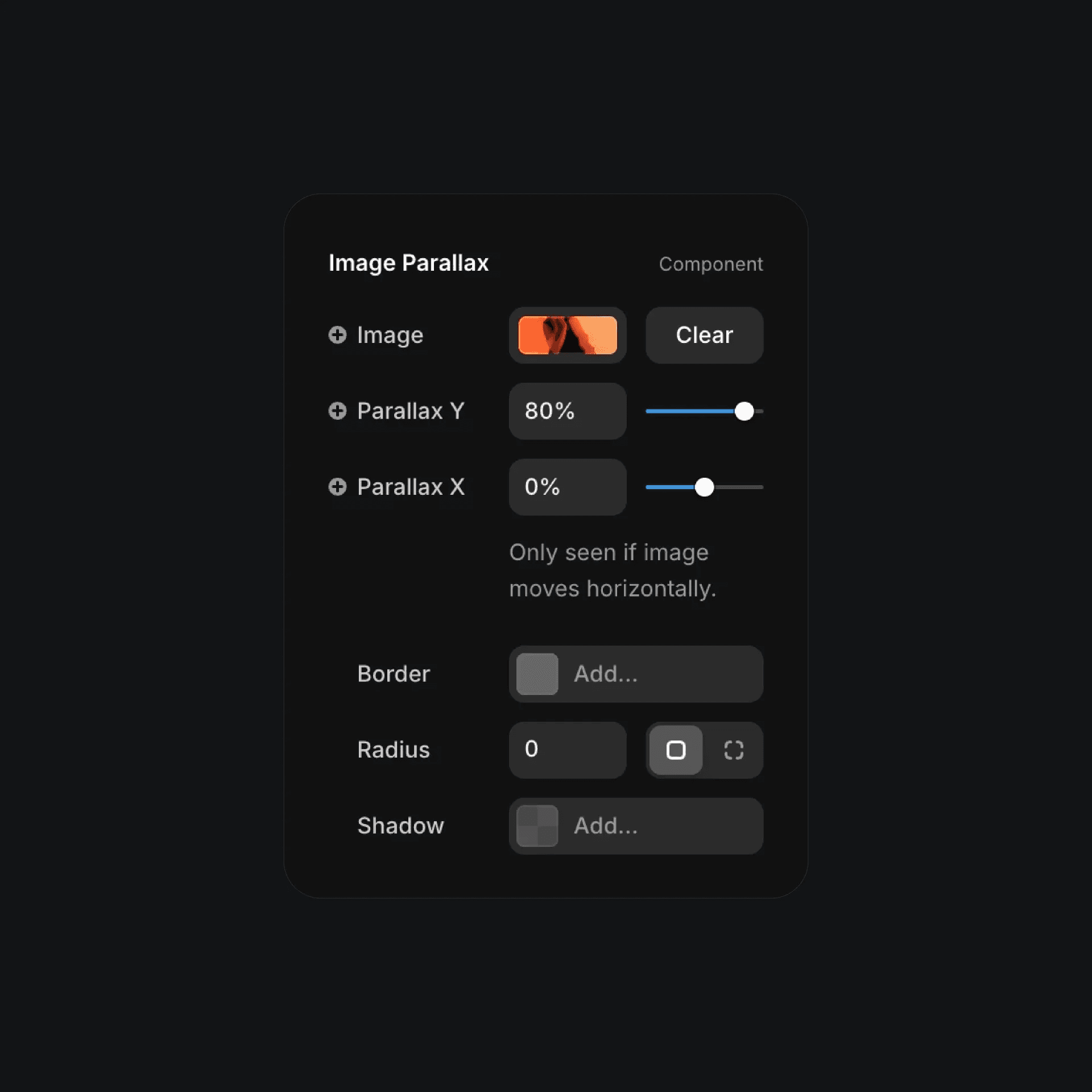
To use the parallax image scroll component, you can start by uploading your own image from the properties panel. From there, you can control the parallax movement on the Y and X axis to decide how much depth and motion you want on scroll.

You can also tweak the border, radius, and shadow to match the rest of your layout, so the component fits naturally into your design while keeping the parallax effect smooth and subtle.

About the resource

To use the parallax image scroll component, you can start by uploading your own image from the properties panel. From there, you can control the parallax movement on the Y and X axis to decide how much depth and motion you want on scroll.

You can also tweak the border, radius, and shadow to match the rest of your layout, so the component fits naturally into your design while keeping the parallax effect smooth and subtle.

About the resource

To use the parallax image scroll component, you can start by uploading your own image from the properties panel. From there, you can control the parallax movement on the Y and X axis to decide how much depth and motion you want on scroll.

You can also tweak the border, radius, and shadow to match the rest of your layout, so the component fits naturally into your design while keeping the parallax effect smooth and subtle.

image parallax component settings with X and Y controls

The parallax image scroll component in Framer.

image parallax component settings with X and Y controls

The parallax image scroll component in Framer.

image parallax component settings with X and Y controls

The parallax image scroll component in Framer.

Framer Navigator

Learn the fundamentals of Framer for free.

Build your ideas with ease by learning the basics of website building with Framer.

Nandi portrait's background
Nandi's portrait

Framer Navigator

Learn the fundamentals of Framer for free.

Build your ideas with ease by learning the basics of website building with Framer.

Nandi portrait's background
Nandi's portrait

Framer Navigator

Learn the fundamentals of Framer for free.

Build your ideas with ease by learning the basics of website building with Framer.

Nandi portrait's background
Nandi's portrait

More resources

More resources

  • Affiliates accordion interface with optional dropdown indicator

    Stacked Dropdown Animation in Framer

    Component

    Affiliates accordion interface with optional dropdown indicator

    Stacked Dropdown Animation in Framer

    Component

    Affiliates accordion interface with optional dropdown indicator

    Stacked Dropdown Animation in Framer

    Component

  • Framer particle sphere component with interactive motion control

    Particle Sphere Component for Framer

    Component

    Framer particle sphere component with interactive motion control

    Particle Sphere Component for Framer

    Component

    Framer particle sphere component with interactive motion control

    Particle Sphere Component for Framer

    Component