
Component
Kinetic Grid Component in Framer
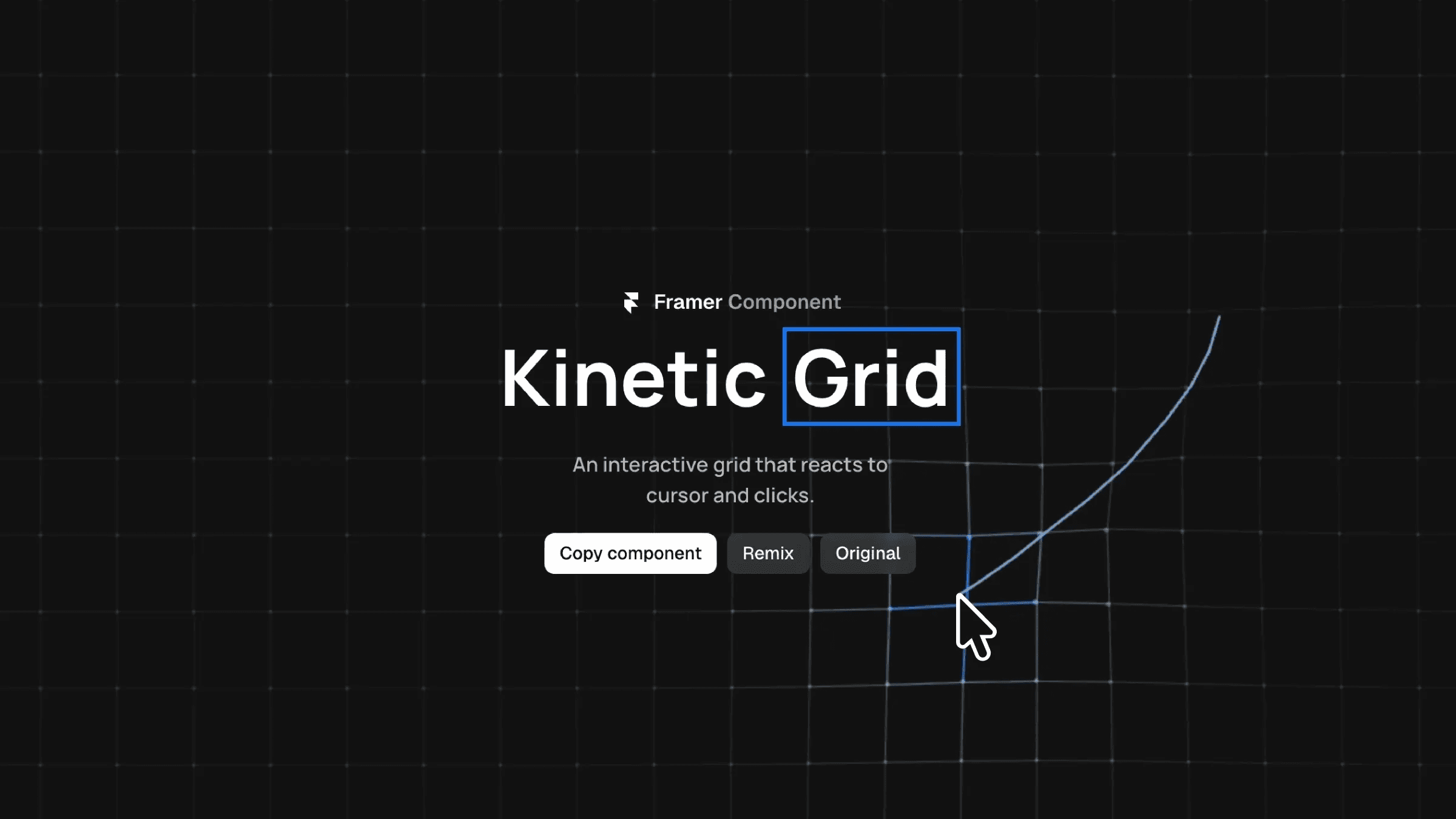
This is a Kinetic Grid component for Framer, based on Dash’s work, that brings a cursor-reactive dot grid to life with subtle motion and click interaction. It’s easy to customize and adds depth and energy to your layouts, all without writing any code.




About the resource
To use this Kinetic Grid component, drop it onto your canvas and adjust the properties panel to control how the grid reacts to cursor movement and clicks. You can enable click interaction and fine-tune its intensity using Click Props, or turn on the cursor trail and use Trail Props to control the trail interaction mode (hover) and its intensity for a smooth motion effect.
You can customize the visual style by changing grid stroke, dot size, spacing, and opacity, while repulsion and radius define how strongly and how far the grid responds to interaction. Colors for hover, background, grid lines, and dots can be adjusted to match your layout, making it easy to use this as an interactive background or subtle motion layer in Framer.
About the resource
To use this Kinetic Grid component, drop it onto your canvas and adjust the properties panel to control how the grid reacts to cursor movement and clicks. You can enable click interaction and fine-tune its intensity using Click Props, or turn on the cursor trail and use Trail Props to control the trail interaction mode (hover) and its intensity for a smooth motion effect.
You can customize the visual style by changing grid stroke, dot size, spacing, and opacity, while repulsion and radius define how strongly and how far the grid responds to interaction. Colors for hover, background, grid lines, and dots can be adjusted to match your layout, making it easy to use this as an interactive background or subtle motion layer in Framer.
About the resource
To use this Kinetic Grid component, drop it onto your canvas and adjust the properties panel to control how the grid reacts to cursor movement and clicks. You can enable click interaction and fine-tune its intensity using Click Props, or turn on the cursor trail and use Trail Props to control the trail interaction mode (hover) and its intensity for a smooth motion effect.
You can customize the visual style by changing grid stroke, dot size, spacing, and opacity, while repulsion and radius define how strongly and how far the grid responds to interaction. Colors for hover, background, grid lines, and dots can be adjusted to match your layout, making it easy to use this as an interactive background or subtle motion layer in Framer.
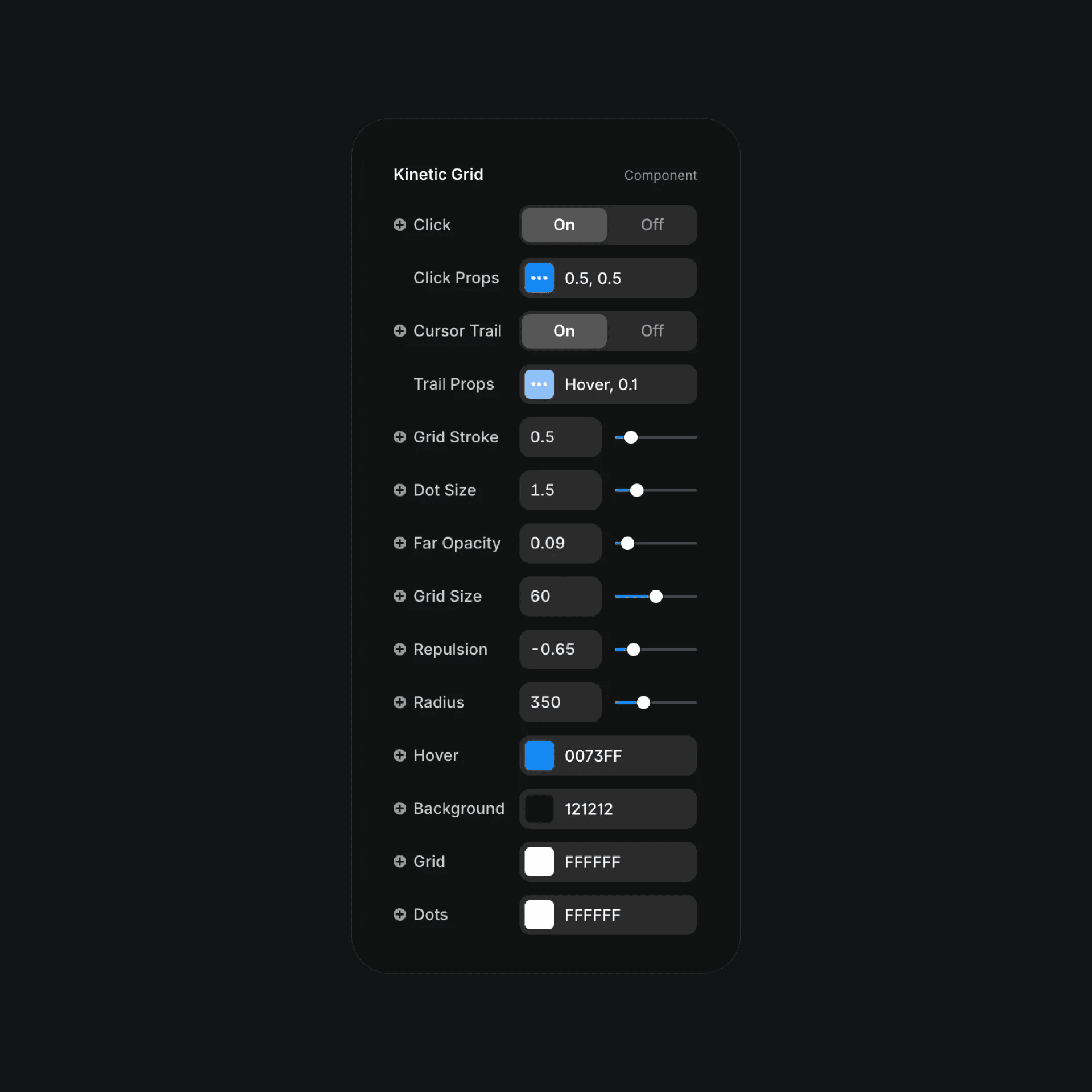
The kinetic grid component properties in Framer.
The kinetic grid component properties in Framer.
The kinetic grid component properties in Framer.


