Infinite Canvas Component for Framer

Copy component

Copy component

Infinite Canvas Component for Framer

Copy component

Nandi Muzsik

How can I improve Framer Uni?

Let me know if there’s a missing feature or something that could be improved.

Share feedback

How to make your first $1,000 with Framer

How to make your first $1,000 with Framer

Component

Infinite Canvas Component for Framer

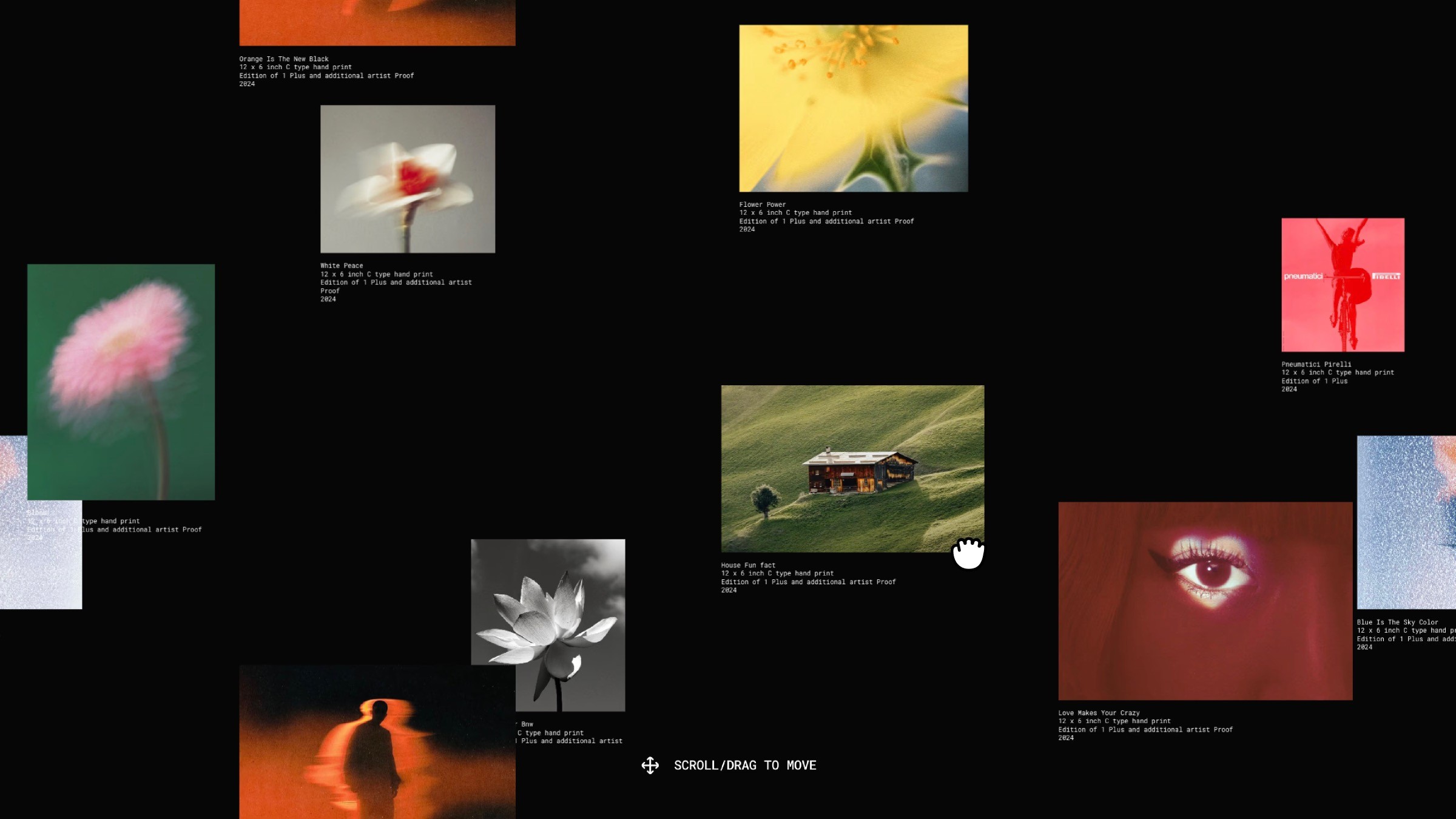
This is an infinite canvas recreated in Framer from Jorge Toloza’s tutorial demo, where the images move with a smooth parallax effect based on both scroll and drag. You can copy it into your projects to add that expansive, continuous feel to your pages and templates.

Abstract photography gallery collage on black background

About the resource

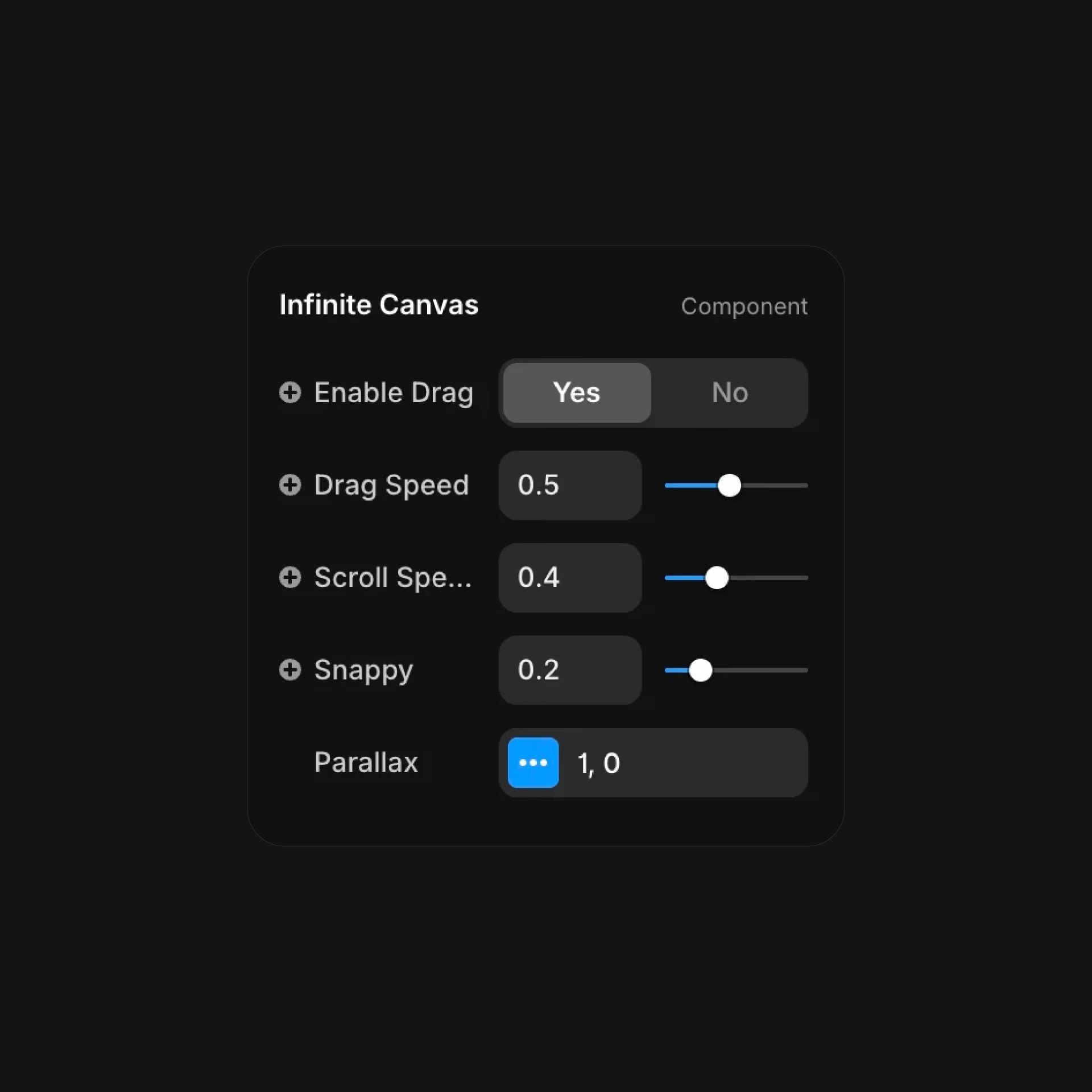
Take your designs beyond the screen with this Infinite Canvas component. Just copy and paste it onto your canvas, then head over to the right panel to tweak it exactly how you like. You can enable drag, tweak the drag speed, adjust the scroll speed and snappy motion.

For parallax, you can switch it on or off, general and child, you can control the intensity of the parallax effect on the inner elements.

Everything updates instantly, so you can create smooth, endless scrolling experiences without touching a single line of code. Have fun with it!

About the resource

Take your designs beyond the screen with this Infinite Canvas component. Just copy and paste it onto your canvas, then head over to the right panel to tweak it exactly how you like. You can enable drag, tweak the drag speed, adjust the scroll speed and snappy motion.

For parallax, you can switch it on or off, general and child, you can control the intensity of the parallax effect on the inner elements.

Everything updates instantly, so you can create smooth, endless scrolling experiences without touching a single line of code. Have fun with it!

About the resource

Take your designs beyond the screen with this Infinite Canvas component. Just copy and paste it onto your canvas, then head over to the right panel to tweak it exactly how you like. You can enable drag, tweak the drag speed, adjust the scroll speed and snappy motion.

For parallax, you can switch it on or off, general and child, you can control the intensity of the parallax effect on the inner elements.

Everything updates instantly, so you can create smooth, endless scrolling experiences without touching a single line of code. Have fun with it!

UI panel showing infinite-canvas drag and speed settings

The component properties of the infinite canvas component.

UI panel showing infinite-canvas drag and speed settings

The component properties of the infinite canvas component.

UI panel showing infinite-canvas drag and speed settings

The component properties of the infinite canvas component.

Learn to make your first $1,000 with Framer from zero.

From no followers, no portfolio, no reputation, to making thousands with a profitable Framer business.

Nandi portrait's background

Learn to make your first $1,000 with Framer from zero.

From no followers, no portfolio, no reputation, to making thousands with a profitable Framer business.

Nandi portrait's background

Learn to make your first $1,000 with Framer from zero.

From no followers, no portfolio, no reputation, to making thousands with a profitable Framer business.

Nandi portrait's background

More resources

More resources

  • Music app playlist created screen with artist avatars

    Playlist Generation Circular Animation in Framer

    Component

    Music app playlist created screen with artist avatars

    Playlist Generation Circular Animation in Framer

    Component

  • Customer testimonials section with review letter card

    3D Letter Testimonials in Framer

    Component

    Customer testimonials section with review letter card

    3D Letter Testimonials in Framer

    Component