
Component
Image Unroll Effect on Scroll in Framer
This is an image unroll on scroll effect recreated in Framer, letting you add smooth, spiraling reveal animations to your images. Copy and paste it into your projects to customize angles, rolls, and animation timing without any code.



About the resource
To use the component, drop it into your canvas and control the entire unroll effect from the right panel. You can previewthe animation directly in the canvas or switch it off to see the fully unrolled image while designing.
The image control lets you swap in any asset, while angle, rolls, and roll radius shape how the paper unrolls: from subtle horizontal reveals to tighter, more dramatic spirals. Animation settings give you control over when and how it plays: trigger it on appear or on scroll, decide where it should start in the viewport, and fine-tune the duration and delay. There’s also a replay option for scroll-based triggers, so the unroll can animate again as the layer re-enters view.
About the resource
To use the component, drop it into your canvas and control the entire unroll effect from the right panel. You can previewthe animation directly in the canvas or switch it off to see the fully unrolled image while designing.
The image control lets you swap in any asset, while angle, rolls, and roll radius shape how the paper unrolls: from subtle horizontal reveals to tighter, more dramatic spirals. Animation settings give you control over when and how it plays: trigger it on appear or on scroll, decide where it should start in the viewport, and fine-tune the duration and delay. There’s also a replay option for scroll-based triggers, so the unroll can animate again as the layer re-enters view.
About the resource
To use the component, drop it into your canvas and control the entire unroll effect from the right panel. You can previewthe animation directly in the canvas or switch it off to see the fully unrolled image while designing.
The image control lets you swap in any asset, while angle, rolls, and roll radius shape how the paper unrolls: from subtle horizontal reveals to tighter, more dramatic spirals. Animation settings give you control over when and how it plays: trigger it on appear or on scroll, decide where it should start in the viewport, and fine-tune the duration and delay. There’s also a replay option for scroll-based triggers, so the unroll can animate again as the layer re-enters view.
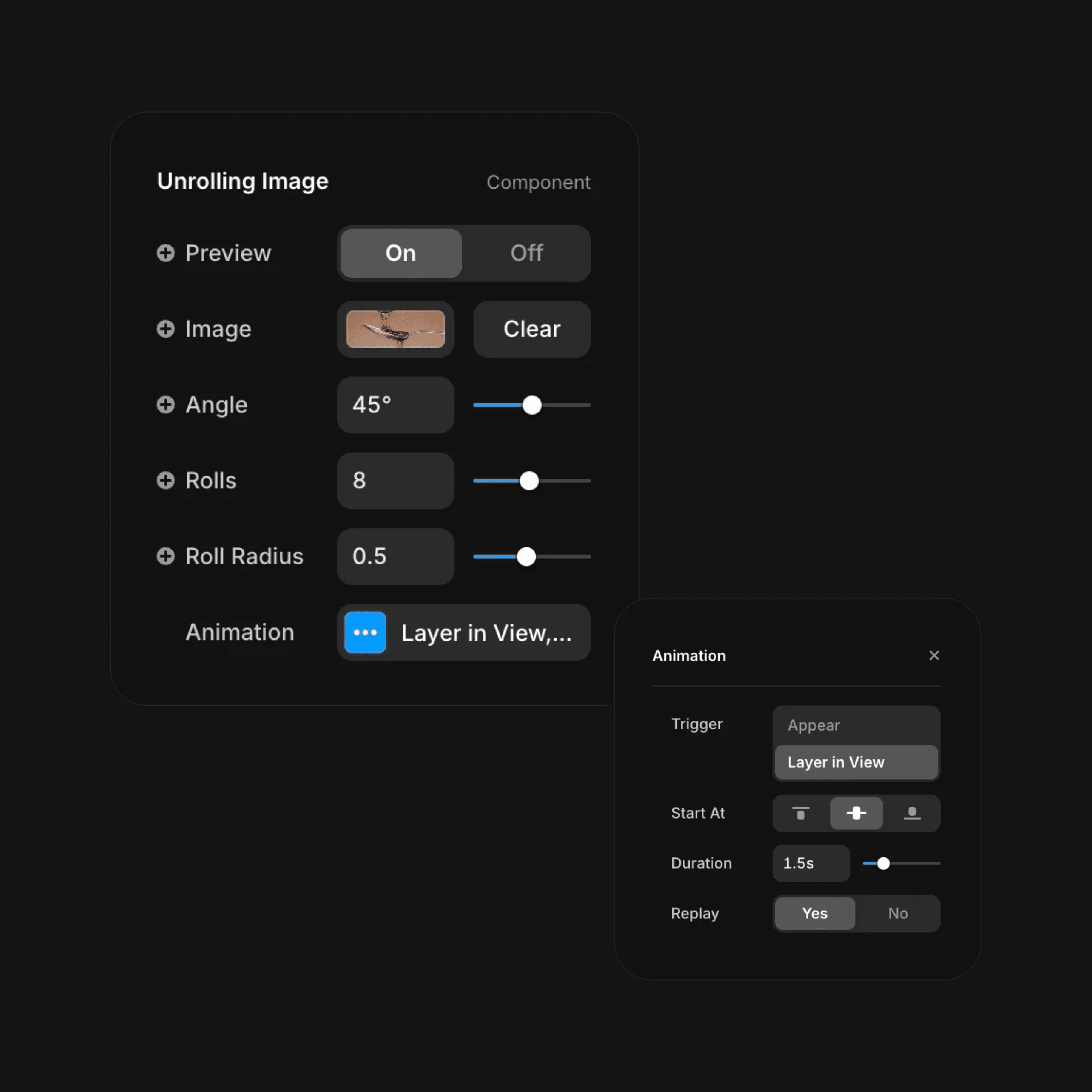
The properties of the image unroll effect component in Framer.
The properties of the image unroll effect component in Framer.
The properties of the image unroll effect component in Framer.


