
Component
Icon Morpher Component in Framer
This is a Framer icon morphing component recreated from Benji Taylor’s original work. It lets you switch between SVG icons using a single property control. You get smooth morphs, adjustable stroke styling, and fully customizable transition settings for clean, polished icon animations without code.





About the resource
The component is driven by a single Icon control that switches between icons using a numeric value. Each value maps to an icon in the list, and changing it triggers a smooth morph animation to the selected icon. Up to 10 SVG icons can be added, and each SVG is normalized internally so the morph remains clean and consistent. If no custom icons are provided, the component falls back to default icons like a hamburger, cross, and plus.
The visual style can be adjusted using controls for stroke width, color, and stroke cap, making it easy to match different UI styles. The morph animation itself is handled through the Transition settings, where the animation type (tween or spring), duration, easing, and spring values like stiffness and damping can be customized to control how the icons morph between states.
About the resource
The component is driven by a single Icon control that switches between icons using a numeric value. Each value maps to an icon in the list, and changing it triggers a smooth morph animation to the selected icon. Up to 10 SVG icons can be added, and each SVG is normalized internally so the morph remains clean and consistent. If no custom icons are provided, the component falls back to default icons like a hamburger, cross, and plus.
The visual style can be adjusted using controls for stroke width, color, and stroke cap, making it easy to match different UI styles. The morph animation itself is handled through the Transition settings, where the animation type (tween or spring), duration, easing, and spring values like stiffness and damping can be customized to control how the icons morph between states.
About the resource
The component is driven by a single Icon control that switches between icons using a numeric value. Each value maps to an icon in the list, and changing it triggers a smooth morph animation to the selected icon. Up to 10 SVG icons can be added, and each SVG is normalized internally so the morph remains clean and consistent. If no custom icons are provided, the component falls back to default icons like a hamburger, cross, and plus.
The visual style can be adjusted using controls for stroke width, color, and stroke cap, making it easy to match different UI styles. The morph animation itself is handled through the Transition settings, where the animation type (tween or spring), duration, easing, and spring values like stiffness and damping can be customized to control how the icons morph between states.
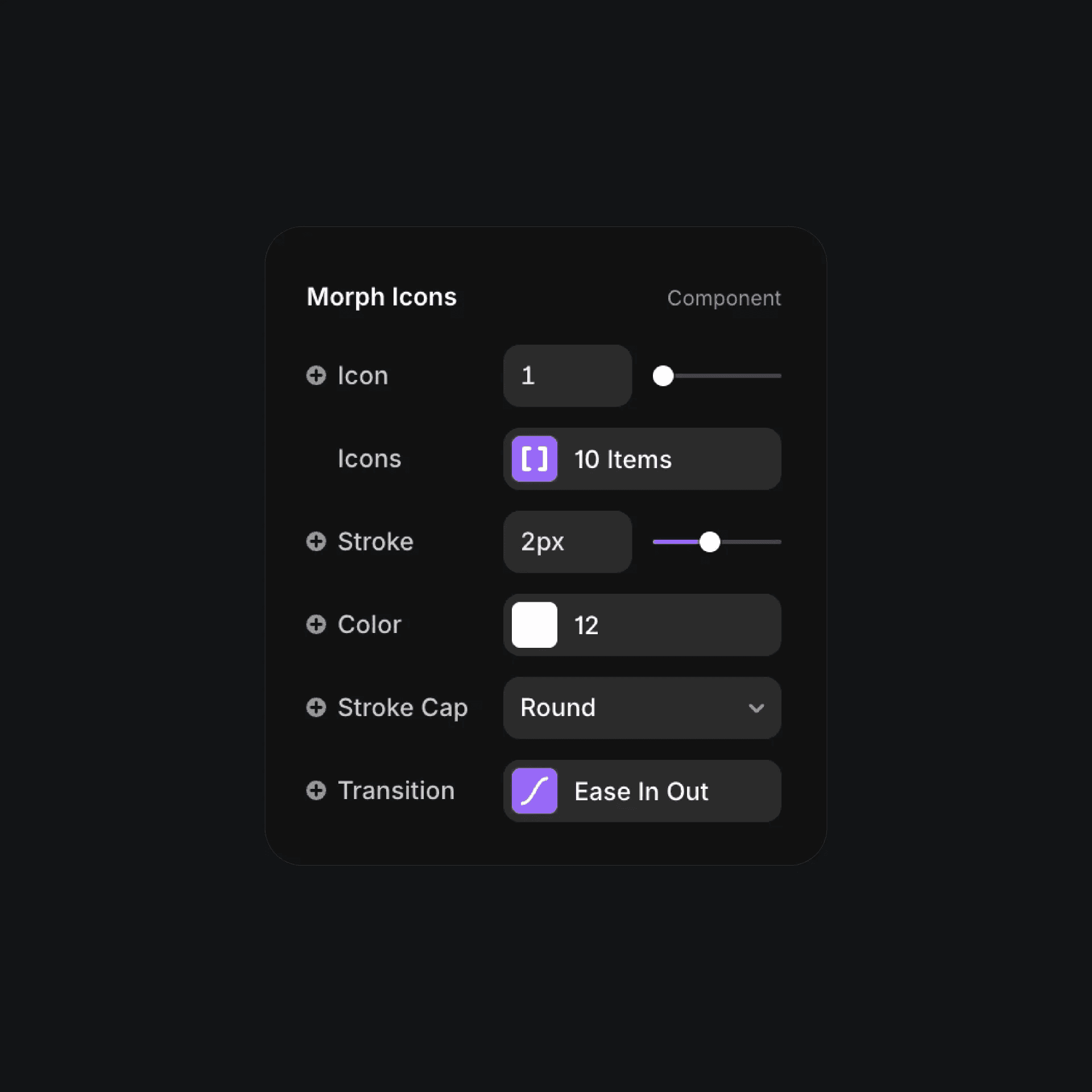
The morph icons component properties in Framer.
The morph icons component properties in Framer.
The morph icons component properties in Framer.


