
Component
Gooey Dropdown in Framer
This is a gooey message dropdown recreated in Framer from Rndr Realm’s original concept. You can remix the project, adjust the morph intensity and timing, or copy the component straight into your own site to add a playful fluid interaction.


About the resource
To recreate this gooey dropdown in Framer, I created a dropdown component with four variants. I set up the menu item and the dropdown as separate layers but they are contained within same container frame. The content stays fixed while I size down the dropdown container to match the menu item and position it behind it. In the final variant, the dropdown expands to its full size on click interaction.
For the gooey effect, I added the Gooey component inside the container. To use it, simply place the component inside a container frame with no fill, set it to absolute positioning so it doesn’t take up layout space, and any frames inside that container will inherit the gooey effect. You can then adjust the intensity to control how strong or subtle the fluid morph feels in your design.
About the resource
To recreate this gooey dropdown in Framer, I created a dropdown component with four variants. I set up the menu item and the dropdown as separate layers but they are contained within same container frame. The content stays fixed while I size down the dropdown container to match the menu item and position it behind it. In the final variant, the dropdown expands to its full size on click interaction.
For the gooey effect, I added the Gooey component inside the container. To use it, simply place the component inside a container frame with no fill, set it to absolute positioning so it doesn’t take up layout space, and any frames inside that container will inherit the gooey effect. You can then adjust the intensity to control how strong or subtle the fluid morph feels in your design.
About the resource
To recreate this gooey dropdown in Framer, I created a dropdown component with four variants. I set up the menu item and the dropdown as separate layers but they are contained within same container frame. The content stays fixed while I size down the dropdown container to match the menu item and position it behind it. In the final variant, the dropdown expands to its full size on click interaction.
For the gooey effect, I added the Gooey component inside the container. To use it, simply place the component inside a container frame with no fill, set it to absolute positioning so it doesn’t take up layout space, and any frames inside that container will inherit the gooey effect. You can then adjust the intensity to control how strong or subtle the fluid morph feels in your design.
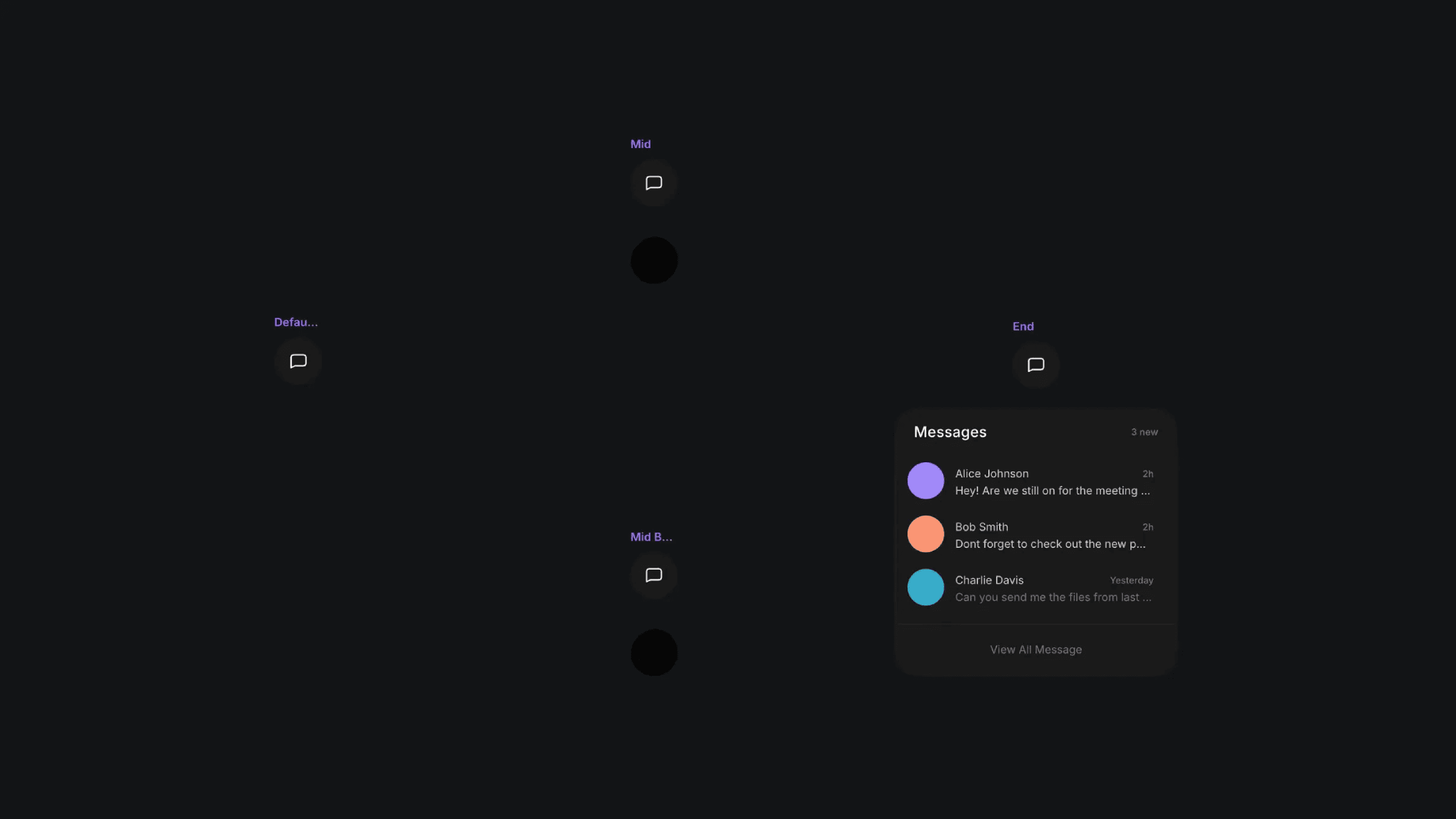
The four variants of the gooey component.
The four variants of the gooey component.
The four variants of the gooey component.


