Glass Breaking Component in Framer

Copy component

Copy component

Glass Breaking Component in Framer

Copy component

Nandi Muzsik

How can I improve Framer Uni?

Let me know if there’s a missing feature or something that could be improved.

Share feedback

How to Make $10K+ with Framer in 60 days

How to Make $10K+ with Framer in 60 days

Component

Glass Breaking Component in Framer

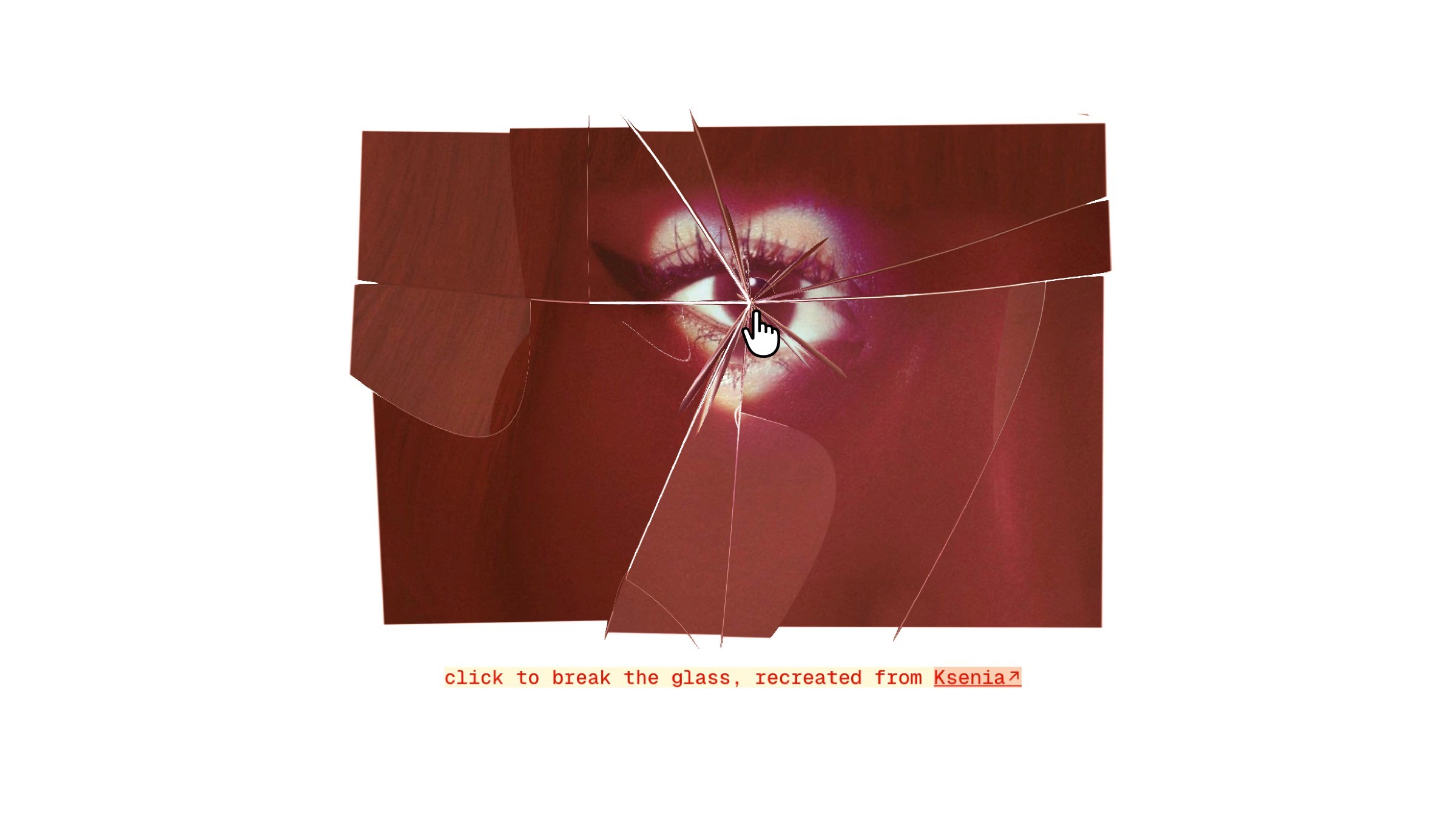
This is a glass-break image component recreated in Framer from the original concept by Ksenia Kondrashova. It splits an image into fragments and animates them apart on interaction. Feel free to copy the component into your own projects, tweak the properties, and have fun playing with the animation.

Shattered-glass effect over a stylized eye artwork

About the resource

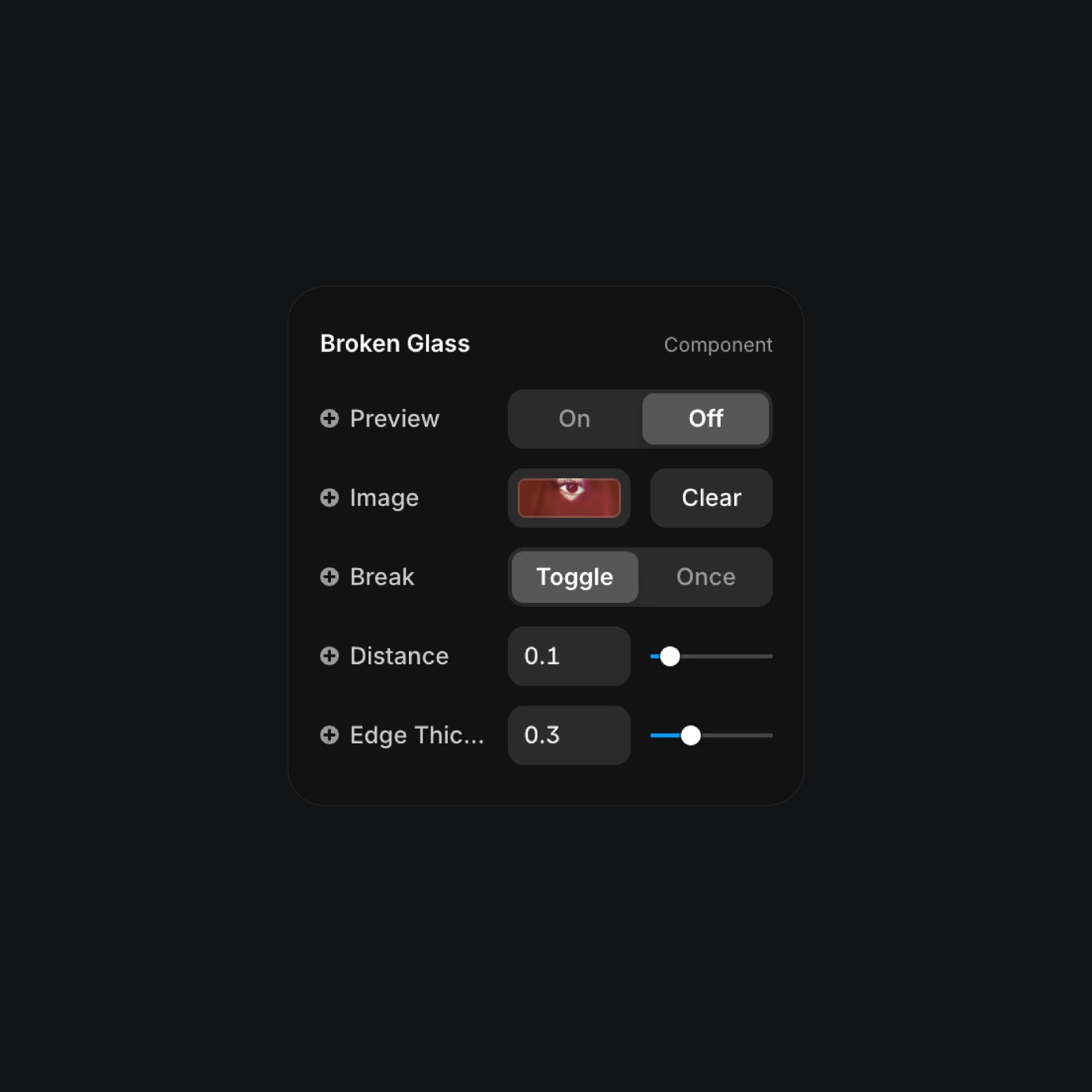
Want to make something smash, literally? With this glass breaking component, you’re in control. Just copy and paste the component onto your canvas, then head over to the right panel and start customizing: choose your preview image, pick the break style that fits your vibe, set how far the shards should fly, and even tweak the edge thickness.

The best part? Everything updates in real-time, so you can create a jaw-dropping shattered glass effect in seconds, and yes no coding required. Play around, experiment, and watch your ideas break beautifully.

About the resource

Want to make something smash, literally? With this glass breaking component, you’re in control. Just copy and paste the component onto your canvas, then head over to the right panel and start customizing: choose your preview image, pick the break style that fits your vibe, set how far the shards should fly, and even tweak the edge thickness.

The best part? Everything updates in real-time, so you can create a jaw-dropping shattered glass effect in seconds, and yes no coding required. Play around, experiment, and watch your ideas break beautifully.

About the resource

Want to make something smash, literally? With this glass breaking component, you’re in control. Just copy and paste the component onto your canvas, then head over to the right panel and start customizing: choose your preview image, pick the break style that fits your vibe, set how far the shards should fly, and even tweak the edge thickness.

The best part? Everything updates in real-time, so you can create a jaw-dropping shattered glass effect in seconds, and yes no coding required. Play around, experiment, and watch your ideas break beautifully.

Broken glass effect interface with image preview controls

The component properties of the broken glass component.

Broken glass effect interface with image preview controls

The component properties of the broken glass component.

Broken glass effect interface with image preview controls

The component properties of the broken glass component.

Learn how can one go from 0 to $11.5k with Framer in 60 days.

From no followers, no portfolio, no reputation, to making thousands with a profitable Framer business.

Nandi portrait's background

Learn how can one go from 0 to $11.5k with Framer in 60 days.

From no followers, no portfolio, no reputation, to making thousands with a profitable Framer business.

Nandi portrait's background

Learn how can one go from 0 to $11.5k with Framer in 60 days.

From no followers, no portfolio, no reputation, to making thousands with a profitable Framer business.

Nandi portrait's background

More resources

More resources

  • Glowing 'Start Framering' button with Framer logo

    Shader Button Component in Framer

    Component

    Glowing 'Start Framering' button with Framer logo

    Shader Button Component in Framer

    Component

  • Landing page for a Blinds Text Reveal project.

    Blinds Text Reveal Component for Framer

    Component

    Landing page for a Blinds Text Reveal project.

    Blinds Text Reveal Component for Framer

    Component