
Component
Fluid Testimonial Cards in Framer
This is a fluid testimonial card interaction created in Framer without any code. You can remix the file and explore how it can be built or simply copy the component in your project.



About the resource
To create this interaction I created a Card component with the open and closed states as variants. On these variants I change the width of the card, the color of the images, the brightness and a whole bunch of other things to make the hover a bit more exciting than usual.
I then wrapped the cards in a main Cards component and create four variants. Each is used for a hover state. When I hover over the first card I want to go to the first variant (where that first card is opened and the rest is closed). Similarly the rest of the interactions can be connected too.
About the resource
To create this interaction I created a Card component with the open and closed states as variants. On these variants I change the width of the card, the color of the images, the brightness and a whole bunch of other things to make the hover a bit more exciting than usual.
I then wrapped the cards in a main Cards component and create four variants. Each is used for a hover state. When I hover over the first card I want to go to the first variant (where that first card is opened and the rest is closed). Similarly the rest of the interactions can be connected too.
About the resource
To create this interaction I created a Card component with the open and closed states as variants. On these variants I change the width of the card, the color of the images, the brightness and a whole bunch of other things to make the hover a bit more exciting than usual.
I then wrapped the cards in a main Cards component and create four variants. Each is used for a hover state. When I hover over the first card I want to go to the first variant (where that first card is opened and the rest is closed). Similarly the rest of the interactions can be connected too.
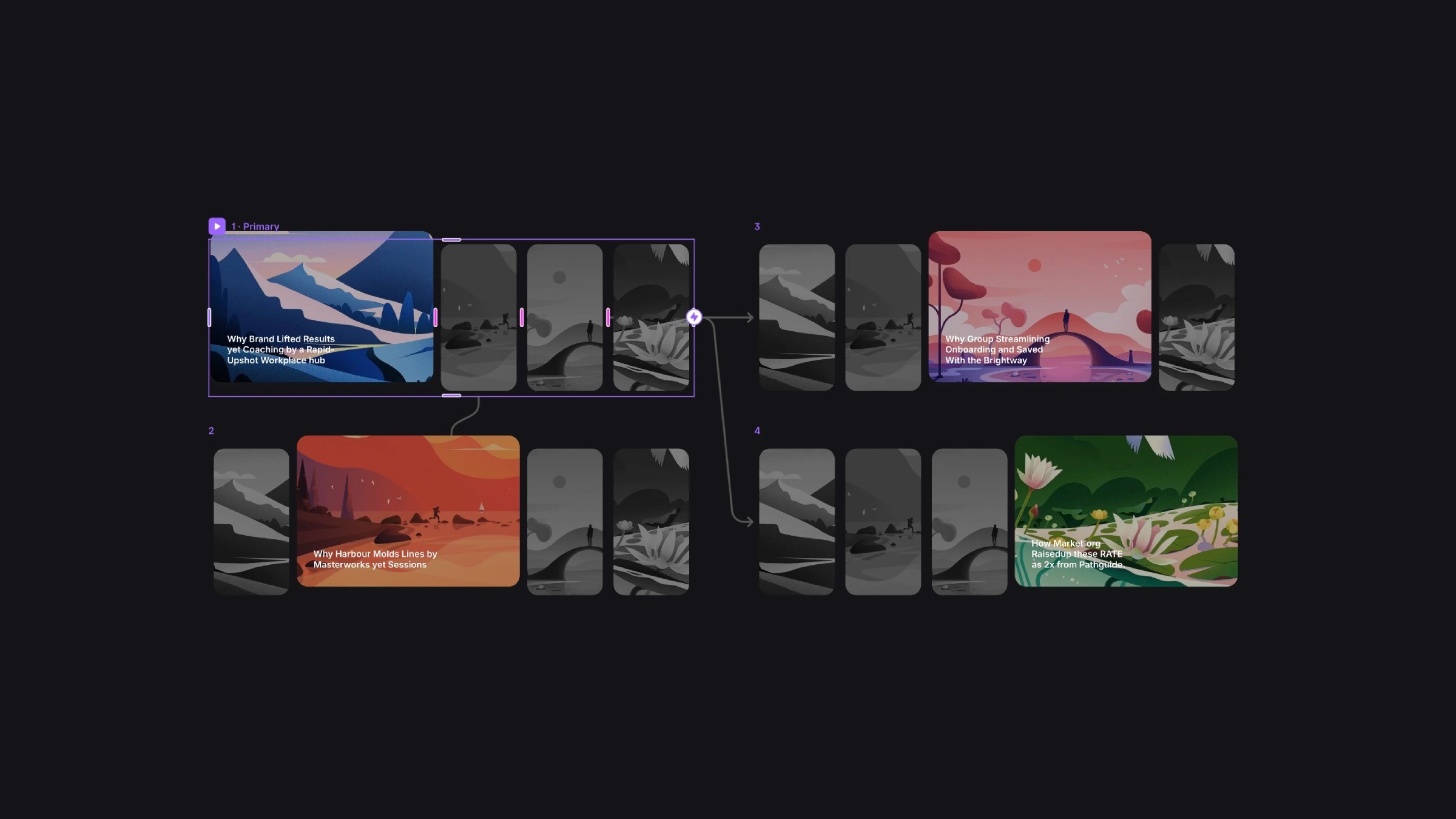
The Cards component and its variants.
The Cards component and its variants.
The Cards component and its variants.
If this wasn't spicy enough, I took it to the next level by adding a Parallax Floating component inside the images so they smoothly move as you're hovering around with your cursor.
Do we need anything else?
If this wasn't spicy enough, I took it to the next level by adding a Parallax Floating component inside the images so they smoothly move as you're hovering around with your cursor.
Do we need anything else?
If this wasn't spicy enough, I took it to the next level by adding a Parallax Floating component inside the images so they smoothly move as you're hovering around with your cursor.
Do we need anything else?


