
Component
Direction Aware Hover in Framer
This is a Direction aware hover button for Framer, recreated in Framer from Jhey’s original work. Feel free to remix the file and explore how it can be built or simply copy the component in your project.




About the resource
To create this Direction Aware Hover Button in Framer, I started with three text layers of the same text stacked on top of each other. The trick is in the hover triggers: I added two hidden frames over the top 50% and bottom 50% of the text layer. These frames need a high Z-index so they reliably catch the hover, because if they’re too low, the interaction might not trigger properly. Instead of connecting the hover effect to the whole button, I tied it to these triggers, which gives precise control over the direction.
When you hover over the top or bottom trigger, the text layer moves using absolute positioning to switch between the layers. The other two text layers are clipped inside a frame so they stay hidden until the hover activates them. This setup lets the button respond differently depending on whether you hover from the top or bottom.
About the resource
To create this Direction Aware Hover Button in Framer, I started with three text layers of the same text stacked on top of each other. The trick is in the hover triggers: I added two hidden frames over the top 50% and bottom 50% of the text layer. These frames need a high Z-index so they reliably catch the hover, because if they’re too low, the interaction might not trigger properly. Instead of connecting the hover effect to the whole button, I tied it to these triggers, which gives precise control over the direction.
When you hover over the top or bottom trigger, the text layer moves using absolute positioning to switch between the layers. The other two text layers are clipped inside a frame so they stay hidden until the hover activates them. This setup lets the button respond differently depending on whether you hover from the top or bottom.
About the resource
To create this Direction Aware Hover Button in Framer, I started with three text layers of the same text stacked on top of each other. The trick is in the hover triggers: I added two hidden frames over the top 50% and bottom 50% of the text layer. These frames need a high Z-index so they reliably catch the hover, because if they’re too low, the interaction might not trigger properly. Instead of connecting the hover effect to the whole button, I tied it to these triggers, which gives precise control over the direction.
When you hover over the top or bottom trigger, the text layer moves using absolute positioning to switch between the layers. The other two text layers are clipped inside a frame so they stay hidden until the hover activates them. This setup lets the button respond differently depending on whether you hover from the top or bottom.
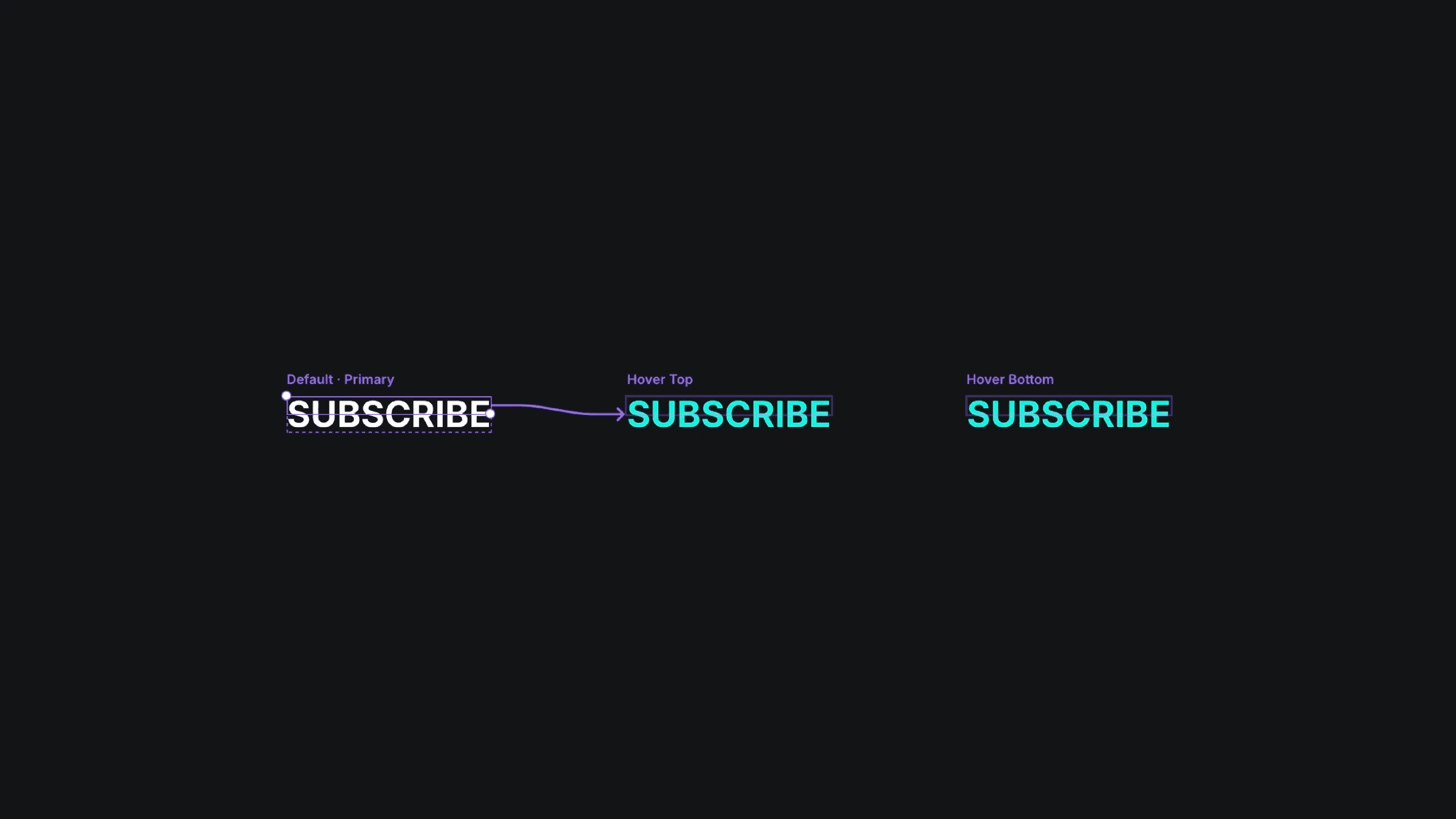
The three variants of the hover button component in Framer.
The three variants of the hover button component in Framer.
The three variants of the hover button component in Framer.


