
Component
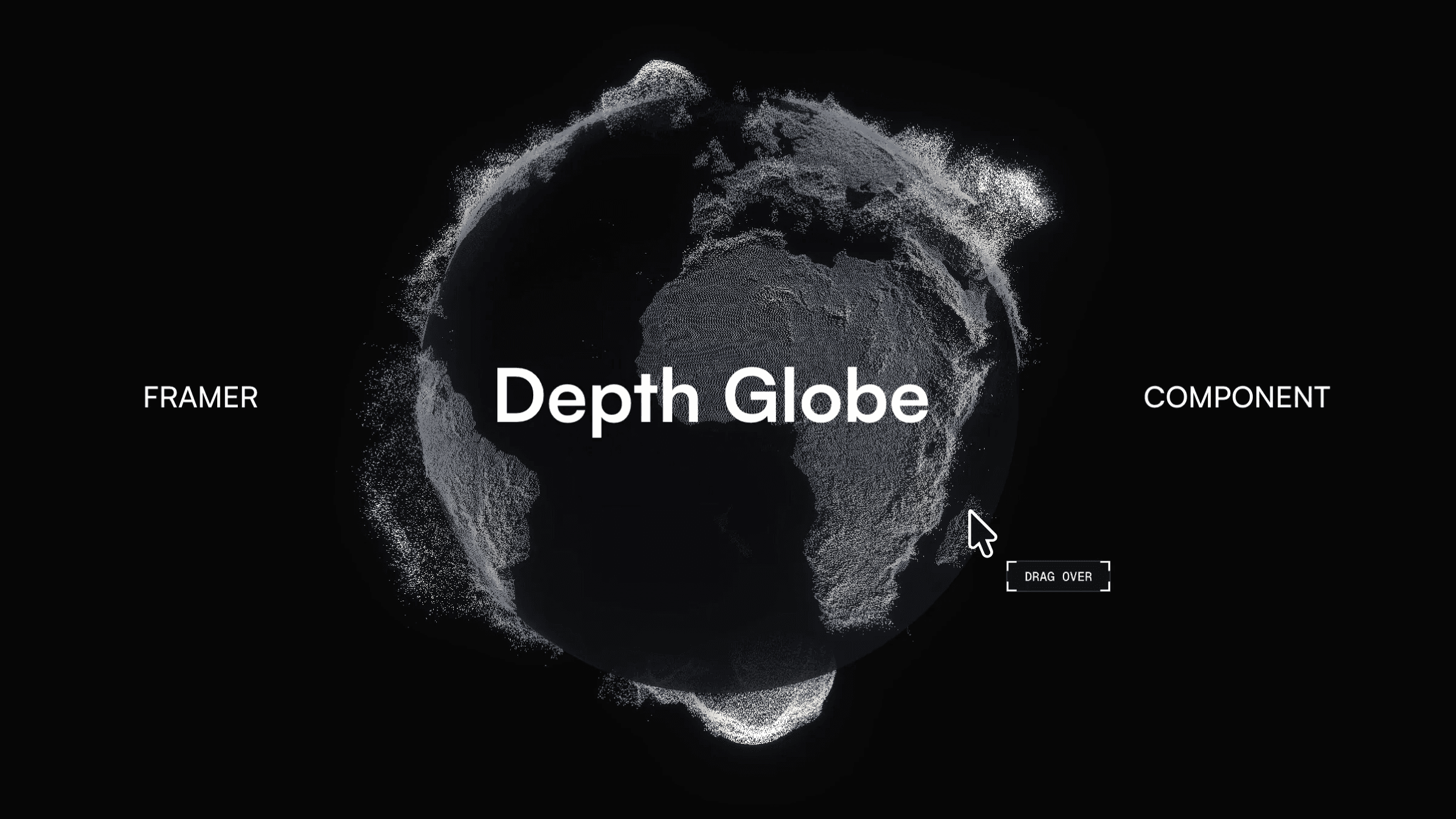
Depth Globe Component for Framer




About the resource
To use the component, add the Depth Globe to your Framer project and adjust the controls to shape how it looks and behaves. The Detail setting lets you choose the resolution of the globe points, helping balance visual detail and performance with Low, Medium, or High options.
Under Globe settings, you can control the scale, terrain depth, and the look of the points using dot size, softness, and smoothing. Motion can also be adjusted, enable Spin for slow auto-rotation or keep it off and drag the globe to orbit it manually. When Pixels is on, the terrain points animate in with a subtle wobble; when off, the globe appears instantly.
You can also customize colors, glow, and lighting. Adjust the background, land, and water colors, control how the ocean blends into the terrain, and fine-tune the bloom and lighting for the final look. The Preview toggle lets the animation run in the canvas or stay frozen to keep the editor smoother while working.
About the resource
To use the component, add the Depth Globe to your Framer project and adjust the controls to shape how it looks and behaves. The Detail setting lets you choose the resolution of the globe points, helping balance visual detail and performance with Low, Medium, or High options.
Under Globe settings, you can control the scale, terrain depth, and the look of the points using dot size, softness, and smoothing. Motion can also be adjusted, enable Spin for slow auto-rotation or keep it off and drag the globe to orbit it manually. When Pixels is on, the terrain points animate in with a subtle wobble; when off, the globe appears instantly.
You can also customize colors, glow, and lighting. Adjust the background, land, and water colors, control how the ocean blends into the terrain, and fine-tune the bloom and lighting for the final look. The Preview toggle lets the animation run in the canvas or stay frozen to keep the editor smoother while working.
About the resource
To use the component, add the Depth Globe to your Framer project and adjust the controls to shape how it looks and behaves. The Detail setting lets you choose the resolution of the globe points, helping balance visual detail and performance with Low, Medium, or High options.
Under Globe settings, you can control the scale, terrain depth, and the look of the points using dot size, softness, and smoothing. Motion can also be adjusted, enable Spin for slow auto-rotation or keep it off and drag the globe to orbit it manually. When Pixels is on, the terrain points animate in with a subtle wobble; when off, the globe appears instantly.
You can also customize colors, glow, and lighting. Adjust the background, land, and water colors, control how the ocean blends into the terrain, and fine-tune the bloom and lighting for the final look. The Preview toggle lets the animation run in the canvas or stay frozen to keep the editor smoother while working.
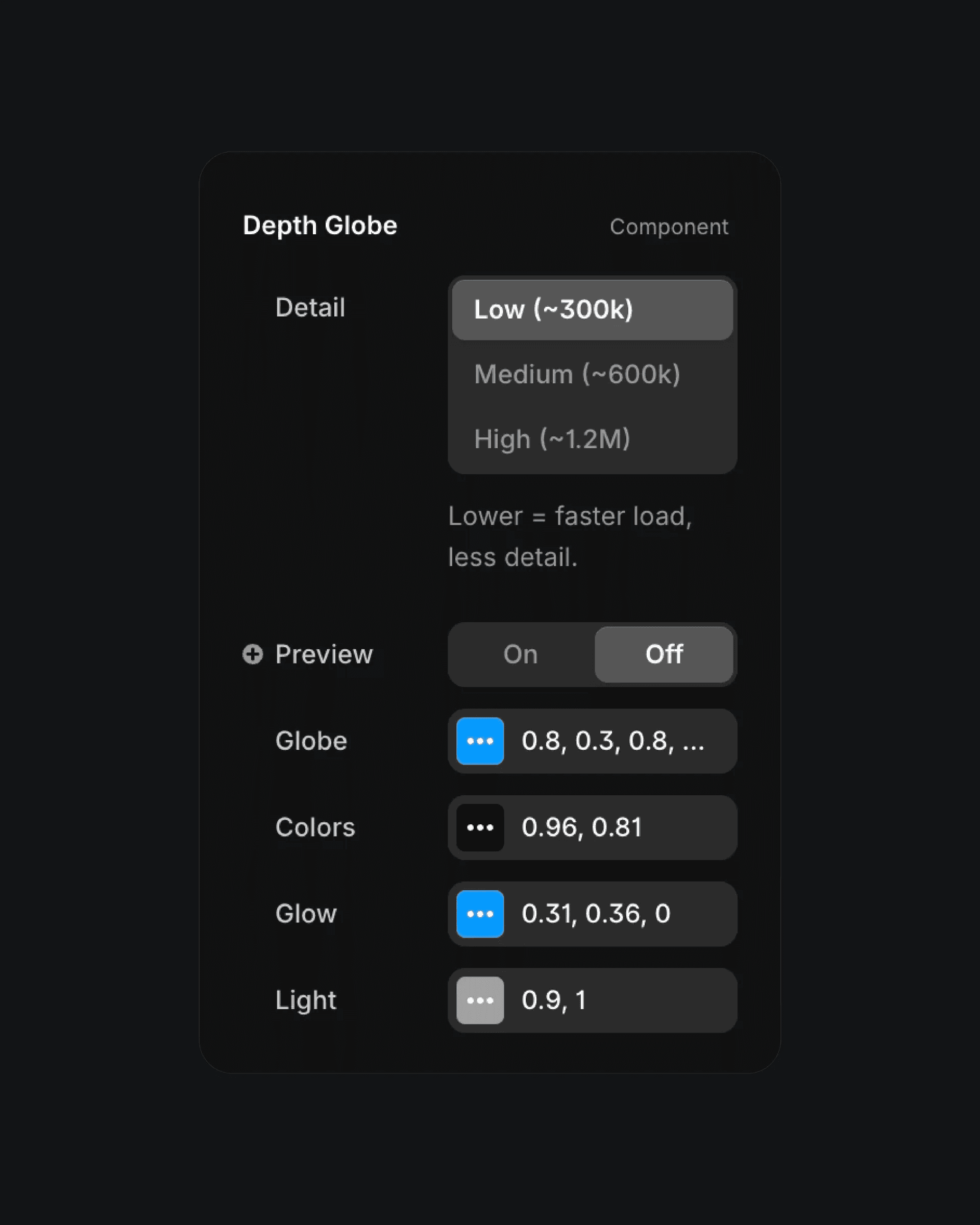
The depth globe component properties in Framer.
The depth globe component properties in Framer.
The depth globe component properties in Framer.


