
Component
Color Typer Effect in Framer
This is a Color Typer text effect recreated in Framer, as seen in an Apple store, built to animate words or characters with a smooth color transition. You can copy it into your projects to add expressive, animated text highlights without writing any code.




About the resource
To use the Color Typer component, you can control how and when the animation runs using simple property controls. The Mode lets you choose whether the animation plays on load (Appear), triggers when the layer enters the viewport (Layer in View), or is manually controlled using a toggle. When Toggle is selected, the Enabled property appears, allowing you to turn the animation on or off. For scroll-based triggers, Start At defines when the text is considered in view, and Replay lets the animation run again when scrolling back.
You can customize the animated content through the Text property and decide whether the animation splits by words or characters using Split Per. Color 1 defines the appear color, while Color 2 sets the final color each element transitions to. Typography is handled through the Font and Tag properties, giving full control over styling and HTML structure. Directioncontrols whether the animation flows left to right or right to left, while Delay, Color Time, and Stagger fine-tune the timing, pacing, and cascading effect of the animation.
About the resource
To use the Color Typer component, you can control how and when the animation runs using simple property controls. The Mode lets you choose whether the animation plays on load (Appear), triggers when the layer enters the viewport (Layer in View), or is manually controlled using a toggle. When Toggle is selected, the Enabled property appears, allowing you to turn the animation on or off. For scroll-based triggers, Start At defines when the text is considered in view, and Replay lets the animation run again when scrolling back.
You can customize the animated content through the Text property and decide whether the animation splits by words or characters using Split Per. Color 1 defines the appear color, while Color 2 sets the final color each element transitions to. Typography is handled through the Font and Tag properties, giving full control over styling and HTML structure. Directioncontrols whether the animation flows left to right or right to left, while Delay, Color Time, and Stagger fine-tune the timing, pacing, and cascading effect of the animation.
About the resource
To use the Color Typer component, you can control how and when the animation runs using simple property controls. The Mode lets you choose whether the animation plays on load (Appear), triggers when the layer enters the viewport (Layer in View), or is manually controlled using a toggle. When Toggle is selected, the Enabled property appears, allowing you to turn the animation on or off. For scroll-based triggers, Start At defines when the text is considered in view, and Replay lets the animation run again when scrolling back.
You can customize the animated content through the Text property and decide whether the animation splits by words or characters using Split Per. Color 1 defines the appear color, while Color 2 sets the final color each element transitions to. Typography is handled through the Font and Tag properties, giving full control over styling and HTML structure. Directioncontrols whether the animation flows left to right or right to left, while Delay, Color Time, and Stagger fine-tune the timing, pacing, and cascading effect of the animation.
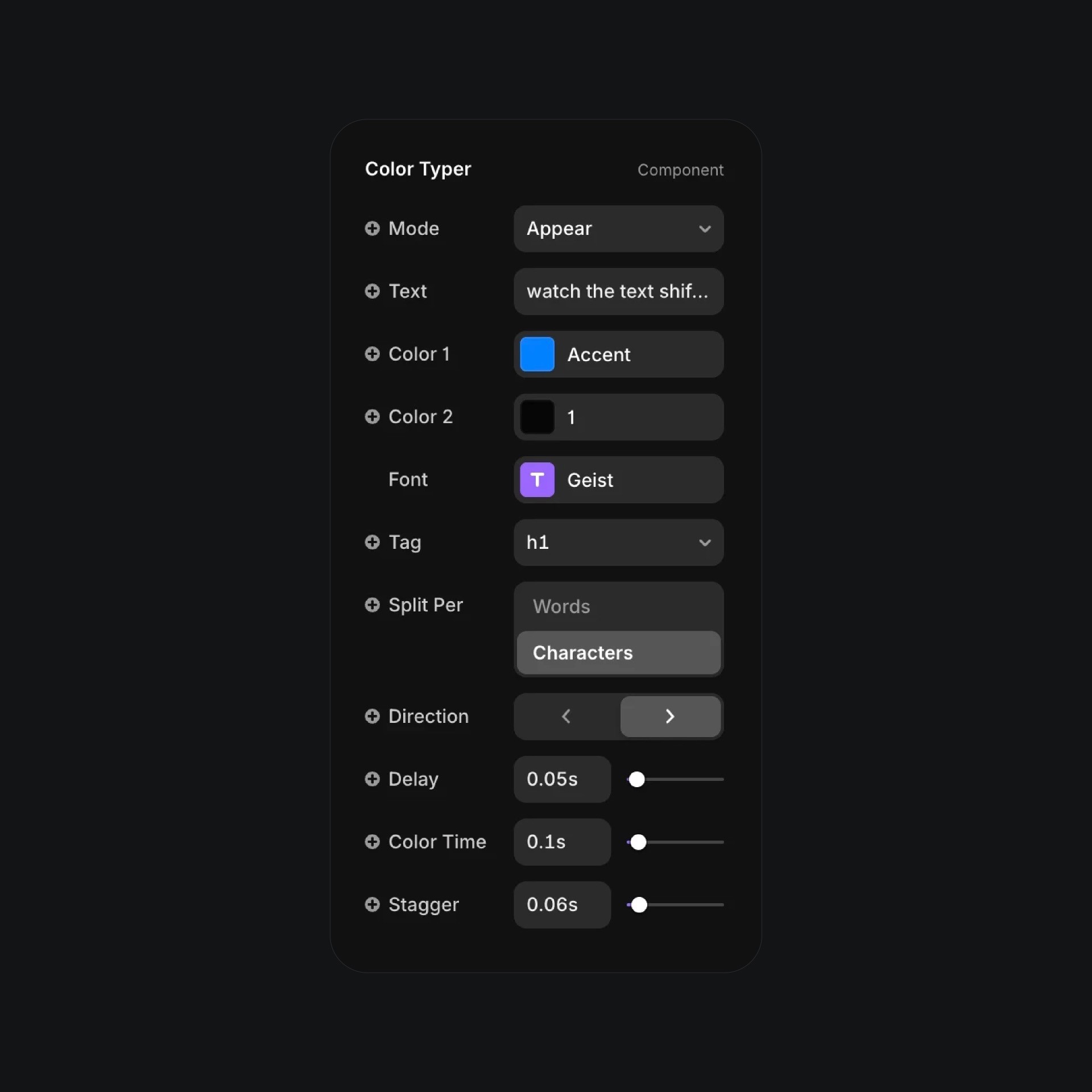
The color typer component properties in Framer.
The color typer component properties in Framer.
The color typer component properties in Framer.


