Click Effects for Framer Websites

Copy component

Copy component

Click Effects for Framer Websites

Copy component

Nandi Muzsik

How can I improve Framer Uni?

Let me know if there’s a missing feature or something that could be improved.

Share feedback

How to Make $10K+ with Framer in 60 days

How to Make $10K+ with Framer in 60 days

Component

Click Effects for Framer Websites

This is a customizable click effects component in Framer inspired by Eduard Bodak’s website. It comes with 6 unique interaction styles and can be dropped straight into your project where you can customize it to instantly add engaging click animations.

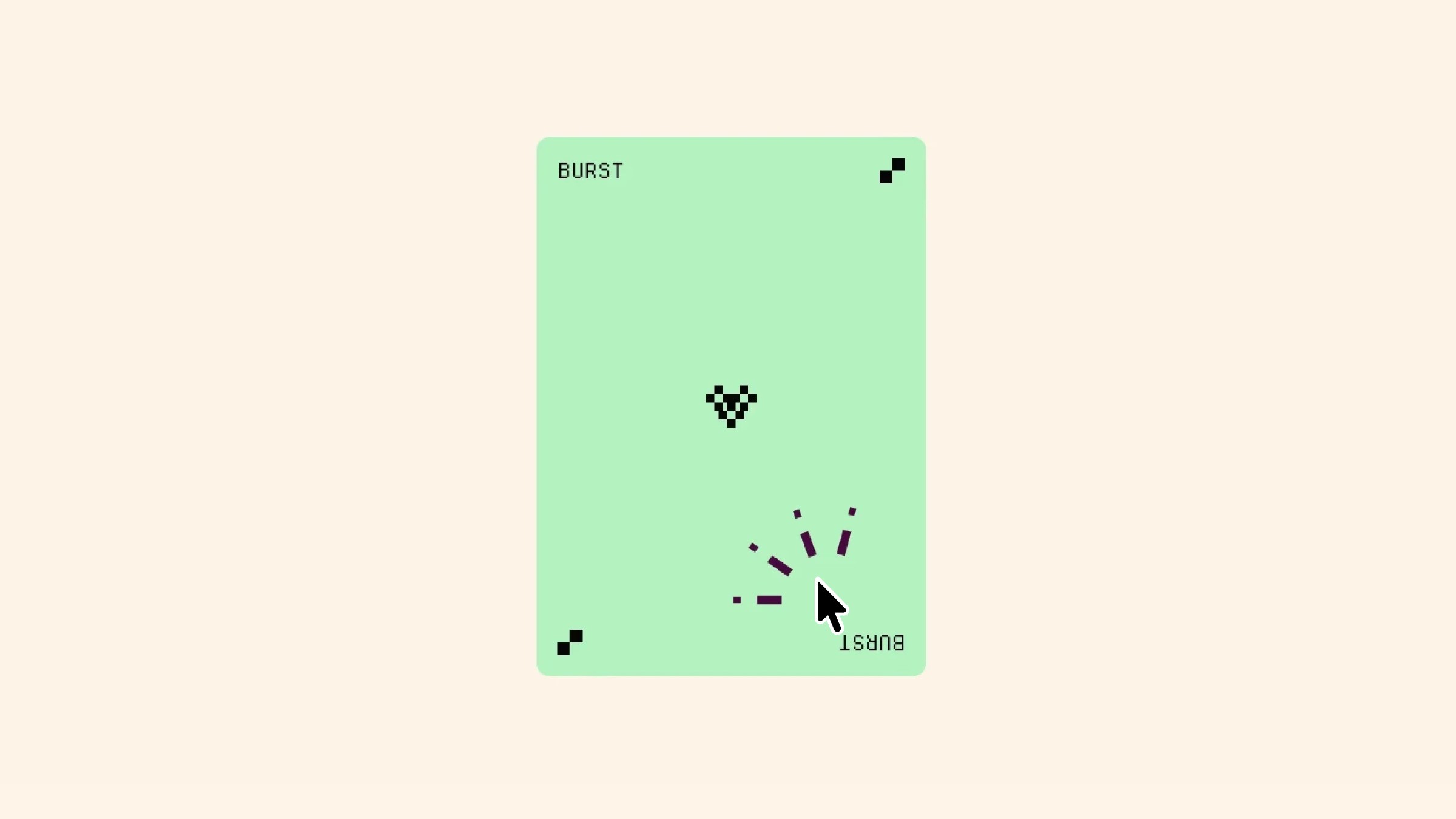
Burst click animation demo on green UI card

About the resource

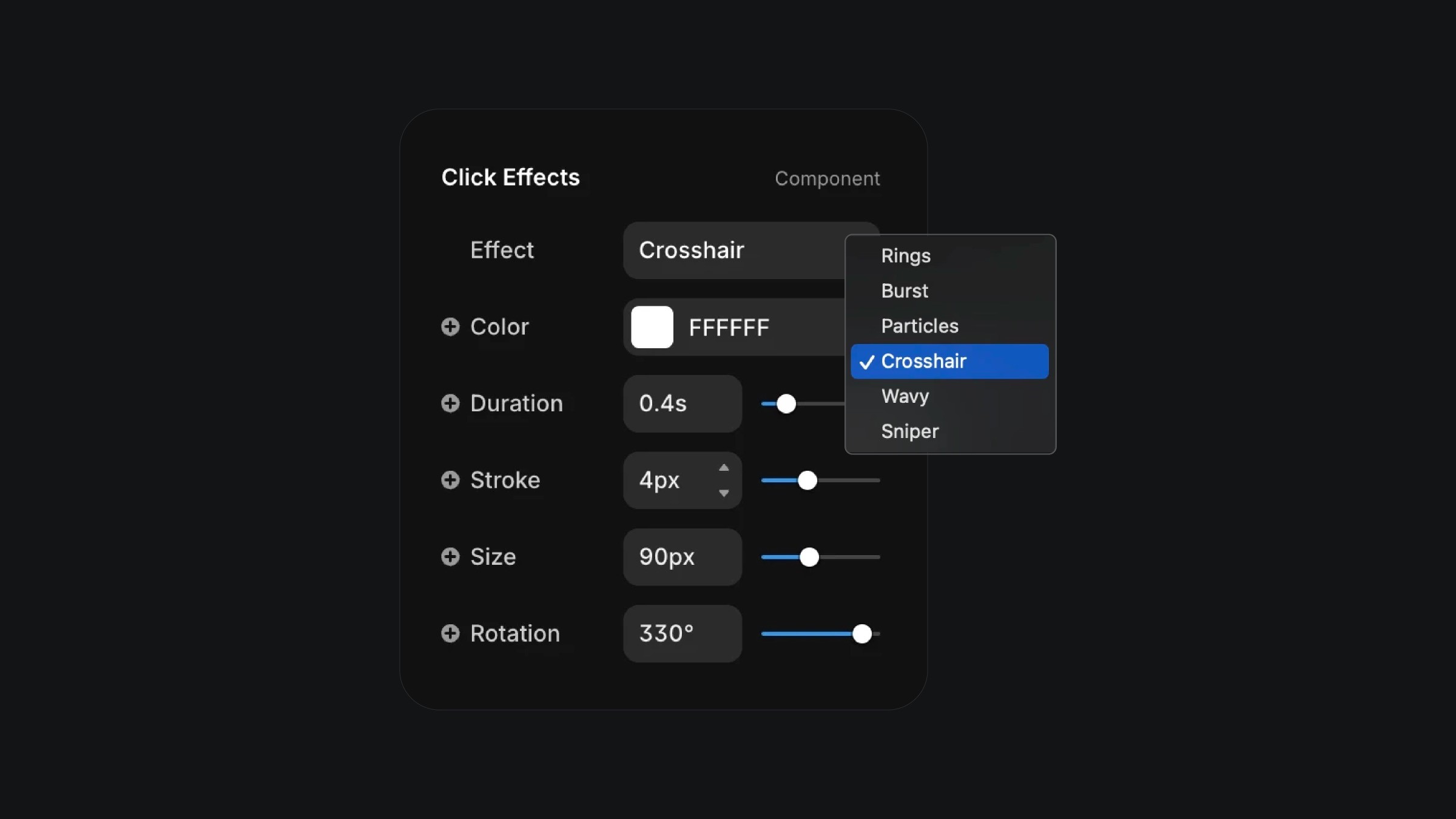
To use the Interaction Effects component in Framer, you can pick from six unique styles including Rings, Burst, Particles, Crosshair, Wavy, and Sniper, each offering a distinct way to visualize click or tap points. You have full control over the appearance with adjustable color, duration, stroke thickness, size, and rotation, allowing you to fine tune how the effect feels in your design. Whether you want subtle ripples, scattered particles, or bold crosshair animations, the properties panel makes it easy to customize and align the interaction to your project.

About the resource

To use the Interaction Effects component in Framer, you can pick from six unique styles including Rings, Burst, Particles, Crosshair, Wavy, and Sniper, each offering a distinct way to visualize click or tap points. You have full control over the appearance with adjustable color, duration, stroke thickness, size, and rotation, allowing you to fine tune how the effect feels in your design. Whether you want subtle ripples, scattered particles, or bold crosshair animations, the properties panel makes it easy to customize and align the interaction to your project.

About the resource

To use the Interaction Effects component in Framer, you can pick from six unique styles including Rings, Burst, Particles, Crosshair, Wavy, and Sniper, each offering a distinct way to visualize click or tap points. You have full control over the appearance with adjustable color, duration, stroke thickness, size, and rotation, allowing you to fine tune how the effect feels in your design. Whether you want subtle ripples, scattered particles, or bold crosshair animations, the properties panel makes it easy to customize and align the interaction to your project.

UI panel for customizing animated click effects

The click effects component properties in Framer.

UI panel for customizing animated click effects

The click effects component properties in Framer.

UI panel for customizing animated click effects

The click effects component properties in Framer.

Learn how can one go from 0 to $11.5k with Framer in 60 days.

From no followers, no portfolio, no reputation, to making thousands with a profitable Framer business.

Nandi portrait's background

More resources

More resources

  • Music app playlist created screen with artist avatars

    Playlist Generation Circular Animation in Framer

    Component

    Music app playlist created screen with artist avatars

    Playlist Generation Circular Animation in Framer

    Component

  • Customer testimonials section with review letter card

    3D Letter Testimonials in Framer

    Component

    Customer testimonials section with review letter card

    3D Letter Testimonials in Framer

    Component