
Component
Circular Navigation Button in Framer
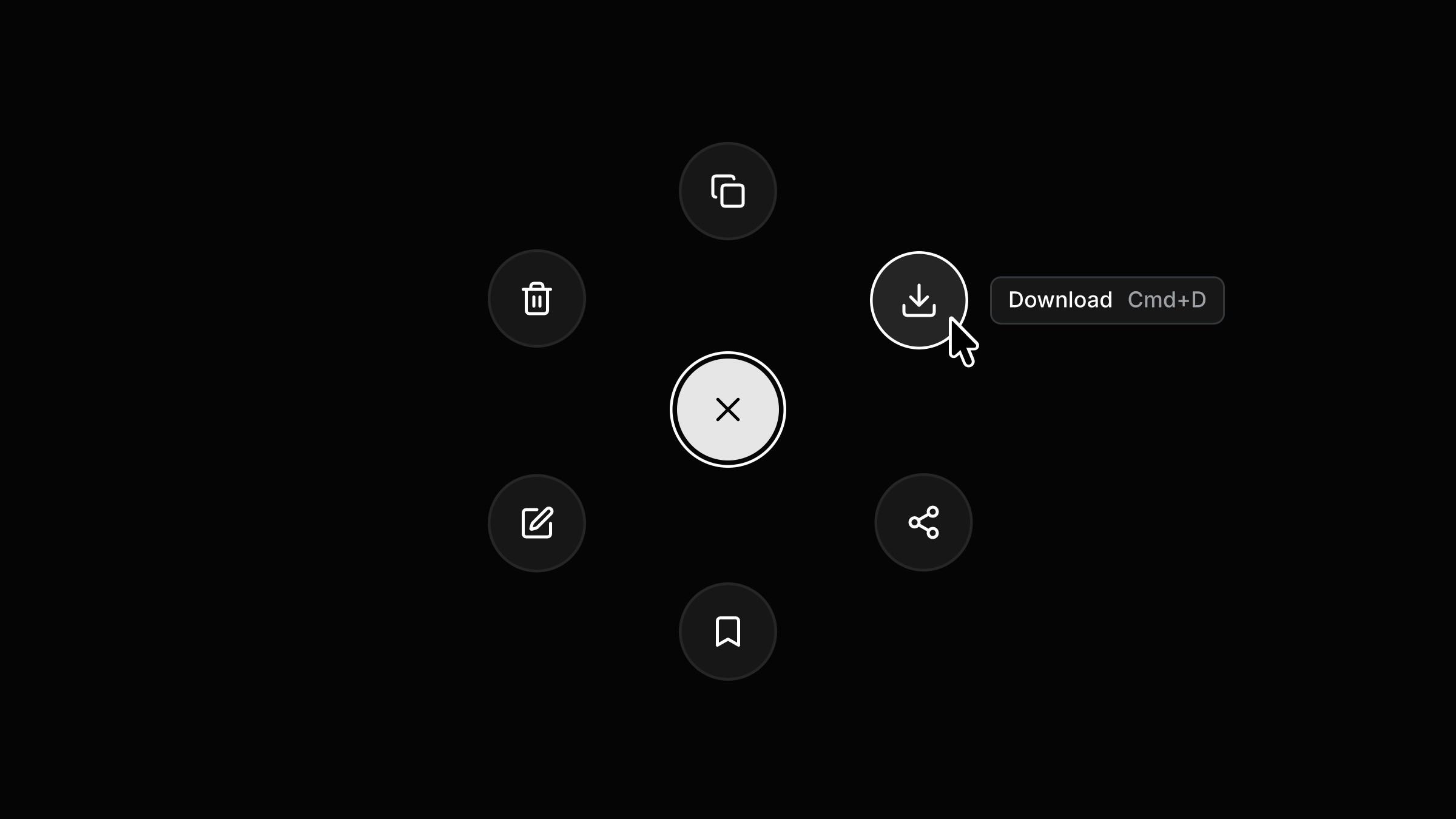
This is a circular navigation button recreated in Framer from Kousthubha’s original work. Feel free to remix the project to explore how interactions like this can be built in Framer without any code or simply copy the component to your own project.



Created by
About the resource
To create this interaction, I combined three components. I started with the main button and added a hover variant, then created a nav item component with its own hover variant. I brought both of these together into a third component that controls the full interaction using three variants.
In the default state, all the nav items sit behind the main button. On click, they move into a circular layout around the button, revealed in a staggered way by overriding the transition with delays. Each item responds on hover by switching to its hover variant. On the next click, everything moves back to the original position behind the main button, reversing the same motion in the opposite order.
About the resource
To create this interaction, I combined three components. I started with the main button and added a hover variant, then created a nav item component with its own hover variant. I brought both of these together into a third component that controls the full interaction using three variants.
In the default state, all the nav items sit behind the main button. On click, they move into a circular layout around the button, revealed in a staggered way by overriding the transition with delays. Each item responds on hover by switching to its hover variant. On the next click, everything moves back to the original position behind the main button, reversing the same motion in the opposite order.
About the resource
To create this interaction, I combined three components. I started with the main button and added a hover variant, then created a nav item component with its own hover variant. I brought both of these together into a third component that controls the full interaction using three variants.
In the default state, all the nav items sit behind the main button. On click, they move into a circular layout around the button, revealed in a staggered way by overriding the transition with delays. Each item responds on hover by switching to its hover variant. On the next click, everything moves back to the original position behind the main button, reversing the same motion in the opposite order.
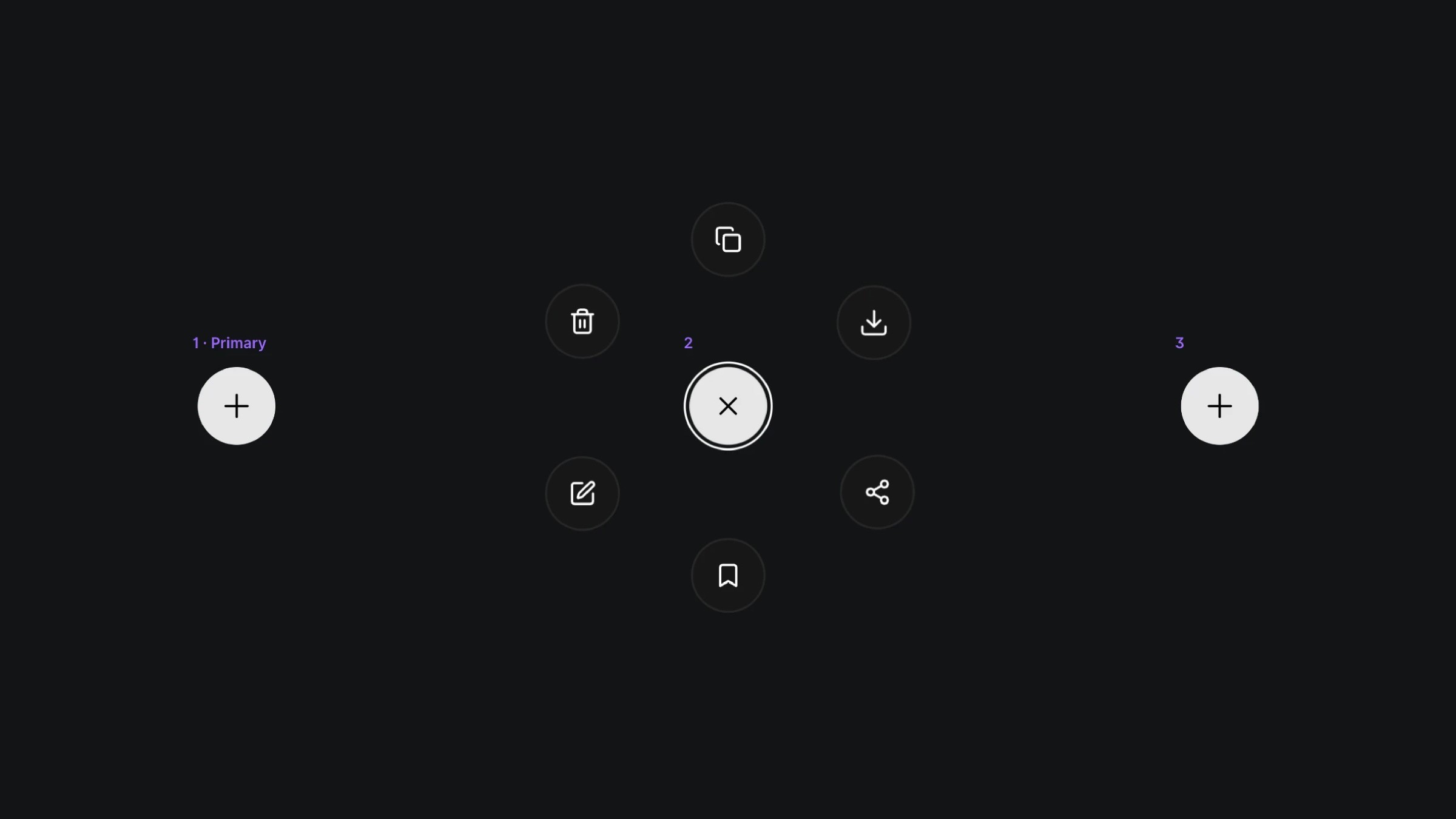
The variants of the circle navigation component.
The variants of the circle navigation component.
The variants of the circle navigation component.


