
Component
Circular CD Selection in Framer
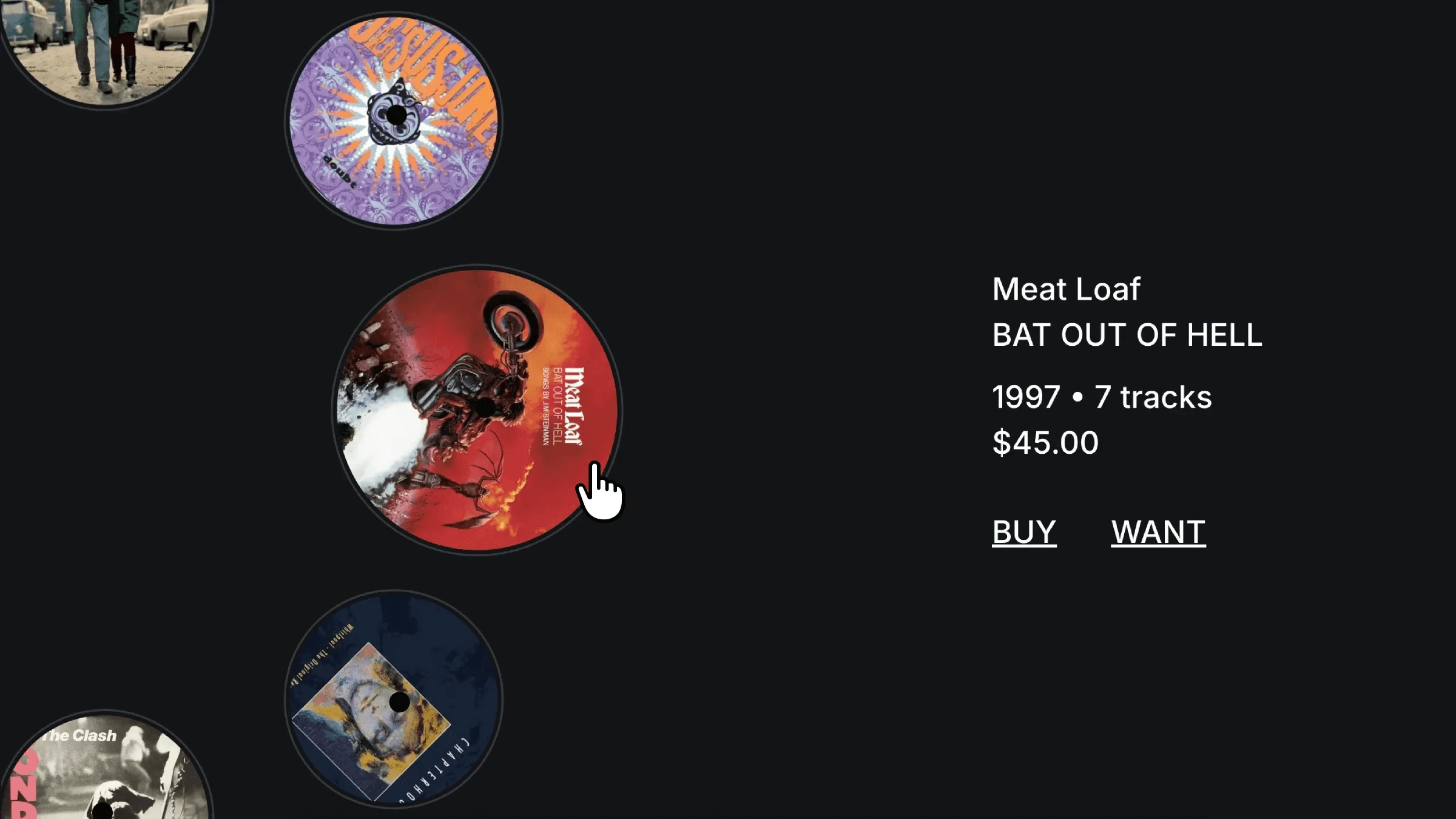
This is a Circular CD Selection in Framer, recreated from Daniel’s original work. You can remix the project to explore how it’s built without code or simply drop the component into your project and try it out.



About the resource
To recreate the Circular CD Selection in Framer, I started by building a circular CD component using the rotated arms technique. For that, I created a CD component with three variants to handle its states: a default state, an active state where the CD scales up to indicate selection, and a hover state where it scales up slightly for subtle feedback. Then, I created multiple variants for each CD with CD component and connected them using click interactions so switching between CDs feels natural. I kept the CD details in a separate component, and to make sure the layout stayed consistent across pages, I wrapped everything inside a template.
For keyboard interaction, I used the Shortcut Code Component. I placed it absolutely inside the main frame and mapped the up and down arrow keys to interactions. From there, I created additional pages for each CD and customized the details on every page. Now the component supports both keyboard and click interactions, so using the up or down arrow keys, or clicking directly, switches between pages and updates the active CD seamlessly.
About the resource
To recreate the Circular CD Selection in Framer, I started by building a circular CD component using the rotated arms technique. For that, I created a CD component with three variants to handle its states: a default state, an active state where the CD scales up to indicate selection, and a hover state where it scales up slightly for subtle feedback. Then, I created multiple variants for each CD with CD component and connected them using click interactions so switching between CDs feels natural. I kept the CD details in a separate component, and to make sure the layout stayed consistent across pages, I wrapped everything inside a template.
For keyboard interaction, I used the Shortcut Code Component. I placed it absolutely inside the main frame and mapped the up and down arrow keys to interactions. From there, I created additional pages for each CD and customized the details on every page. Now the component supports both keyboard and click interactions, so using the up or down arrow keys, or clicking directly, switches between pages and updates the active CD seamlessly.
About the resource
To recreate the Circular CD Selection in Framer, I started by building a circular CD component using the rotated arms technique. For that, I created a CD component with three variants to handle its states: a default state, an active state where the CD scales up to indicate selection, and a hover state where it scales up slightly for subtle feedback. Then, I created multiple variants for each CD with CD component and connected them using click interactions so switching between CDs feels natural. I kept the CD details in a separate component, and to make sure the layout stayed consistent across pages, I wrapped everything inside a template.
For keyboard interaction, I used the Shortcut Code Component. I placed it absolutely inside the main frame and mapped the up and down arrow keys to interactions. From there, I created additional pages for each CD and customized the details on every page. Now the component supports both keyboard and click interactions, so using the up or down arrow keys, or clicking directly, switches between pages and updates the active CD seamlessly.
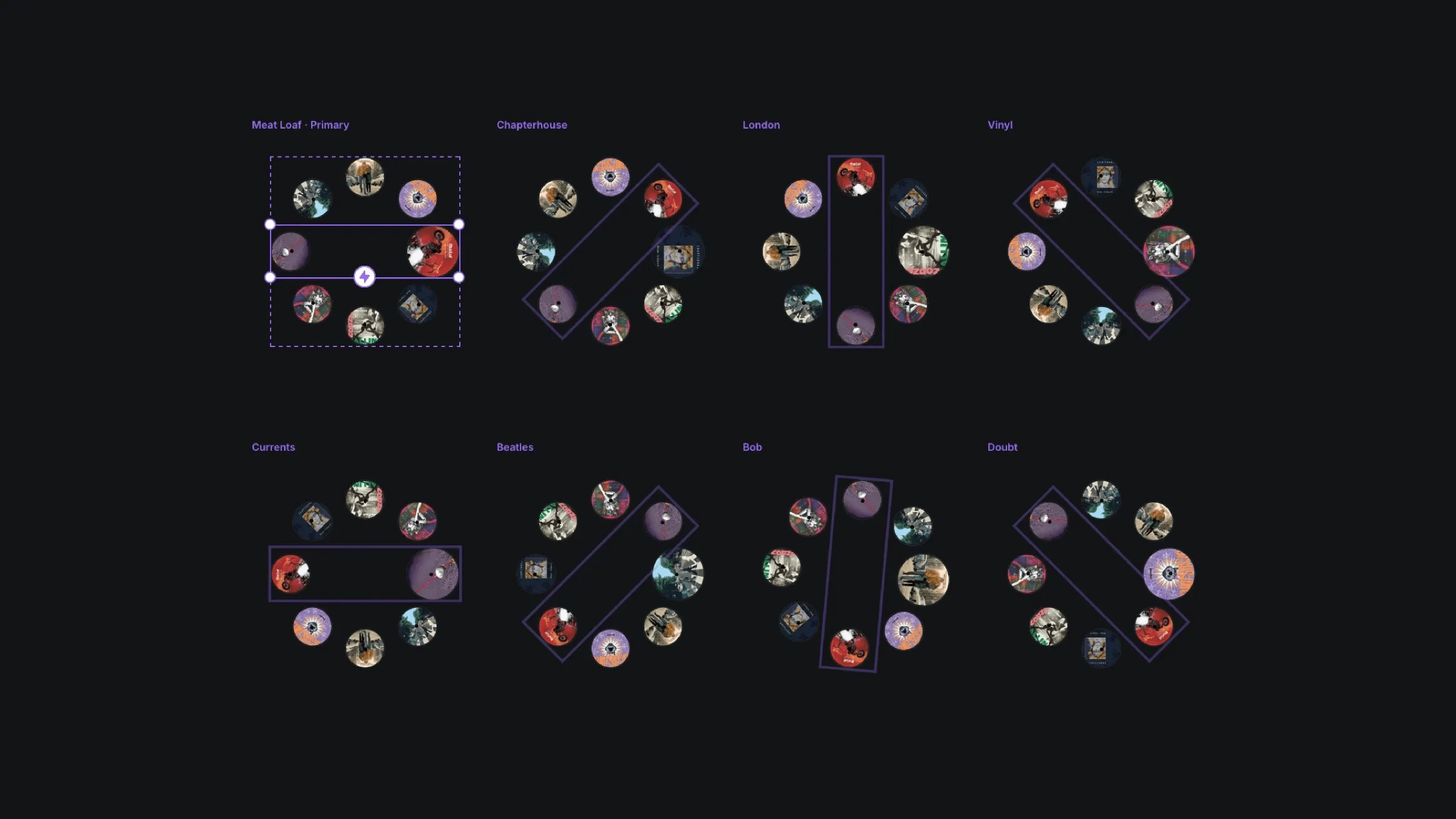
The multiple variants of the circular CD component.
The multiple variants of the circular CD component.
The multiple variants of the circular CD component.


