
Component
Border Morph Tab Switcher in Framer
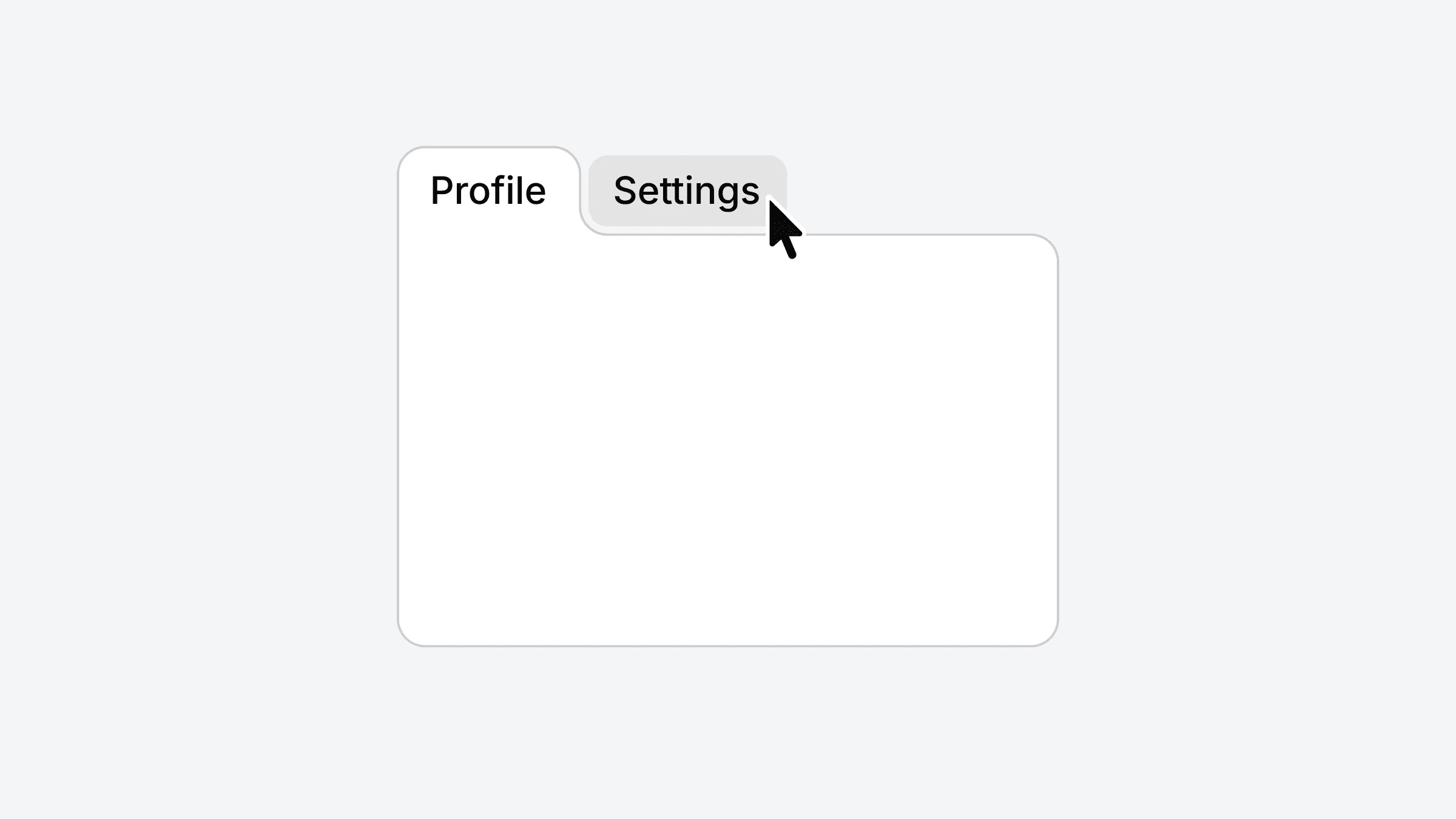
This is a border morph tab switcher recreated in Framer, recreated from Haz’s original work. Remix it to explore how the layered structure, masked curves, and variant interactions create the smooth morph effect, or copy the component directly into your own project.



About the resource
To create this Border Morph Tab Switcher component in Framer, I structured it into two main parts: the top section (tabs) and the bottom section (body).
In the top part, I stacked three layers. First, the grey highlight layer that moves from tab to tab on hover, placed behind the tabs. Above that, I added a holder for the tab labels like Profile and Settings. Then I assembled the tab structure itself, keeping proper padding on the top and bottom to maintain spacing and balance.
For the bottom section, the curved morph effect is achieved using masking. I created two frames for the left and right sides, each with border radius applied only to the bottom-right and bottom-left corners respectively, and masked them to get the smooth curved transition.
Finally, I connected hover and click interactions using variants from the tab holders, allowing the border shape and highlight to morph smoothly between states.
About the resource
To create this Border Morph Tab Switcher component in Framer, I structured it into two main parts: the top section (tabs) and the bottom section (body).
In the top part, I stacked three layers. First, the grey highlight layer that moves from tab to tab on hover, placed behind the tabs. Above that, I added a holder for the tab labels like Profile and Settings. Then I assembled the tab structure itself, keeping proper padding on the top and bottom to maintain spacing and balance.
For the bottom section, the curved morph effect is achieved using masking. I created two frames for the left and right sides, each with border radius applied only to the bottom-right and bottom-left corners respectively, and masked them to get the smooth curved transition.
Finally, I connected hover and click interactions using variants from the tab holders, allowing the border shape and highlight to morph smoothly between states.
About the resource
To create this Border Morph Tab Switcher component in Framer, I structured it into two main parts: the top section (tabs) and the bottom section (body).
In the top part, I stacked three layers. First, the grey highlight layer that moves from tab to tab on hover, placed behind the tabs. Above that, I added a holder for the tab labels like Profile and Settings. Then I assembled the tab structure itself, keeping proper padding on the top and bottom to maintain spacing and balance.
For the bottom section, the curved morph effect is achieved using masking. I created two frames for the left and right sides, each with border radius applied only to the bottom-right and bottom-left corners respectively, and masked them to get the smooth curved transition.
Finally, I connected hover and click interactions using variants from the tab holders, allowing the border shape and highlight to morph smoothly between states.
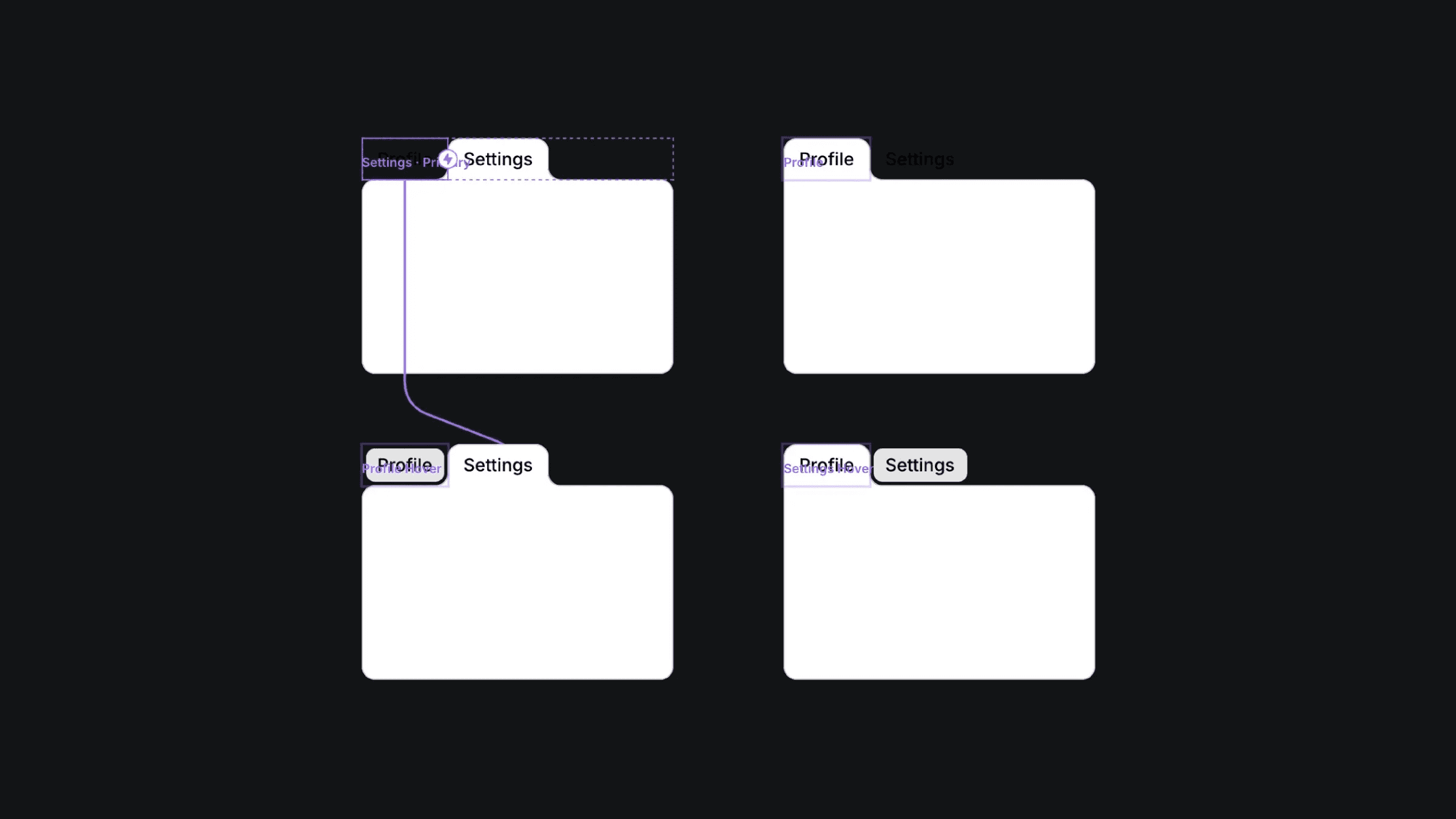
The four variants of the border morph tab component.
The four variants of the border morph tab component.
The four variants of the border morph tab component.


