
Component
Background Boxes in Framer
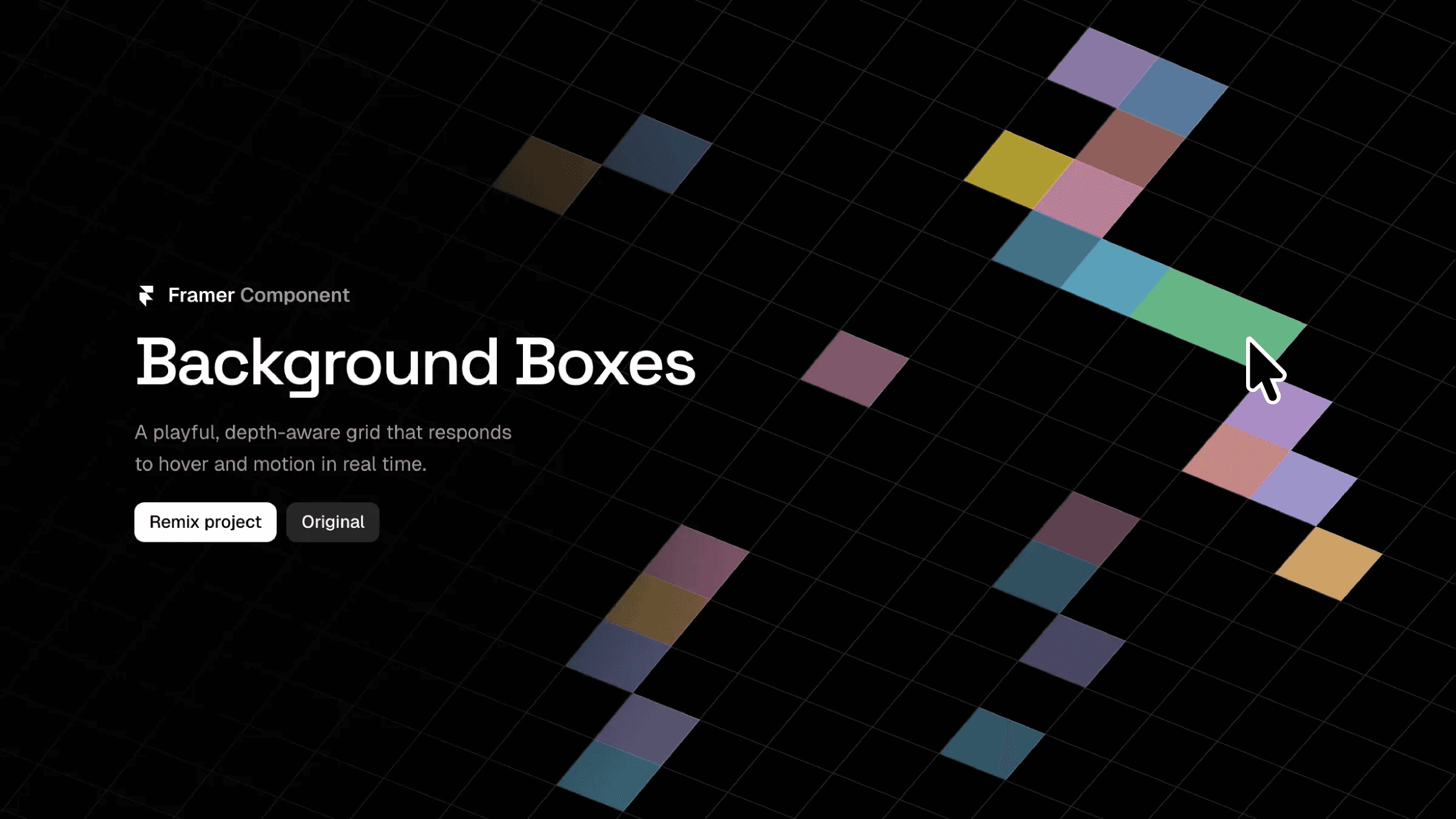
This is an interactive background boxes component for Framer, recreated from Rauno’s old portfolio website, built as a hover-reactive grid system with depth and motion controls. You can copy and paste it into your project to customize and use it without writing any code.




About the resource
To use this interactive grid background, drop the component into your section and resize it to fit. Start by setting the background color, since this shows through the gaps between the boxes and around the edges. Adjust the box size to control how fine or bold the grid feels, and tweak the border width and color to make the grid lines subtle or more defined.
You can add depth by rotating the grid on the X, Y, or Z axis. If you’re using stronger rotations, increase the fill grid value so the grid still covers the container without gaps. For interaction, set the time in and time out values to control how smoothly each box changes color on hover and fades back when the cursor leaves.
Finally, choose a palette size and define your colors. Each box randomly picks from this palette on hover, giving you a lively but controlled background that reacts naturally to movement.
About the resource
To use this interactive grid background, drop the component into your section and resize it to fit. Start by setting the background color, since this shows through the gaps between the boxes and around the edges. Adjust the box size to control how fine or bold the grid feels, and tweak the border width and color to make the grid lines subtle or more defined.
You can add depth by rotating the grid on the X, Y, or Z axis. If you’re using stronger rotations, increase the fill grid value so the grid still covers the container without gaps. For interaction, set the time in and time out values to control how smoothly each box changes color on hover and fades back when the cursor leaves.
Finally, choose a palette size and define your colors. Each box randomly picks from this palette on hover, giving you a lively but controlled background that reacts naturally to movement.
About the resource
To use this interactive grid background, drop the component into your section and resize it to fit. Start by setting the background color, since this shows through the gaps between the boxes and around the edges. Adjust the box size to control how fine or bold the grid feels, and tweak the border width and color to make the grid lines subtle or more defined.
You can add depth by rotating the grid on the X, Y, or Z axis. If you’re using stronger rotations, increase the fill grid value so the grid still covers the container without gaps. For interaction, set the time in and time out values to control how smoothly each box changes color on hover and fades back when the cursor leaves.
Finally, choose a palette size and define your colors. Each box randomly picks from this palette on hover, giving you a lively but controlled background that reacts naturally to movement.
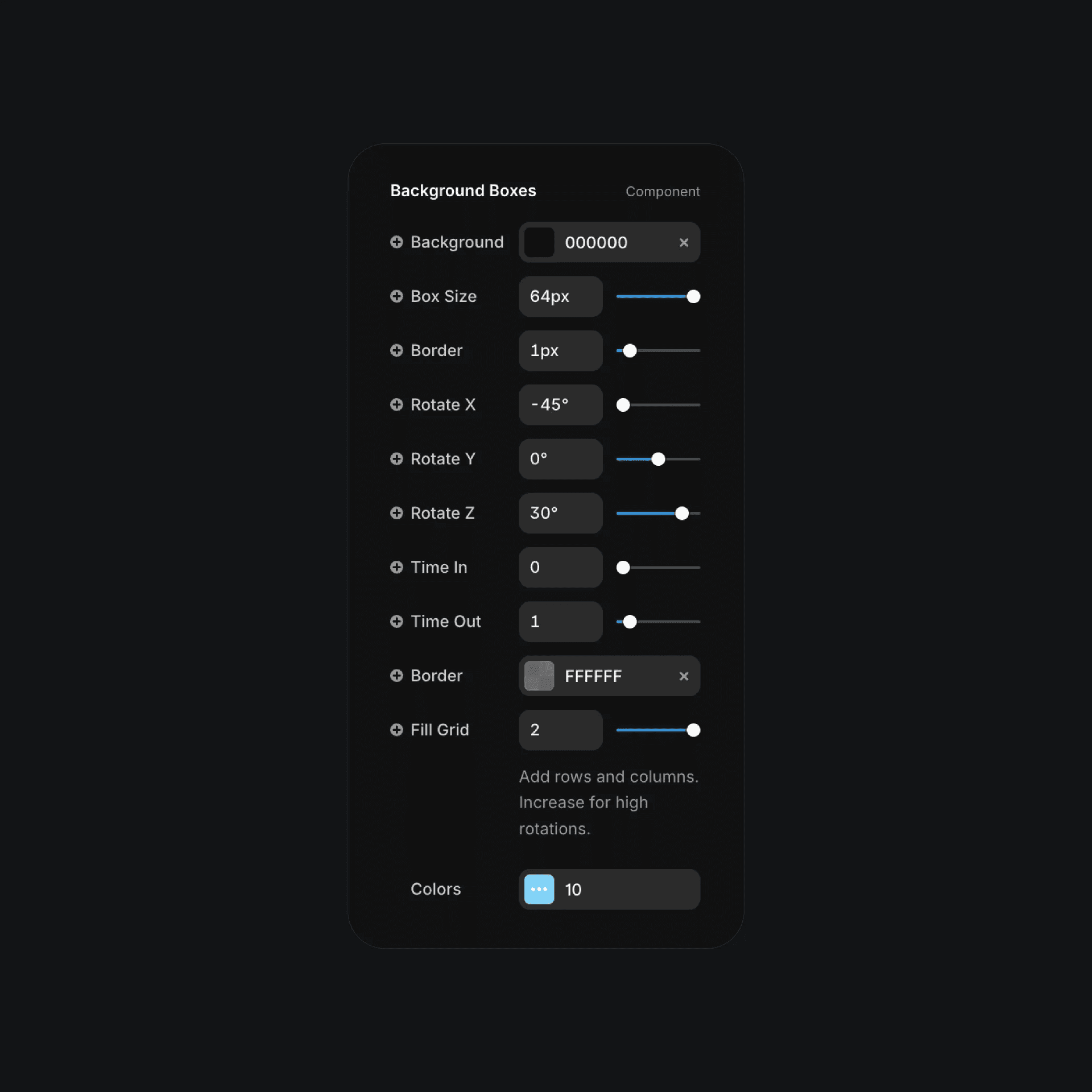
The background boxes component properties in Framer.
The background boxes component properties in Framer.
The background boxes component properties in Framer.


