Auto Page Switch When Reaching Bottom in Framer

Copy component

Copy component

Auto Page Switch When Reaching Bottom in Framer

Copy component

Nandi Muzsik

How can I improve Framer Uni?

Let me know if there’s a missing feature or something that could be improved.

Share feedback

Nandi Muzsik

How can I improve Framer Uni?

Let me know if there’s a missing feature or something that could be improved.

Share feedback

Component

Auto Page Switch When Reaching Bottom in Framer

This is an Auto Switch Page on Scroll code component for Framer, inspired by the Design Embraced website and based on Eduardo’s initial component. It automatically navigates users to a new page when they reach the bottom, helping long-form flows and storytelling feel seamless and uninterrupted. Copy the component into your own project or remix it to explore how scroll-based navigation works in Framer.

Flower Universe project showcase with pink and white lilies

About the resource

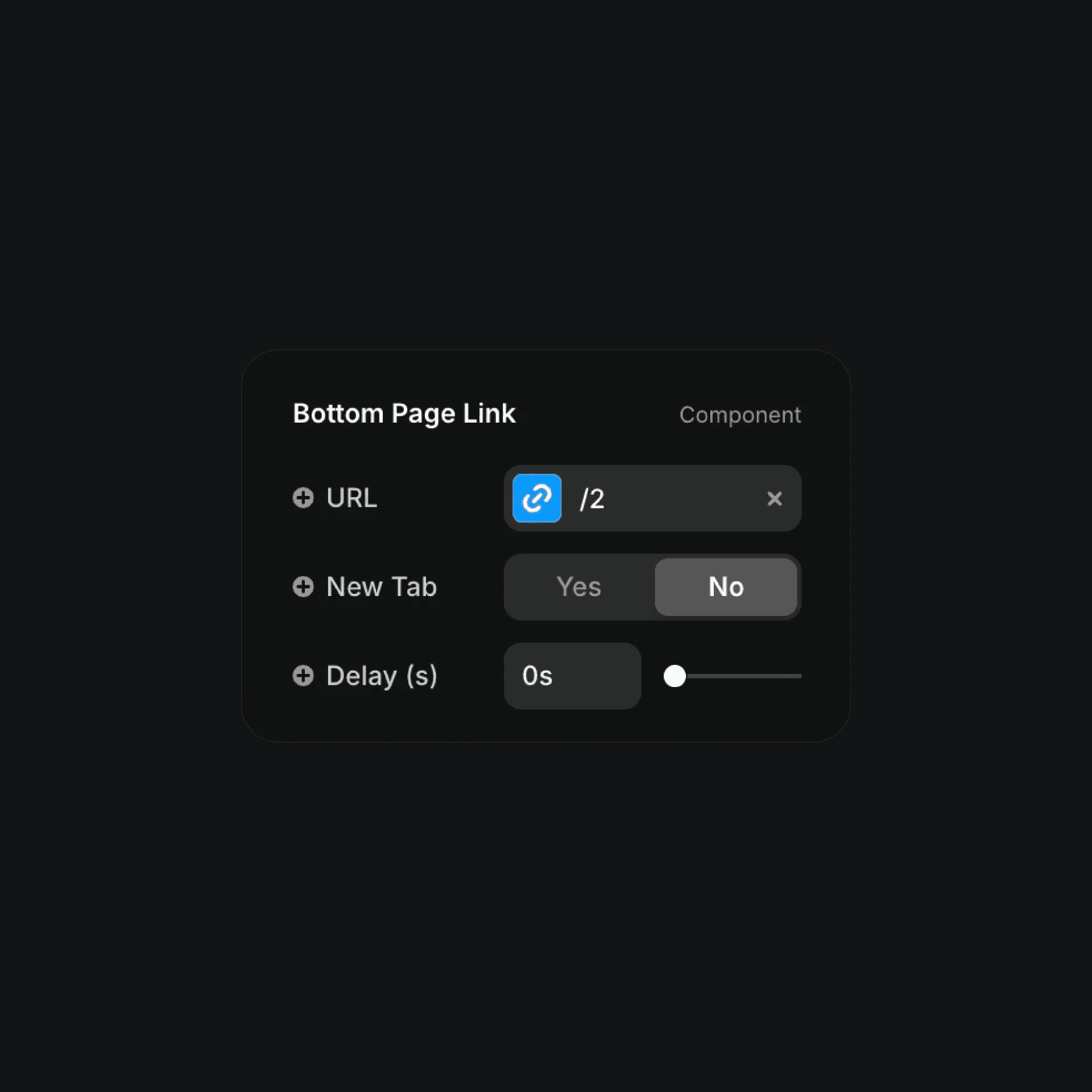
To use the Auto Switch Page When Reaching Bottom component, place it on your page and set the destination you want users to navigate to once they scroll to the end. Add a URL for the next page, whether it’s another Framer page or an external link. Choose whether the link should open in the same tab or a new one, then adjust the delay to control how quickly the transition happens after the bottom is reached. Use an instant switch for seamless storytelling or a short pause to give users a moment before moving to the next page.

About the resource

To use the Auto Switch Page When Reaching Bottom component, place it on your page and set the destination you want users to navigate to once they scroll to the end. Add a URL for the next page, whether it’s another Framer page or an external link. Choose whether the link should open in the same tab or a new one, then adjust the delay to control how quickly the transition happens after the bottom is reached. Use an instant switch for seamless storytelling or a short pause to give users a moment before moving to the next page.

About the resource

To use the Auto Switch Page When Reaching Bottom component, place it on your page and set the destination you want users to navigate to once they scroll to the end. Add a URL for the next page, whether it’s another Framer page or an external link. Choose whether the link should open in the same tab or a new one, then adjust the delay to control how quickly the transition happens after the bottom is reached. Use an instant switch for seamless storytelling or a short pause to give users a moment before moving to the next page.

Bottom page link component with URL and delay settings

The bottom page link component properties in Framer.

Bottom page link component with URL and delay settings

The bottom page link component properties in Framer.

Bottom page link component with URL and delay settings

The bottom page link component properties in Framer.

Framer Navigator

Learn the fundamentals of Framer for free.

Build your ideas with ease by learning the basics of website building with Framer.

Nandi portrait's background
Nandi's portrait

Framer Navigator

Learn the fundamentals of Framer for free.

Build your ideas with ease by learning the basics of website building with Framer.

Nandi portrait's background
Nandi's portrait

Framer Navigator

Learn the fundamentals of Framer for free.

Build your ideas with ease by learning the basics of website building with Framer.

Nandi portrait's background
Nandi's portrait

More resources

More resources

  • ⁠Rotation Button Hover component landing hero

    Rotation Button Hover in Framer

    Component

    ⁠Rotation Button Hover component landing hero

    Rotation Button Hover in Framer

    Component

    ⁠Rotation Button Hover component landing hero

    Rotation Button Hover in Framer

    Component

  • Framer Scribble Pad drawing canvas with smiley

    Scribble Pad Component in Framer

    Component

    Framer Scribble Pad drawing canvas with smiley

    Scribble Pad Component in Framer

    Component

    Framer Scribble Pad drawing canvas with smiley

    Scribble Pad Component in Framer

    Component