Animated Prism Effect in Framer

Copy component

Copy component

Animated Prism Effect in Framer

Copy component

Nandi Muzsik

How can I improve Framer Uni?

Let me know if there’s a missing feature or something that could be improved.

Share feedback

How I made $10K+ with Framer in 60 days

$10k Undercover Event

Component

Animated Prism Effect in Framer

This is an animated prism effect component for Framer (brought over from React Bits), which adds colorful, shifting prism animations to any layer. Simply drop it into your project and customize the colors, speed, and intensity to make your content pop.

Animated prism effect with glowing light rays

About the resource

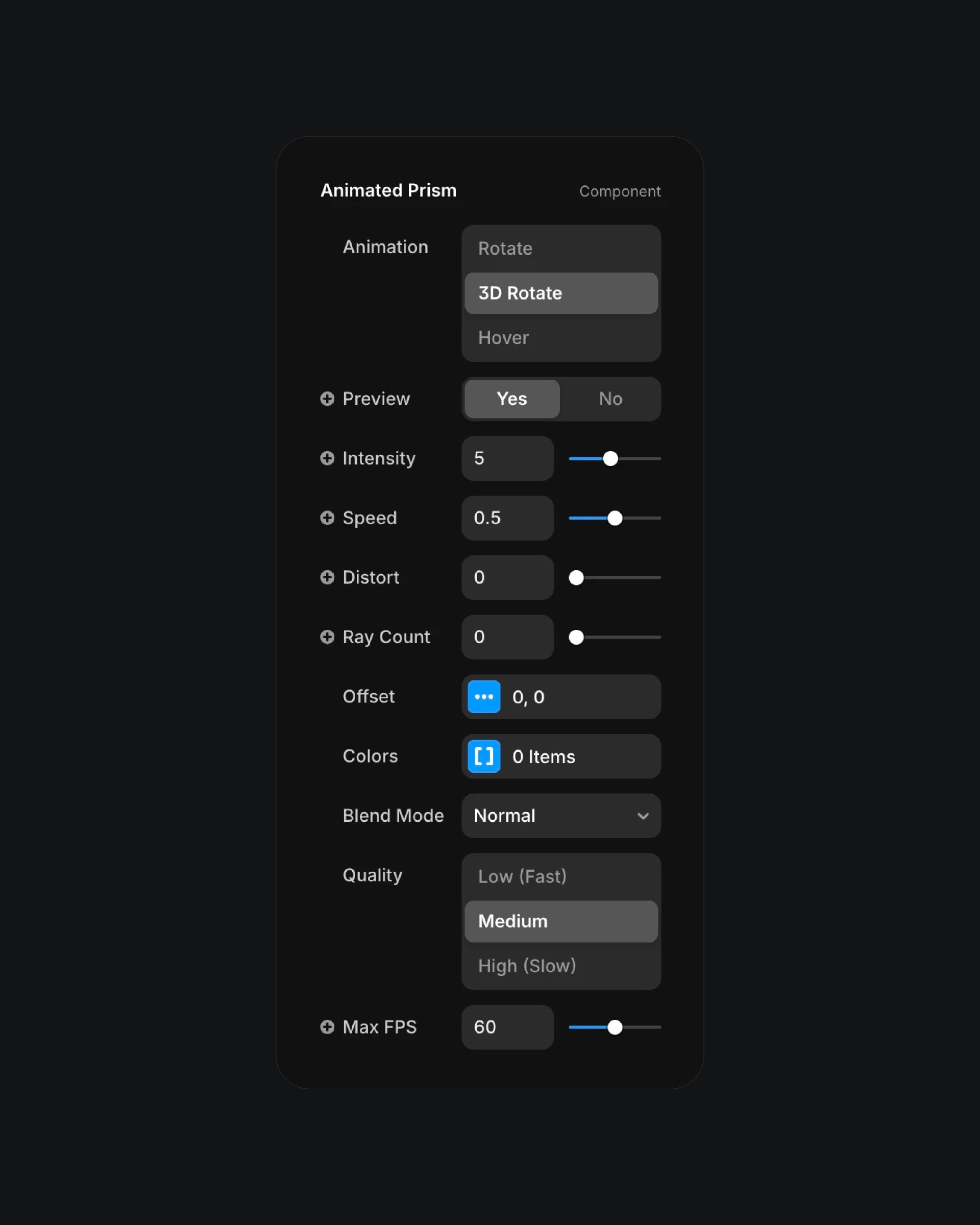
To use this animated prism effect component, simply paste it into your Framer project and customize it to suit your design needs. You can select the type of animation such as rotate, 3D rotate, or hover and turn on preview mode to see the effect in action. The component offers a variety of controls for fine tuning the look and behavior including intensity, speed, distortion, ray count, offset, blend mode, quality, and maximum FPS. This lets you create everything from subtle shimmering effects to bold, dynamic prism animations that make your content stand out.

About the resource

To use this animated prism effect component, simply paste it into your Framer project and customize it to suit your design needs. You can select the type of animation such as rotate, 3D rotate, or hover and turn on preview mode to see the effect in action. The component offers a variety of controls for fine tuning the look and behavior including intensity, speed, distortion, ray count, offset, blend mode, quality, and maximum FPS. This lets you create everything from subtle shimmering effects to bold, dynamic prism animations that make your content stand out.

About the resource

To use this animated prism effect component, simply paste it into your Framer project and customize it to suit your design needs. You can select the type of animation such as rotate, 3D rotate, or hover and turn on preview mode to see the effect in action. The component offers a variety of controls for fine tuning the look and behavior including intensity, speed, distortion, ray count, offset, blend mode, quality, and maximum FPS. This lets you create everything from subtle shimmering effects to bold, dynamic prism animations that make your content stand out.

Animated prism effect settings panel with controls

The properties of the animated prism effect in Framer.

Animated prism effect settings panel with controls

The properties of the animated prism effect in Framer.

Animated prism effect settings panel with controls

The properties of the animated prism effect in Framer.

Learn how I went from 0 to $11.5k with Framer in 60 days.

From no followers, no portfolio, no reputation, to secretly building a profitable Framer business.

Nandi portrait's background

Learn how I went from 0 to $11.5k with Framer in 60 days.

From no followers, no portfolio, no reputation, to secretly building a profitable Framer business.

Nandi portrait's background

Learn how I went from 0 to $11.5k with Framer in 60 days.

From no followers, no portfolio, no reputation, to secretly building a profitable Framer business.

Nandi portrait's background

More resources

More resources

  • Music app playlist created screen with artist avatars

    Playlist Generation Circular Animation in Framer

    Component

    Music app playlist created screen with artist avatars

    Playlist Generation Circular Animation in Framer

    Component

  • Customer testimonials section with review letter card

    3D Letter Testimonials in Framer

    Component

    Customer testimonials section with review letter card

    3D Letter Testimonials in Framer

    Component