
Component
3D Sticker Drag Component in Framer
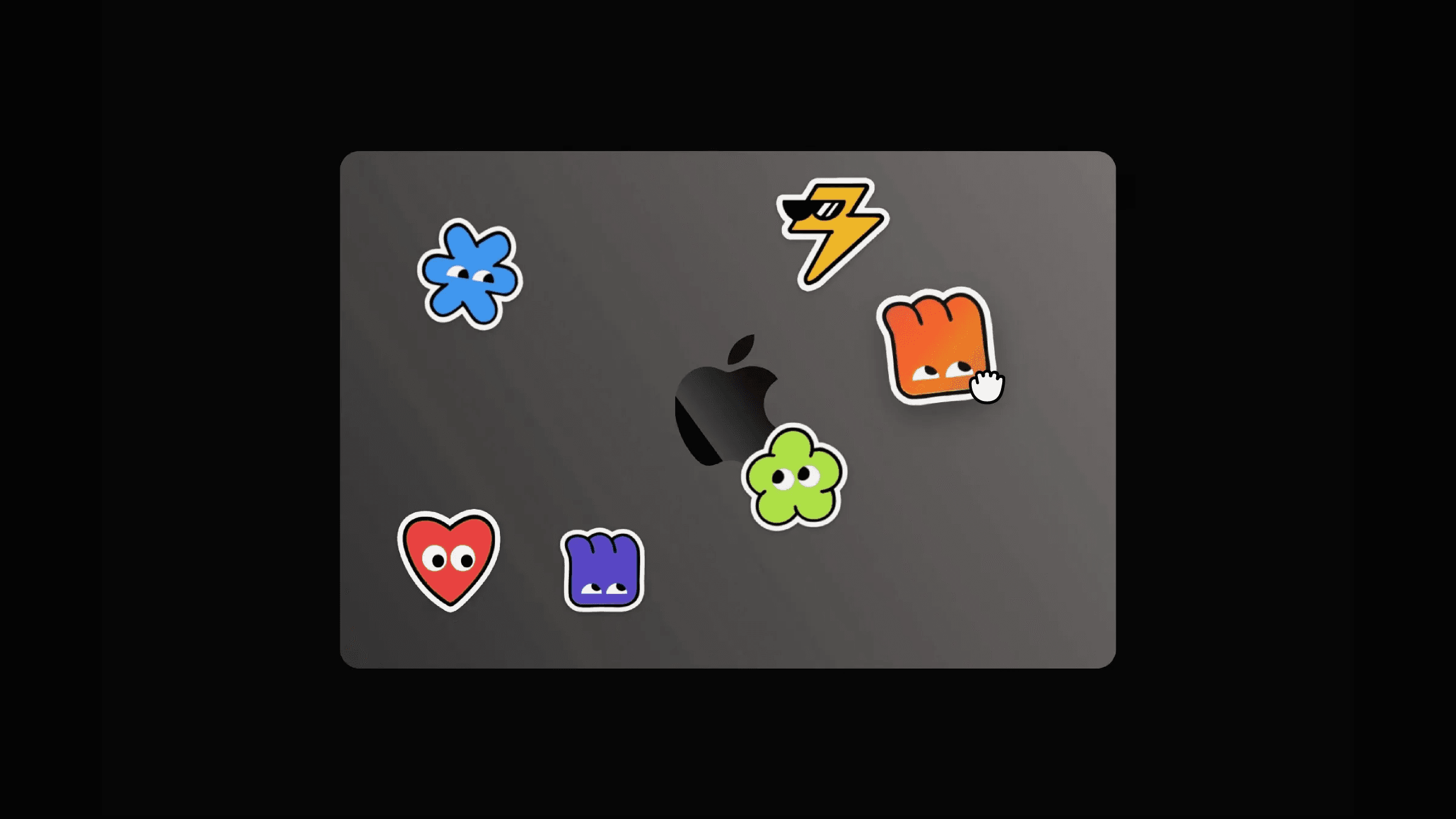
This is a 3D Sticker Drag component for Framer, recreated from Ben's Variant Ui and Suhani’s cute stickers. You can copy it directly into your project to customize tilt, lighting, lift, and shadow states; and create a realistic peel interaction without writing any code.




About the resource
To use this 3D Sticker Drag component in Framer, drop it onto your canvas and upload your sticker Image. Users can drag and peel it with realistic tilt, elevate, and lighting effects , all controlled from the property panel.
Tilt adjusts how sensitive the sticker is to movement, Lighting controls the strength of the sheen or holographic effect, and Sheen lets you choose between a subtle light sweep or an iridescent holographic look. Elevation defines how much the sticker lifts and scales during drag.
You can also customize the Static and Elevated box shadows to control how the sticker looks at rest and while being peeled, giving you full control over the 3D depth and feel.
About the resource
To use this 3D Sticker Drag component in Framer, drop it onto your canvas and upload your sticker Image. Users can drag and peel it with realistic tilt, elevate, and lighting effects , all controlled from the property panel.
Tilt adjusts how sensitive the sticker is to movement, Lighting controls the strength of the sheen or holographic effect, and Sheen lets you choose between a subtle light sweep or an iridescent holographic look. Elevation defines how much the sticker lifts and scales during drag.
You can also customize the Static and Elevated box shadows to control how the sticker looks at rest and while being peeled, giving you full control over the 3D depth and feel.
About the resource
To use this 3D Sticker Drag component in Framer, drop it onto your canvas and upload your sticker Image. Users can drag and peel it with realistic tilt, elevate, and lighting effects , all controlled from the property panel.
Tilt adjusts how sensitive the sticker is to movement, Lighting controls the strength of the sheen or holographic effect, and Sheen lets you choose between a subtle light sweep or an iridescent holographic look. Elevation defines how much the sticker lifts and scales during drag.
You can also customize the Static and Elevated box shadows to control how the sticker looks at rest and while being peeled, giving you full control over the 3D depth and feel.
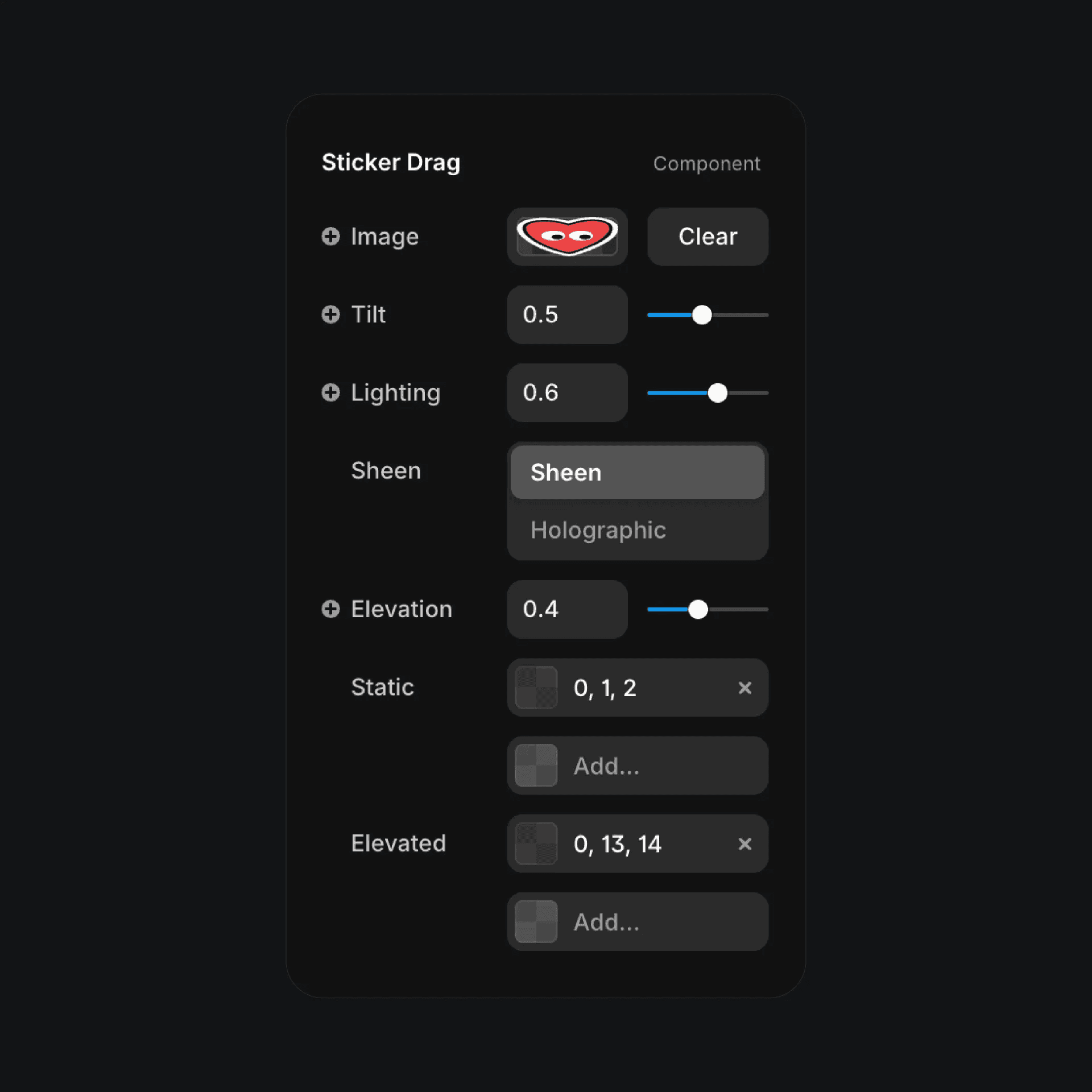
The 3D sticker drag component properties in Framer.
The 3D sticker drag component properties in Framer.
The 3D sticker drag component properties in Framer.


