Animation
Keyboard Arrow Navigation in Framer
This is a keyboard arrow navigation setup recreated in Framer from Noman’s original work, that lets you move through pages with simple left and right key presses. It’s built to feel smooth and easy to drop into any project.



About the resource
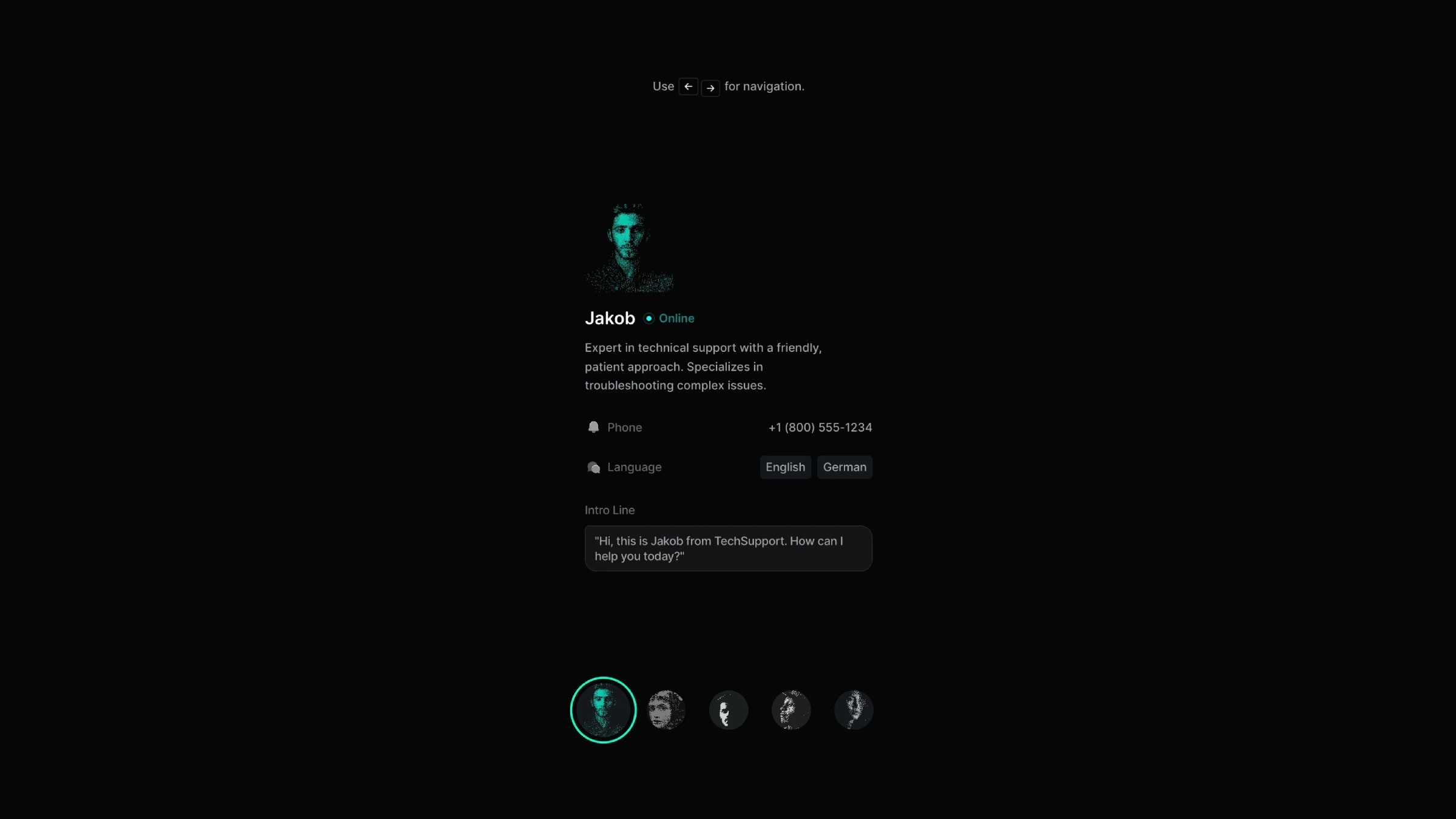
To create the Keyboard Arrow Navigation in Framer, I set up a group of components that work together. I started with the agent details component placed at the center of each page. Then I built the agent image component with two variants: inactive and active. Inactive is scaled down and in black and white. Active is scaled up and in full color.
After that, I created the main navigation component. It holds five agent image components stacked together, and I set up five variants, one for each agent page; so the correct image switches to the active state while the rest stay inactive.
About the resource
To create the Keyboard Arrow Navigation in Framer, I set up a group of components that work together. I started with the agent details component placed at the center of each page. Then I built the agent image component with two variants: inactive and active. Inactive is scaled down and in black and white. Active is scaled up and in full color.
After that, I created the main navigation component. It holds five agent image components stacked together, and I set up five variants, one for each agent page; so the correct image switches to the active state while the rest stay inactive.
About the resource
To create the Keyboard Arrow Navigation in Framer, I set up a group of components that work together. I started with the agent details component placed at the center of each page. Then I built the agent image component with two variants: inactive and active. Inactive is scaled down and in black and white. Active is scaled up and in full color.
After that, I created the main navigation component. It holds five agent image components stacked together, and I set up five variants, one for each agent page; so the correct image switches to the active state while the rest stay inactive.
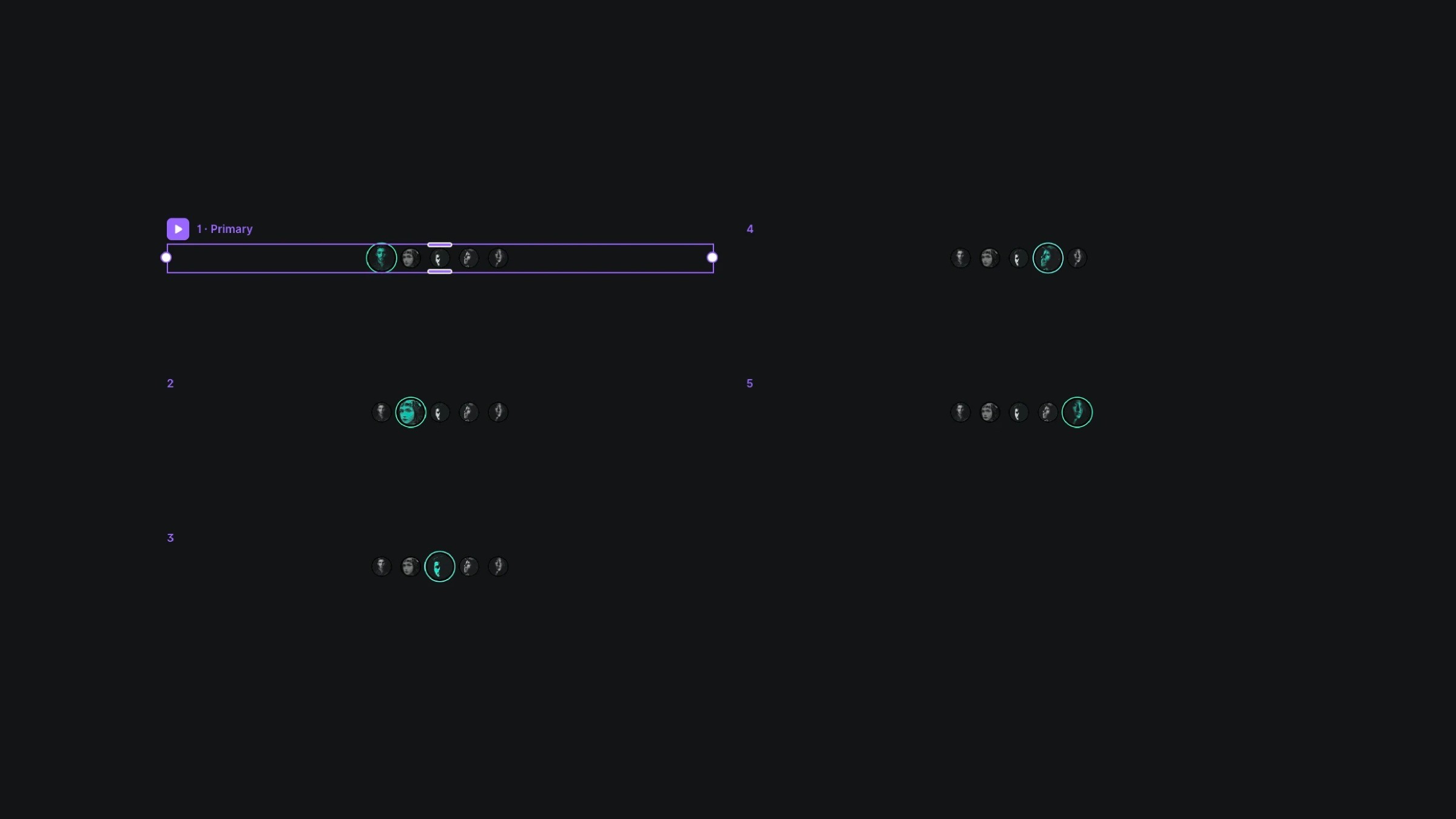
The agent image component and its variants.
The agent image component and its variants.
The agent image component and its variants.
I also added a small tip component for users, just to show how the arrow-key navigation works. For the keyboard support, I used the shortcut code component. It assigns the key interactions (left and right arrow keys) and sits absolutely inside the main frame.
I also added a small tip component for users, just to show how the arrow-key navigation works. For the keyboard support, I used the shortcut code component. It assigns the key interactions (left and right arrow keys) and sits absolutely inside the main frame.
I also added a small tip component for users, just to show how the arrow-key navigation works. For the keyboard support, I used the shortcut code component. It assigns the key interactions (left and right arrow keys) and sits absolutely inside the main frame.
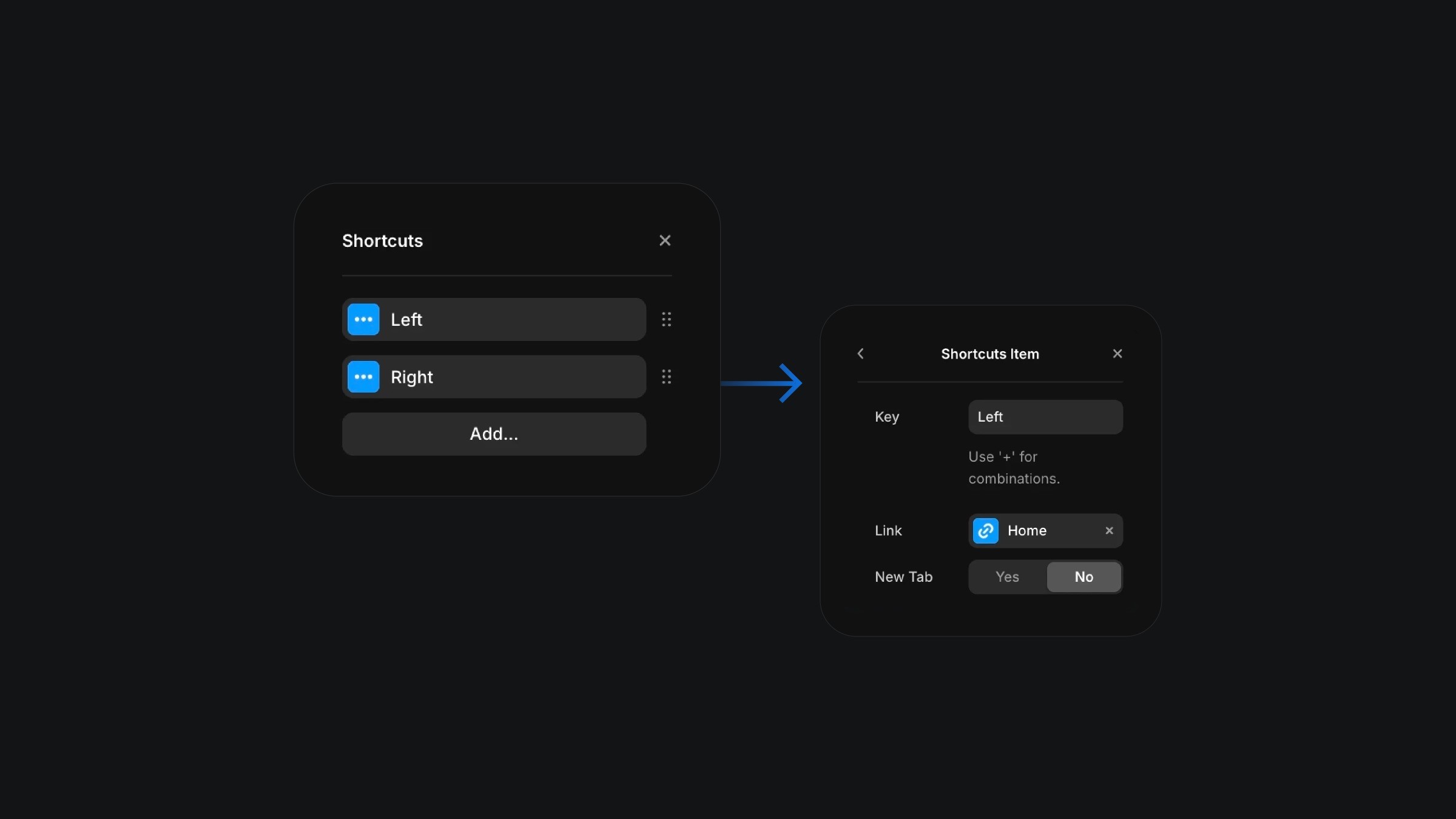
The shortcuts component setup in Framer.
The shortcuts component setup in Framer.
The shortcuts component setup in Framer.
Once the setup was ready, I added an appear effect to the agent details with a slight offset, so the page content enters gently each time.
From there, I created four more pages for the other agents and customized the details on each. On these pages, the layout template is overridden, which means switching pages triggers the navigation animation automatically. Now the whole system works with both arrow keys and clicks, so you can navigate however you prefer.
Once the setup was ready, I added an appear effect to the agent details with a slight offset, so the page content enters gently each time.
From there, I created four more pages for the other agents and customized the details on each. On these pages, the layout template is overridden, which means switching pages triggers the navigation animation automatically. Now the whole system works with both arrow keys and clicks, so you can navigate however you prefer.
Once the setup was ready, I added an appear effect to the agent details with a slight offset, so the page content enters gently each time.
From there, I created four more pages for the other agents and customized the details on each. On these pages, the layout template is overridden, which means switching pages triggers the navigation animation automatically. Now the whole system works with both arrow keys and clicks, so you can navigate however you prefer.
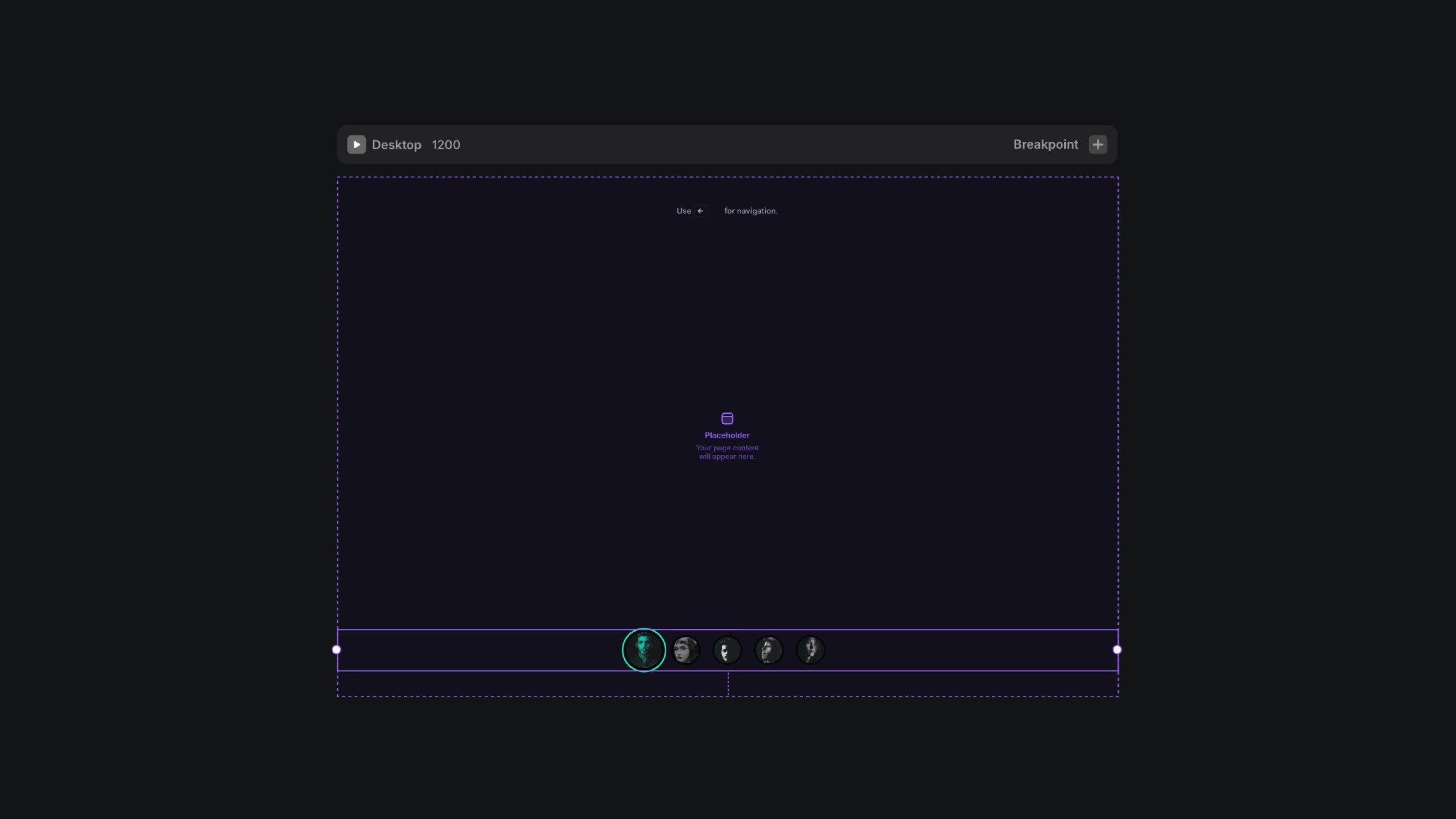
The layout template for the keyboard arrow navigation.
The layout template for the keyboard arrow navigation.
The layout template for the keyboard arrow navigation.